
G4bb4G4nd4lf - Minecraft Skins & Skin History
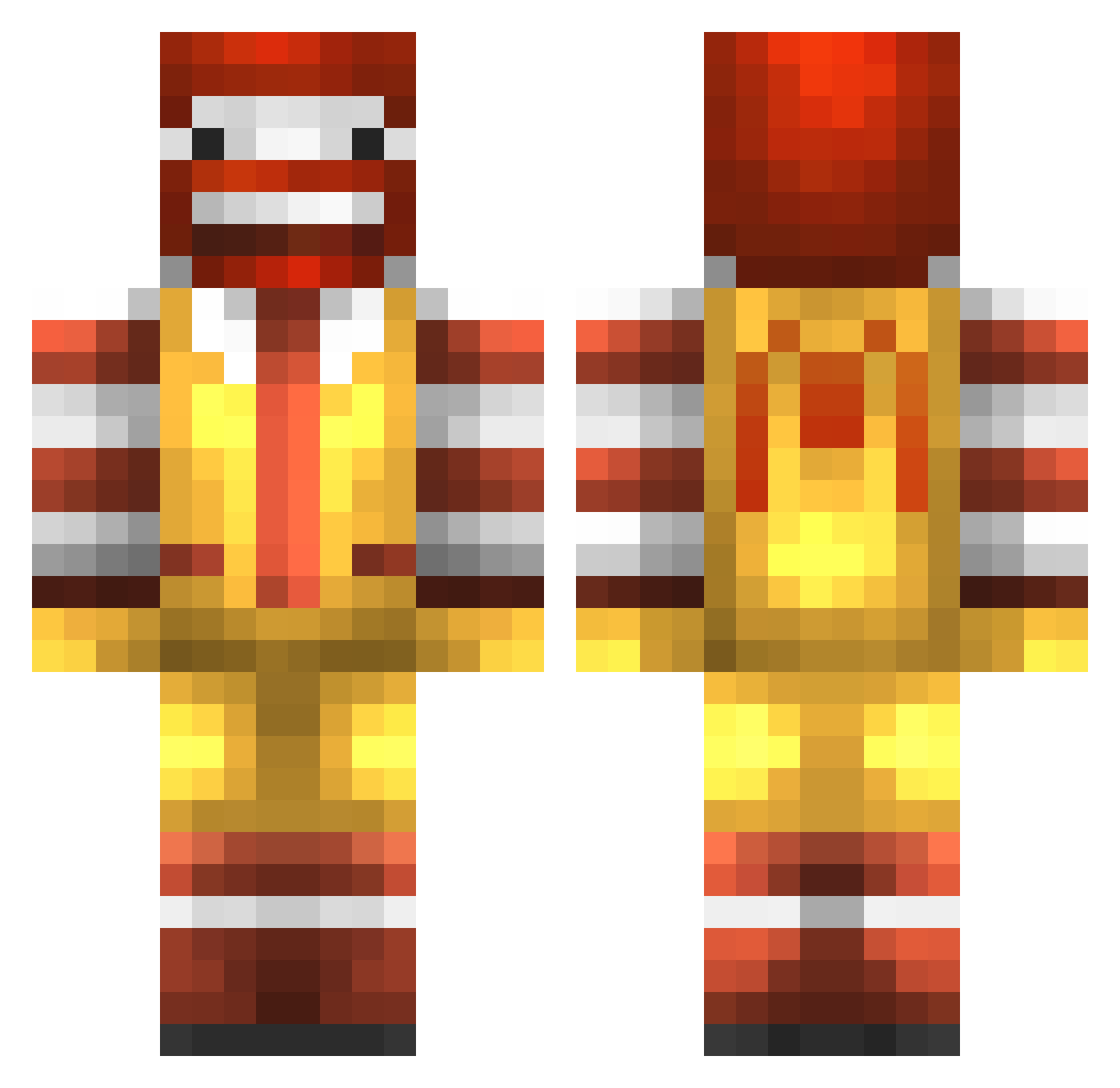
Current Minecraft skin of the player G4bb4G4nd4lf, loaded from the official Mojang API. Rotate the 3D model with your mouse or finger, then download the skin as a PNG file and use it in Minecraft: Bedrock Edition or Java Edition for free. When G4bb4G4nd4lf changes their skin, this page updates automatically and the old skin stays in the history below.
Other players with this skin (227)
G4bb4G4nd4lf was the 167th player we have seen with this skin, first spotted on 29.09.2026. The same skin was seen on these players. Open a nickname to see their current skin and skin history.
 Hapusublk_Feripe iljack1992 Lahahana GoodatMath Mcfattass swiggychin StuartRV1 GwangP CaptainKoek Djanlu OGAndrewww OohMashi seppe1207 Senzier krplin SWUM_ spindog _grag santashelper2 mb_lul Vloeistof95 HzHz17 Diermi eBays tona516 FATSAPO123 FamousNerd21 Philomenal wiggles27 dontrunaway NoobToob37 gosciuniu TheIntellectual1 FlyinSloth BBQYOYO schm1t samdjjord BuffCherry TKG926 IsacTheSoldier robomassa69 Floompers Gwokhov PoppaDock wrybx yui6012 LePourts xORESASx scolban7 wangxuli Marrynin PaardenSnikkel venty13 sichung317 Mazicien holacl BoyAngBoy hiroshima690 F1sh211 Nakasaya
More Ronald Mcdonald Minecraft skins
See all 124 Ronald Mcdonald skins
How to install the G4bb4G4nd4lf skin
- Press the Download button above to save the skin as a PNG file.
- Minecraft: Bedrock Edition (PE): open the Dressing Room from the main menu (or tap your character → Edit Character), go to Classic Skins → Owned, press the + (new skin) button, choose the downloaded PNG and pick the Classic (Steve) model. Works on PC and mobile; consoles cannot import custom skins.
- Minecraft: Java Edition: open the Minecraft Launcher, go to the Skins tab, click New Skin, load the PNG, pick the Classic (Steve) model and press Save & Use. You can also upload it at minecraft.net → Profile → Change Skin.
The skin does not show up after import - what should I do?
Restart Minecraft and open the Dressing Room again - imported skins sometimes appear only after a restart. Also make sure you selected the imported skin and picked the Classic (Steve) model.
Which model should I choose, Classic or Slim?
This skin is designed for the Classic (Steve) model. If you pick the wrong model, the arms of the skin will look stretched or squeezed.
Is the skin of G4bb4G4nd4lf free to download?
Yes. Press Download, save the PNG file and use it in Minecraft: Bedrock Edition or Java Edition - no payment or registration needed. The skin also works on multiplayer servers and Realms.
More skins
Looking for more? Go back to all Minecraft skins and check the top skins of the week, month and all time, or find any player's skin by nickname.