
Fotone - Minecraft Skins & Skin History
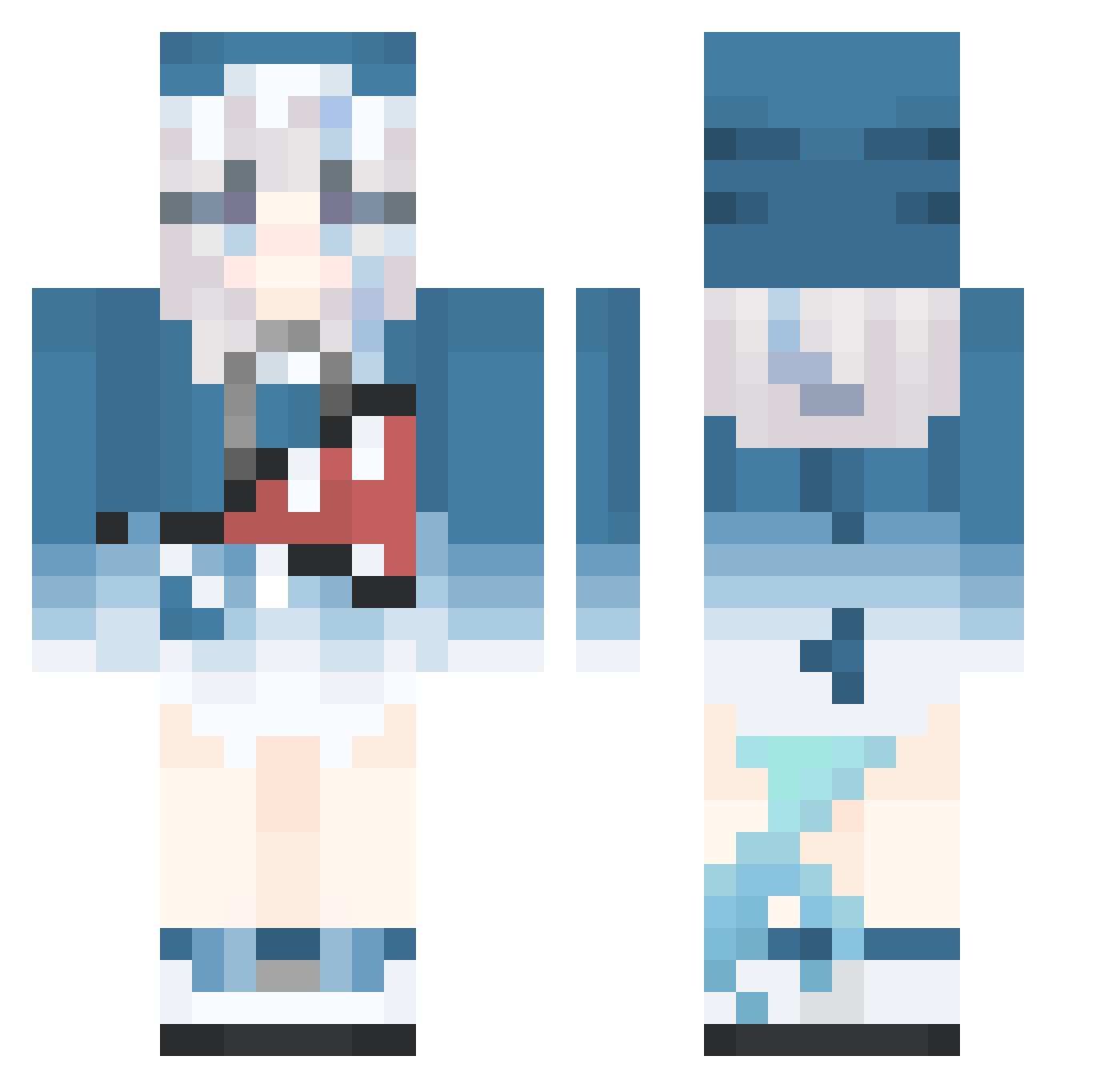
Current Minecraft skin of the player Fotone, loaded from the official Mojang API. Rotate the 3D model with your mouse or finger, then download the skin as a PNG file and use it in Minecraft: Bedrock Edition or Java Edition for free. When Fotone changes their skin, this page updates automatically and the old skin stays in the history below.
Other players with this skin (515)
Fotone was the 365th player we have seen with this skin, first spotted on 07.10.2026. The same skin was seen on these players. Open a nickname to see their current skin and skin history.
 izanamimimi wupeiin NiiNjuH gravekeeper521 BroDoUEvenLift sysmatksrg233344 ivanhii ONCE0302 Sun_Fer penny112233 adam03322 irispoplar wertain Yin25 YasashiiSuisei Allen0411 Mr_666 neggghir Master_GuraQAQ tevol7 Andy81324 FancyPirate7736 Maybe7ovo7 lankerin linshenqian longnai Aethalyn Ca_cher iAkagi Kuzaha LynchR7 YuZi_Z Aurora_Pluto mirotoQAQ BoiDaemon Triple_Crow Clarence1113 roooby44 E_reck LewdAstolfo zhongkeran Yaozi_lingxiuQWQ NamelessLotus28 jjampong_8 WALKERJACK666 SandLaowang PrinzEugenSavoy TrueAcorn fatcity0402 chen628 moon_456 xiaqianye sixteen16161616 carence abcd123A JadedBroom superidolprdac KURUMI335 Cai_dudu le_baguetteman
More Gawr Gura Minecraft skins
How to install the Fotone skin
- Press the Download button above to save the skin as a PNG file.
- Minecraft: Bedrock Edition (PE): open the Dressing Room from the main menu (or tap your character → Edit Character), go to Classic Skins → Owned, press the + (new skin) button, choose the downloaded PNG and pick the Classic (Steve) model. Works on PC and mobile; consoles cannot import custom skins.
- Minecraft: Java Edition: open the Minecraft Launcher, go to the Skins tab, click New Skin, load the PNG, pick the Classic (Steve) model and press Save & Use. You can also upload it at minecraft.net → Profile → Change Skin.
The skin does not show up after import - what should I do?
Restart Minecraft and open the Dressing Room again - imported skins sometimes appear only after a restart. Also make sure you selected the imported skin and picked the Classic (Steve) model.
Which model should I choose, Classic or Slim?
This skin is designed for the Classic (Steve) model. If you pick the wrong model, the arms of the skin will look stretched or squeezed.
Is the skin of Fotone free to download?
Yes. Press Download, save the PNG file and use it in Minecraft: Bedrock Edition or Java Edition - no payment or registration needed. The skin also works on multiplayer servers and Realms.
More skins
Looking for more? Go back to all Minecraft skins and check the top skins of the week, month and all time, or find any player's skin by nickname.