
KURUMI335 - Minecraft Skins & Skin History
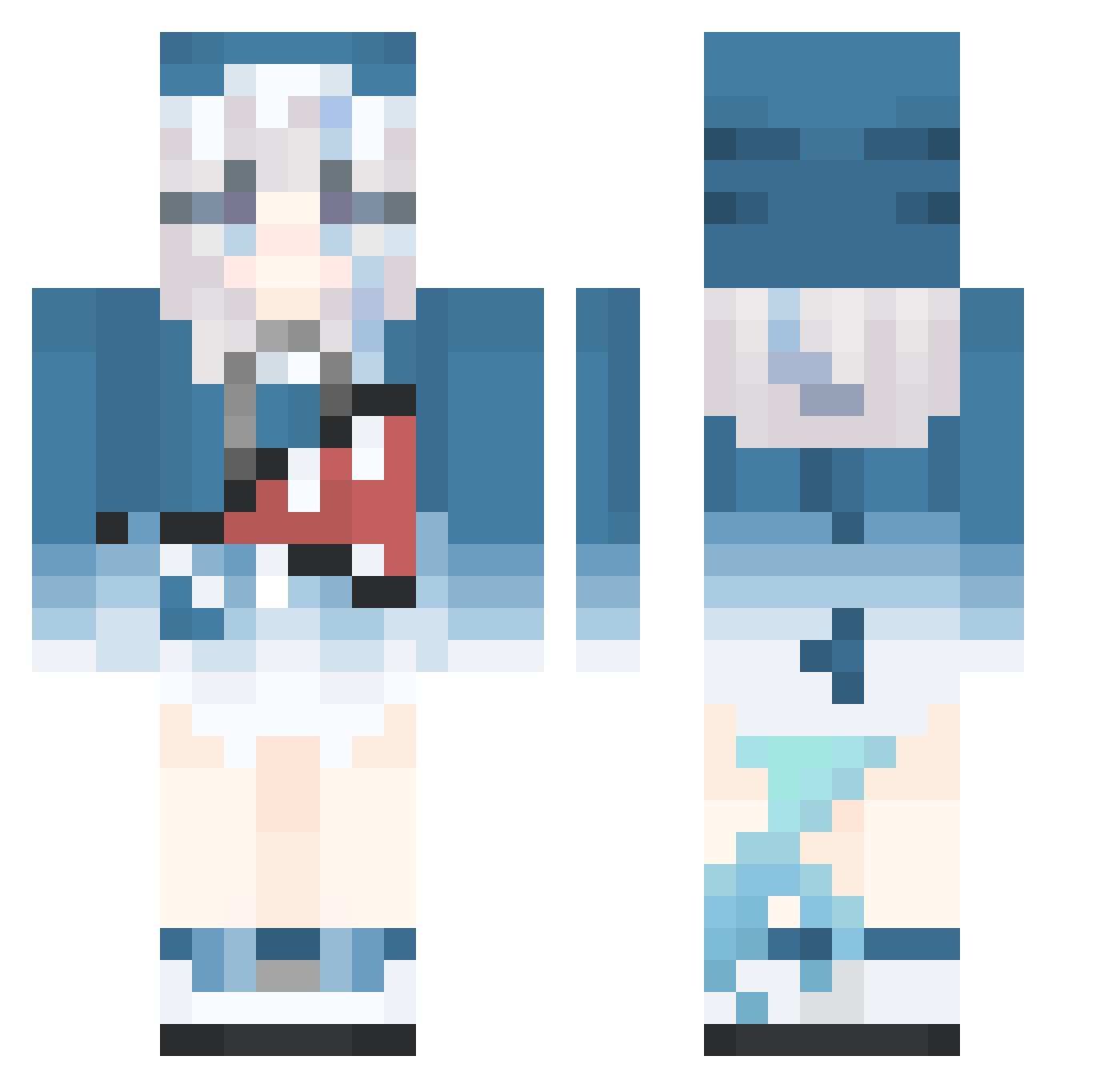
Current Minecraft skin of the player KURUMI335, loaded from the official Mojang API. Rotate the 3D model with your mouse or finger, then download the skin as a PNG file and use it in Minecraft: Bedrock Edition or Java Edition for free. When KURUMI335 changes their skin, this page updates automatically and the old skin stays in the history below.
Other players with this skin (515)
KURUMI335 was the 332nd player we have seen with this skin, first spotted on 01.10.2026. The same skin was seen on these players. Open a nickname to see their current skin and skin history.
 superidolprdac abcd123A carence sixteen16161616 le_baguetteman Pardofelis164 FongFong0_0 moon_456 SILYHAO chen628 TrueAcorn KrisAugust PrinzEugenSavoy zhuzhaohui Teahanser jjampong_8 NamelessLotus28 Yaozi_lingxiuQWQ zhongkeran Glyndor fa1sea1arm E_reck Triple_Crow SharkYTB BoiDaemon MIUKE77 mirotoQAQ FelixLUII Shi_chuan yuting_o tanggj4 XiaoDi234 Aurora_Pluto atsydm YuZi_Z LynchR7 Kuzaha iAkagi Seelexier Restia__Ashdoll wjwt Aethalyn longnai todoiscool MrzShark jouskaaaa ImWithCringe Zushuii SquishyQWQ Gura_Gura_ FancyPirate7736 neggghir Nattogami Baked_Rice Mr_666 PEIZA HiraSama MoYingBuWanLe 66666JK penny112233
More Gawr Gura Minecraft skins
How to install the KURUMI335 skin
- Press the Download button above to save the skin as a PNG file.
- Minecraft: Bedrock Edition (PE): open the Dressing Room from the main menu (or tap your character → Edit Character), go to Classic Skins → Owned, press the + (new skin) button, choose the downloaded PNG and pick the Classic (Steve) model. Works on PC and mobile; consoles cannot import custom skins.
- Minecraft: Java Edition: open the Minecraft Launcher, go to the Skins tab, click New Skin, load the PNG, pick the Classic (Steve) model and press Save & Use. You can also upload it at minecraft.net → Profile → Change Skin.
The skin does not show up after import - what should I do?
Restart Minecraft and open the Dressing Room again - imported skins sometimes appear only after a restart. Also make sure you selected the imported skin and picked the Classic (Steve) model.
Which model should I choose, Classic or Slim?
This skin is designed for the Classic (Steve) model. If you pick the wrong model, the arms of the skin will look stretched or squeezed.
Is the skin of KURUMI335 free to download?
Yes. Press Download, save the PNG file and use it in Minecraft: Bedrock Edition or Java Edition - no payment or registration needed. The skin also works on multiplayer servers and Realms.
More skins
Looking for more? Go back to all Minecraft skins and check the top skins of the week, month and all time, or find any player's skin by nickname.