
Foraging_ONLY - Minecraft Skins & Skin History
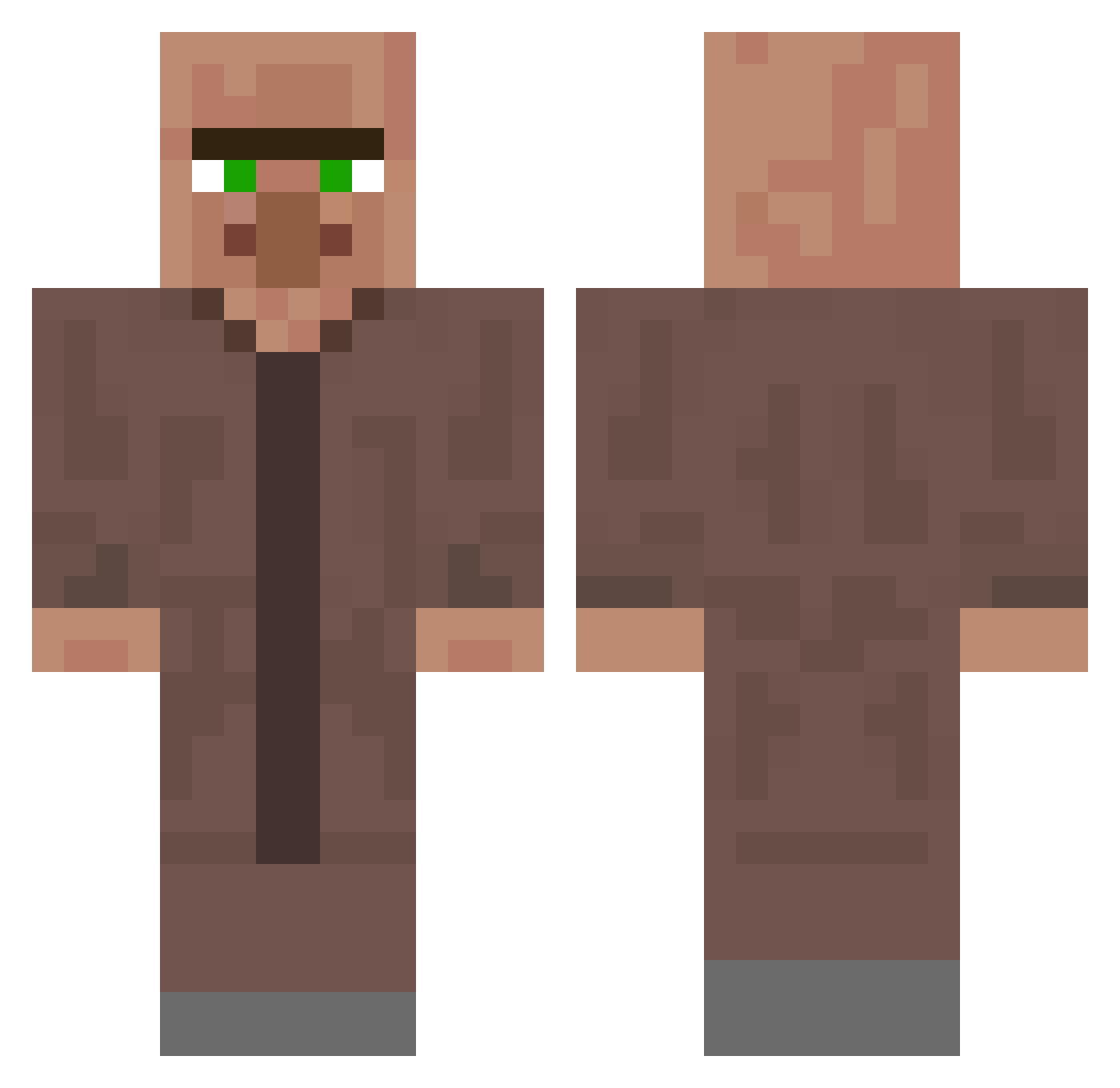
Current Minecraft skin of the player Foraging_ONLY, loaded from the official Mojang API. Rotate the 3D model with your mouse or finger, then download the skin as a PNG file and use it in Minecraft: Bedrock Edition or Java Edition for free. When Foraging_ONLY changes their skin, this page updates automatically and the old skin stays in the history below.
Other players with this skin (340)
Foraging_ONLY was the 249th player we have seen with this skin, first spotted on 08.10.2026. The same skin was seen on these players. Open a nickname to see their current skin and skin history.
 iggymean tyonaga Platypusssssss69 SALI23282 Agnii_Pro F4ze91 Polloperezgamer MirKetix sosaaz Rasang HiroMAK fradi OldManWithTerets TuRbOoM_TITAN FLOPPERFARTSALOT Tarnkappenstein tellcell Laurantt Green_muscat MrBCat0573 WatNeni ZippingDuke RaringDuck20652 Bezin_864 Tonto22 Urususs Ichgoogledich1 LETSGOOOOOOOOO1 Bushes_Prime sepa1090 Symiii limekun __Poto__ Sesonskii spreengod DrPotato1288 jagnashiii gauthe Koris0 JP_le_vrai Bulgdo 4CAki axel1234324324 EAR7 FBKuwu39 Zak3000 Johannes_ist_eZ Lol_Robert Samci12 40304 Pavel_091 gw27233 Mexican_Doughnut TobiasKuchen123 Me0711 paytonebodyguard kisabon kirakatanas Disupoker Tixtuu69
More Villager Minecraft skins
How to install the Foraging_ONLY skin
- Press the Download button above to save the skin as a PNG file.
- Minecraft: Bedrock Edition (PE): open the Dressing Room from the main menu (or tap your character → Edit Character), go to Classic Skins → Owned, press the + (new skin) button, choose the downloaded PNG and pick the Classic (Steve) model. Works on PC and mobile; consoles cannot import custom skins.
- Minecraft: Java Edition: open the Minecraft Launcher, go to the Skins tab, click New Skin, load the PNG, pick the Classic (Steve) model and press Save & Use. You can also upload it at minecraft.net → Profile → Change Skin.
The skin does not show up after import - what should I do?
Restart Minecraft and open the Dressing Room again - imported skins sometimes appear only after a restart. Also make sure you selected the imported skin and picked the Classic (Steve) model.
Which model should I choose, Classic or Slim?
This skin is designed for the Classic (Steve) model. If you pick the wrong model, the arms of the skin will look stretched or squeezed.
Is the skin of Foraging_ONLY free to download?
Yes. Press Download, save the PNG file and use it in Minecraft: Bedrock Edition or Java Edition - no payment or registration needed. The skin also works on multiplayer servers and Realms.
More skins
Looking for more? Go back to all Minecraft skins and check the top skins of the week, month and all time, or find any player's skin by nickname.