
FeetSniffer_420 - Minecraft Skins & Skin History
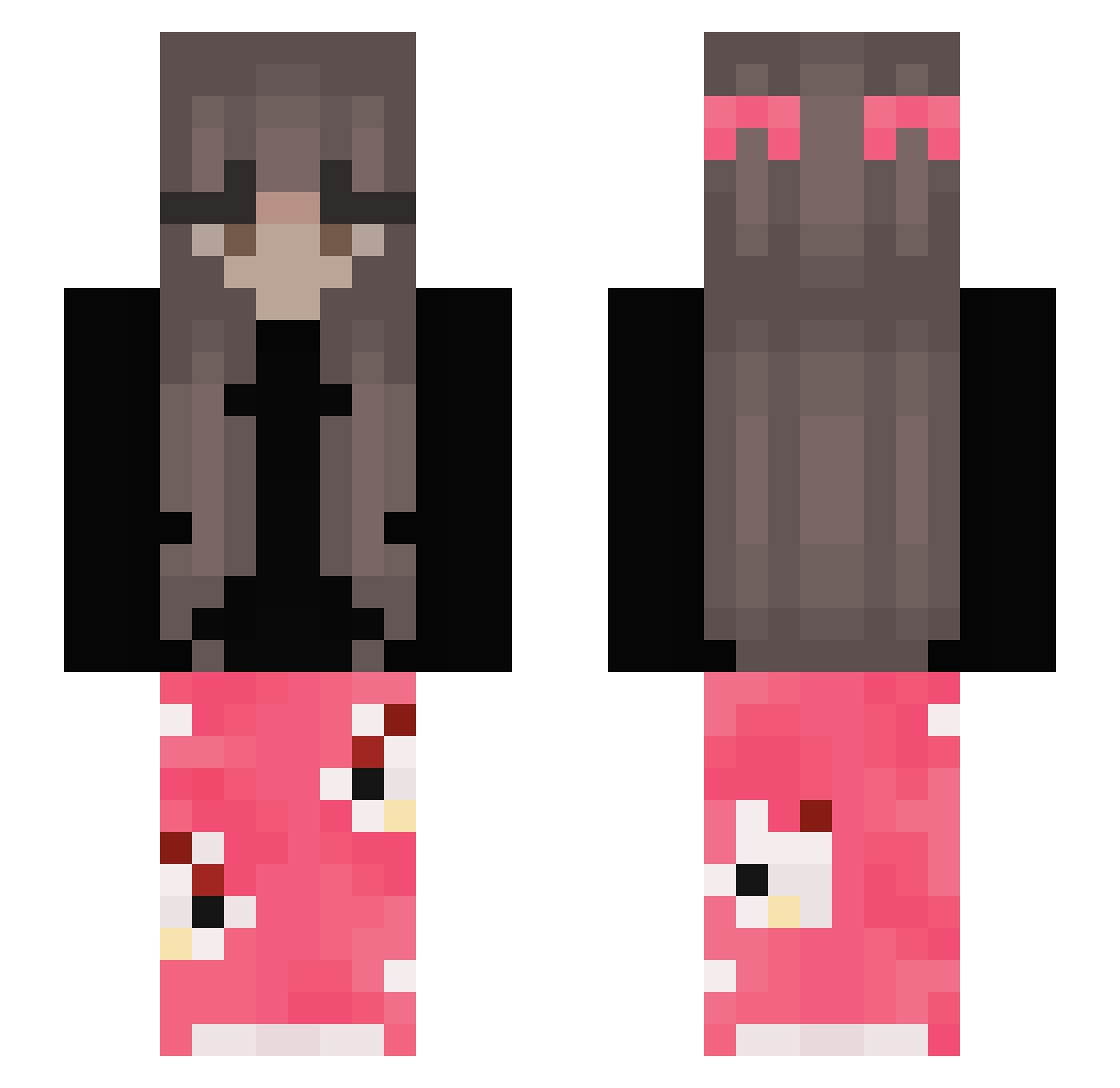
Current Minecraft skin of the player FeetSniffer_420, loaded from the official Mojang API. Rotate the 3D model with your mouse or finger, then download the skin as a PNG file and use it in Minecraft: Bedrock Edition or Java Edition for free. When FeetSniffer_420 changes their skin, this page updates automatically and the old skin stays in the history below.
Other players with this skin (317)
FeetSniffer_420 was the 36th player we have seen with this skin, first spotted on 03.08.2026. The same skin was seen on these players. Open a nickname to see their current skin and skin history.
 HotDuda KalarepkaKasia34
 Poleczka135 payton4200 Audrey1234565 Txinxin Jiminiminie PlatinumSKi22s XxNereCraftxX Maggie2255 DarknessxLady97 notLizzzzz Luluvroumette19 EinfachChanti jxstnele Kialdela Imthealpha_awooo Werku023 caauaa Nami337 Georgigamerita2 _eryczka_ Garcix10 citronzale Kimbaa16 mushrboo Markyyds tiwymeow gekuschelte
 misphyric bunyibes
 300JLaika Marfons gine_25 MaxScarab906777 bocelyn sushiimaki P0Z3R4CZB0RG3R0W litallys lynnyny_ TERMINATOR24200 progaminggirl100 KtthyCR Moony_b ihykoko_ nxtebqby 1Amelka17 Lc_Dead emmarose1215 Sxanxx Maaaasha Akviuks kaya23_23 lilPudding3 Yuummh _yoIo_ MIOBI777 JayleneF Cridru thatilaria
More Pyjamas Minecraft skins
How to install the FeetSniffer_420 skin
- Press the Download button above to save the skin as a PNG file.
- Minecraft: Bedrock Edition (PE): open the Dressing Room from the main menu (or tap your character → Edit Character), go to Classic Skins → Owned, press the + (new skin) button, choose the downloaded PNG and pick the Slim (Alex) model. Works on PC and mobile; consoles cannot import custom skins.
- Minecraft: Java Edition: open the Minecraft Launcher, go to the Skins tab, click New Skin, load the PNG, pick the Slim (Alex) model and press Save & Use. You can also upload it at minecraft.net → Profile → Change Skin.
The skin does not show up after import - what should I do?
Restart Minecraft and open the Dressing Room again - imported skins sometimes appear only after a restart. Also make sure you selected the imported skin and picked the Slim (Alex) model.
Which model should I choose, Classic or Slim?
This skin is designed for the Slim (Alex) model. If you pick the wrong model, the arms of the skin will look stretched or squeezed.
Is the skin of FeetSniffer_420 free to download?
Yes. Press Download, save the PNG file and use it in Minecraft: Bedrock Edition or Java Edition - no payment or registration needed. The skin also works on multiplayer servers and Realms.
More skins
Looking for more? Go back to all Minecraft skins and check the top skins of the week, month and all time, or find any player's skin by nickname.