
Explicit_Ace - Minecraft Skins & Skin History
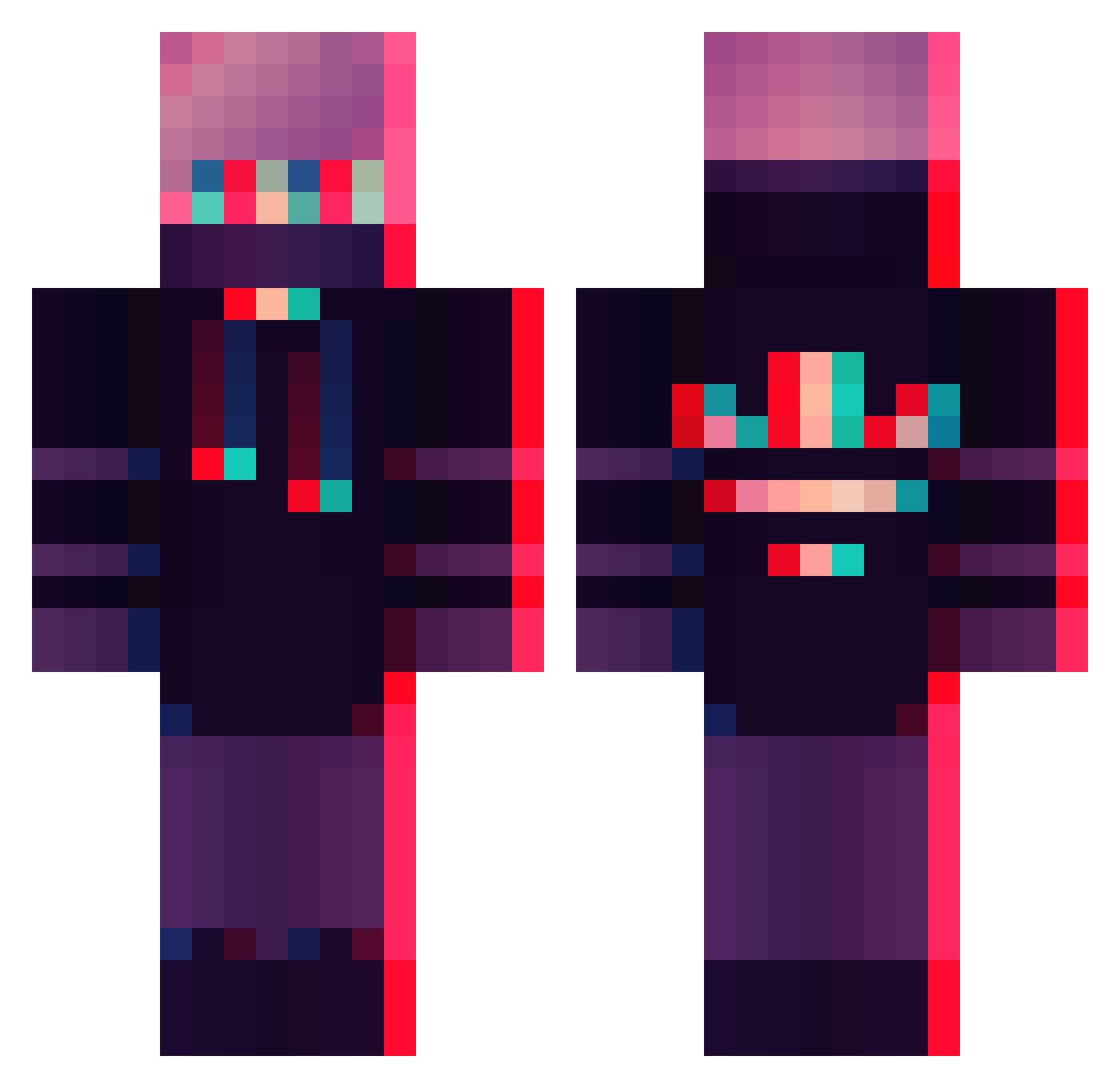
Current Minecraft skin of the player Explicit_Ace, loaded from the official Mojang API. Rotate the 3D model with your mouse or finger, then download the skin as a PNG file and use it in Minecraft: Bedrock Edition or Java Edition for free. When Explicit_Ace changes their skin, this page updates automatically and the old skin stays in the history below.
Other players with this skin (358)
Explicit_Ace was the 248th player we have seen with this skin, first spotted on 06.10.2026. The same skin was seen on these players. Open a nickname to see their current skin and skin history.
 Resztka Epic101Gamer_22 _LARIK kindawackbro XXX_M_XXX christastic asbal1234 MF_hanhan Edogamba Simplymacius OneTappeds QianHuo maximgnkk1 jfail_ Diverse__ Krowka44 IchVallen cheesecakezd ValenLau KimJisoo520 Antares_Scorp Beach_Boy112 Ttomin Warpzz_ TonyBadoni Santiesp11 AyeQueGee Prayerlight Viredian Skills871 ScreamZ_theBot Simp_Pilz Darkvoid76 woshineigui Toshil ThatExtraSkrub TheDeathManCZ PSOCA DmitriiK2026 Gamerhtrx007 Kazey MattThom lowkeysomeone FenrirEgo execk1lls BotOkra Wyflix ABRACHINXD izyeboidecxie Flippinhutt05 Jottum honeyking1021 SiGueri0r HYUN0218 raffa505 Notstalgia 56rx0 ItsMeJelly FavouriteGame123 Dynoic
More Glitch Minecraft skins
How to install the Explicit_Ace skin
- Press the Download button above to save the skin as a PNG file.
- Minecraft: Bedrock Edition (PE): open the Dressing Room from the main menu (or tap your character → Edit Character), go to Classic Skins → Owned, press the + (new skin) button, choose the downloaded PNG and pick the Classic (Steve) model. Works on PC and mobile; consoles cannot import custom skins.
- Minecraft: Java Edition: open the Minecraft Launcher, go to the Skins tab, click New Skin, load the PNG, pick the Classic (Steve) model and press Save & Use. You can also upload it at minecraft.net → Profile → Change Skin.
The skin does not show up after import - what should I do?
Restart Minecraft and open the Dressing Room again - imported skins sometimes appear only after a restart. Also make sure you selected the imported skin and picked the Classic (Steve) model.
Which model should I choose, Classic or Slim?
This skin is designed for the Classic (Steve) model. If you pick the wrong model, the arms of the skin will look stretched or squeezed.
Is the skin of Explicit_Ace free to download?
Yes. Press Download, save the PNG file and use it in Minecraft: Bedrock Edition or Java Edition - no payment or registration needed. The skin also works on multiplayer servers and Realms.
More skins
Looking for more? Go back to all Minecraft skins and check the top skins of the week, month and all time, or find any player's skin by nickname.