
Elijahganji - Minecraft Skins & Skin History
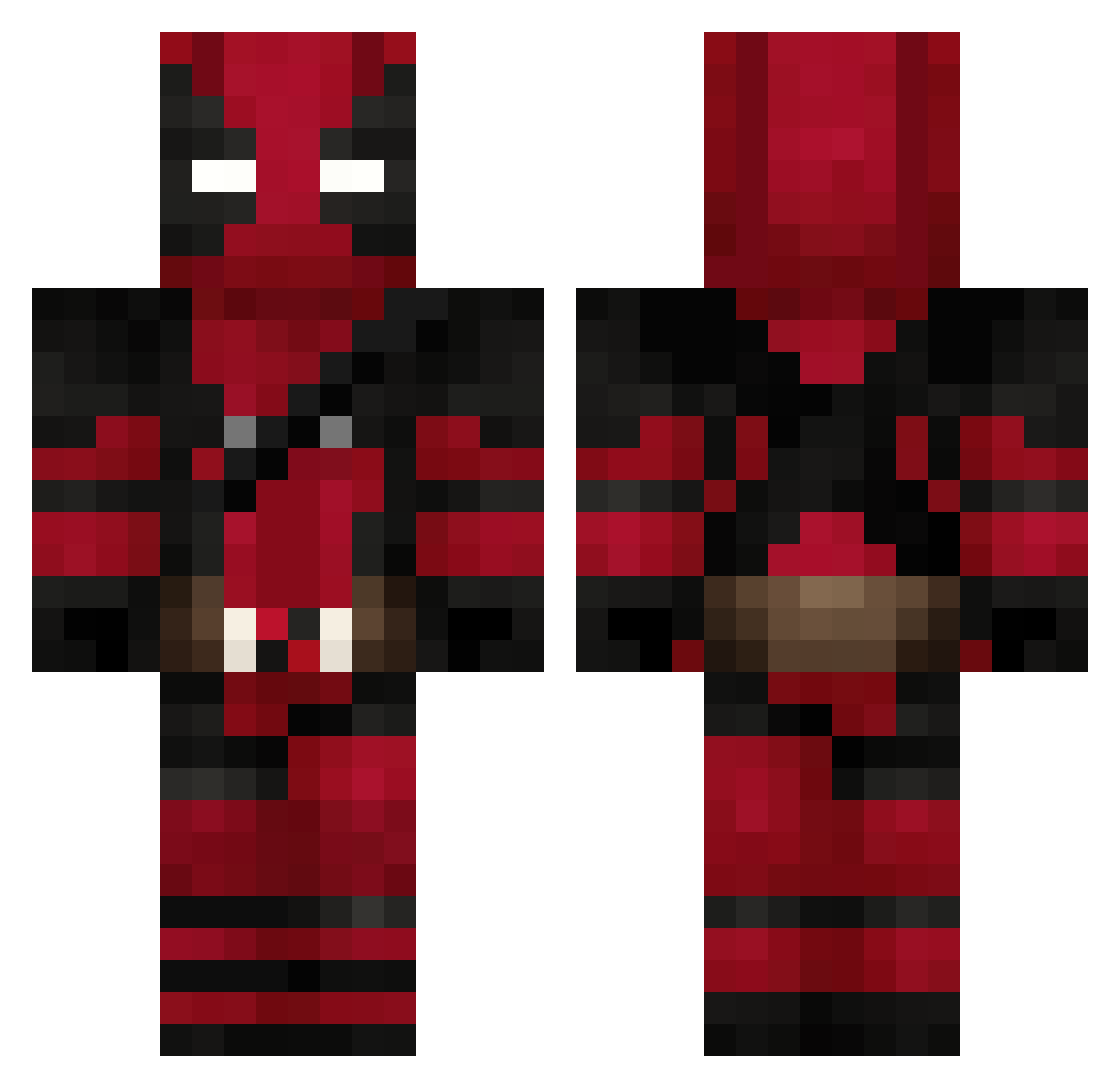
Current Minecraft skin of the player Elijahganji, loaded from the official Mojang API. Rotate the 3D model with your mouse or finger, then download the skin as a PNG file and use it in Minecraft: Bedrock Edition or Java Edition for free. When Elijahganji changes their skin, this page updates automatically and the old skin stays in the history below.
Other players with this skin (626)
Elijahganji was the 243rd player we have seen with this skin, first spotted on 30.08.2026. The same skin was seen on these players. Open a nickname to see their current skin and skin history.
 sandrosdad 6CR0W yotsuba327 MoWap_J2 rockilt MaRiNeRo96 KARELL2802 takumi987 bossetti21 ochosk ToXicFLX dethclops FF86 LILBITGREER vendetta96 onurbaskaya mo_money22 RODAMAX BigMyke510 googyi Macho0510 mohamedalaa lGeLul deadhomie2 Rabbit2828 MysterySnickers vitorvieira King_Mort_ FreepZ444 re28i Yasu0710 51_Kan Deadpoolinator16 CKNMUZIK AhmetBBey locofan50 MrIvax wareex0 ClarkKentGrizzy Duncan7K11 deadsky2003 SpeedBragon NotV1p3r qxLORDxq Dark_Thommy Raintxx Nyukichi Kylioxx Cenomen Justus8848 alucardll xFINish3d TheLastGay iisfkq EnTity087 Tevao zZTheuZz matthmath Angeliko86 Maisterkil
More Deadpool Minecraft skins
How to install the Elijahganji skin
- Press the Download button above to save the skin as a PNG file.
- Minecraft: Bedrock Edition (PE): open the Dressing Room from the main menu (or tap your character → Edit Character), go to Classic Skins → Owned, press the + (new skin) button, choose the downloaded PNG and pick the Classic (Steve) model. Works on PC and mobile; consoles cannot import custom skins.
- Minecraft: Java Edition: open the Minecraft Launcher, go to the Skins tab, click New Skin, load the PNG, pick the Classic (Steve) model and press Save & Use. You can also upload it at minecraft.net → Profile → Change Skin.
The skin does not show up after import - what should I do?
Restart Minecraft and open the Dressing Room again - imported skins sometimes appear only after a restart. Also make sure you selected the imported skin and picked the Classic (Steve) model.
Which model should I choose, Classic or Slim?
This skin is designed for the Classic (Steve) model. If you pick the wrong model, the arms of the skin will look stretched or squeezed.
Is the skin of Elijahganji free to download?
Yes. Press Download, save the PNG file and use it in Minecraft: Bedrock Edition or Java Edition - no payment or registration needed. The skin also works on multiplayer servers and Realms.
More skins
Looking for more? Go back to all Minecraft skins and check the top skins of the week, month and all time, or find any player's skin by nickname.