
Edipp17 - Minecraft Skins & Skin History
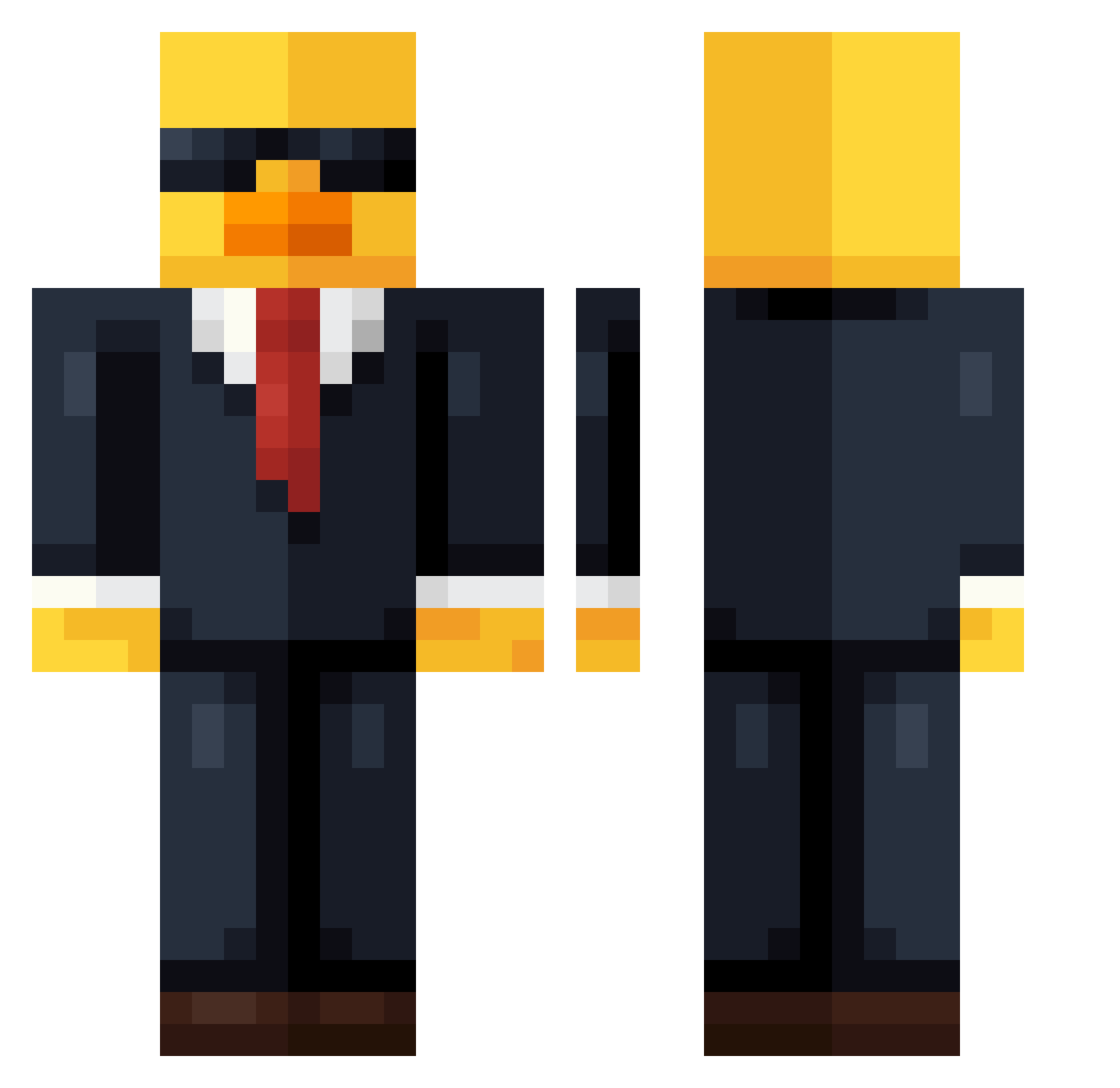
Current Minecraft skin of the player Edipp17, loaded from the official Mojang API. Rotate the 3D model with your mouse or finger, then download the skin as a PNG file and use it in Minecraft: Bedrock Edition or Java Edition for free. When Edipp17 changes their skin, this page updates automatically and the old skin stays in the history below.
Other players with this skin (622)
Edipp17 was the 157th player we have seen with this skin, first spotted on 16.08.2026. The same skin was seen on these players. Open a nickname to see their current skin and skin history.
 grootman54321 Nikin7 Nemo_S4D IDLC13 hanipham_buniz supergamerman21 NexusDev Foureyeboy Mh7531 sxkcc Esports_Venom Cheesychaz JollyRobby kotoslaw1 WellsyMC Ducky2232 finn_5211 lusquera Ernesto74 duckyg0boom Germs15 Hallyoola Parker_0720 DzBuilds burrito11 BOHBOHK4 Aroonci DramaLama256 Ivanchu21 urmothermiaa PecinhaDoMau Tomsiak EaWx vini2186 Gonzag10 HSS7 san_jin666 wairio0929 onbuta Fishy4life2000 kuckoo Jstxnn thatOneQuacky NonstopCircle shuhei81190 SampYuno BeeObserver TroXu21 Hazzzzzzza1 Dunk3y3
 kimduck12 NOOBZIN2 hhxx666 REKO_OFF
 syological kinoo1 Notchysnachos Nevo_BLIVVIAN bigjoint666 Jacobplayz_mc
More Duck Minecraft skins
How to install the Edipp17 skin
- Press the Download button above to save the skin as a PNG file.
- Minecraft: Bedrock Edition (PE): open the Dressing Room from the main menu (or tap your character → Edit Character), go to Classic Skins → Owned, press the + (new skin) button, choose the downloaded PNG and pick the Classic (Steve) model. Works on PC and mobile; consoles cannot import custom skins.
- Minecraft: Java Edition: open the Minecraft Launcher, go to the Skins tab, click New Skin, load the PNG, pick the Classic (Steve) model and press Save & Use. You can also upload it at minecraft.net → Profile → Change Skin.
The skin does not show up after import - what should I do?
Restart Minecraft and open the Dressing Room again - imported skins sometimes appear only after a restart. Also make sure you selected the imported skin and picked the Classic (Steve) model.
Which model should I choose, Classic or Slim?
This skin is designed for the Classic (Steve) model. If you pick the wrong model, the arms of the skin will look stretched or squeezed.
Is the skin of Edipp17 free to download?
Yes. Press Download, save the PNG file and use it in Minecraft: Bedrock Edition or Java Edition - no payment or registration needed. The skin also works on multiplayer servers and Realms.
More skins
Looking for more? Go back to all Minecraft skins and check the top skins of the week, month and all time, or find any player's skin by nickname.