
ETCJC - Minecraft Skins & Skin History
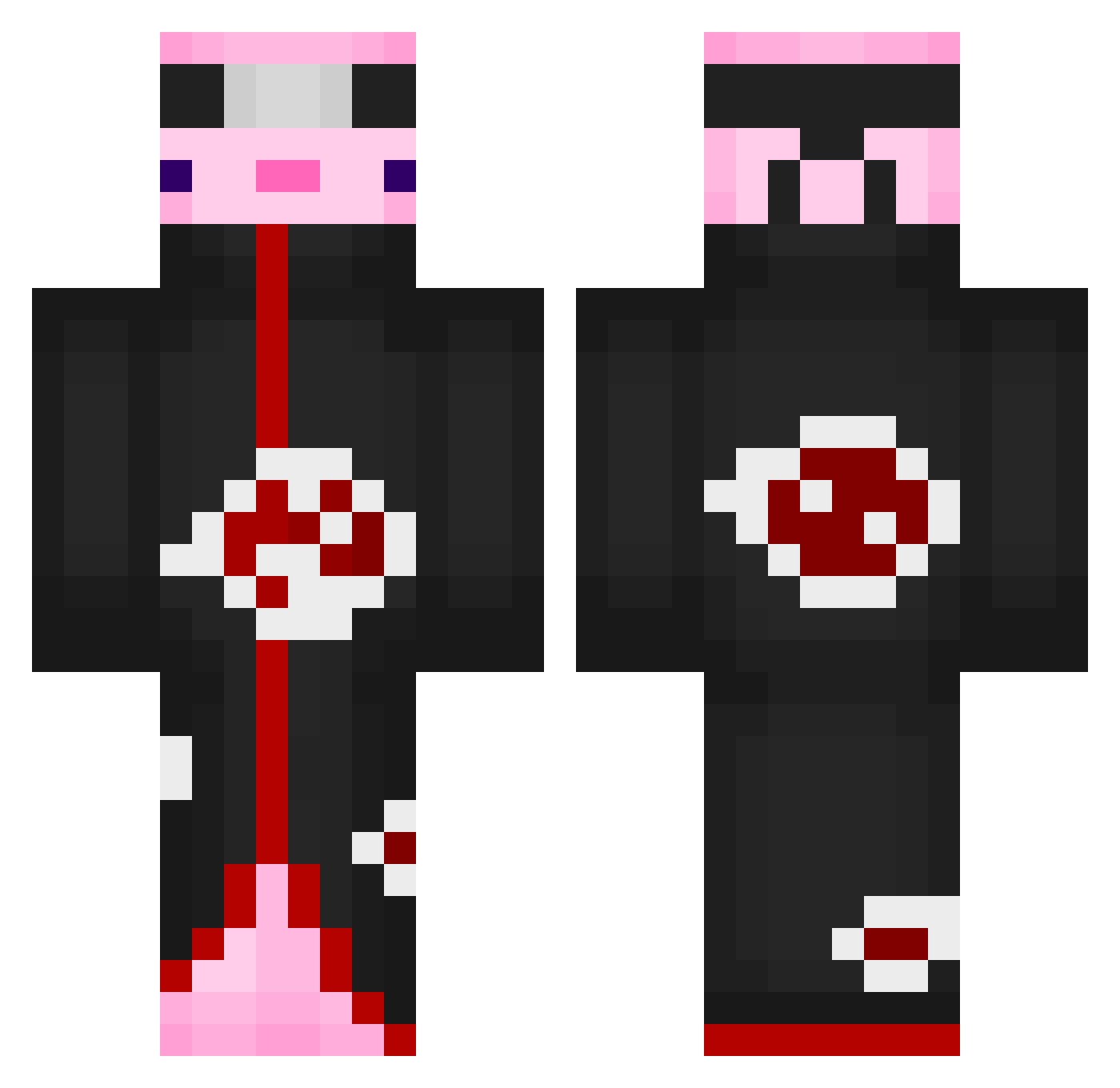
Current Minecraft skin of the player ETCJC, loaded from the official Mojang API. Rotate the 3D model with your mouse or finger, then download the skin as a PNG file and use it in Minecraft: Bedrock Edition or Java Edition for free. When ETCJC changes their skin, this page updates automatically and the old skin stays in the history below.
Other players with this skin (554)
ETCJC was the 152nd player we have seen with this skin, first spotted on 16.08.2026. The same skin was seen on these players. Open a nickname to see their current skin and skin history.
 Mr_Exotic3 MetalKung123 MisterS060 LEODMK VermelhoX Ahllysin Timy13 Sir_Goofy cityof65 AlanStrempler kaiosa469 EmilMalice Sky_yyyyy DBKoop LangerBubeTV tamere__ LamySSRB Bonnysaurs MercedesBenzC300 UNDERMEE Prof_Nesse
 GodPanita PiNkAxolotol TheBigMonkeMan Stevenj777 DankaaaTY DonkeeAtv VascoGdV2007 Zenoksy ian0711 Piau_ XUltimateWeirdo EdgyFellow cochon_volant Beschdeinternet ButterBoy1400 ShinaS2 PLCCGOD Tildesslave Slept0122 GuzikGrubas_ DaBoi21112
 Xaca10 Hokyokuguma_ IchbinAgit antoinevdo Golab___ DobleJ_ AniseAs xpv19x Quixi73 OvercastChair96 Eien12 Cenze94 sardhex fachelitoXX SalBriseno rudwn355 idiot109 gggamer6
More Akatsuki Minecraft skins
How to install the ETCJC skin
- Press the Download button above to save the skin as a PNG file.
- Minecraft: Bedrock Edition (PE): open the Dressing Room from the main menu (or tap your character → Edit Character), go to Classic Skins → Owned, press the + (new skin) button, choose the downloaded PNG and pick the Classic (Steve) model. Works on PC and mobile; consoles cannot import custom skins.
- Minecraft: Java Edition: open the Minecraft Launcher, go to the Skins tab, click New Skin, load the PNG, pick the Classic (Steve) model and press Save & Use. You can also upload it at minecraft.net → Profile → Change Skin.
The skin does not show up after import - what should I do?
Restart Minecraft and open the Dressing Room again - imported skins sometimes appear only after a restart. Also make sure you selected the imported skin and picked the Classic (Steve) model.
Which model should I choose, Classic or Slim?
This skin is designed for the Classic (Steve) model. If you pick the wrong model, the arms of the skin will look stretched or squeezed.
Is the skin of ETCJC free to download?
Yes. Press Download, save the PNG file and use it in Minecraft: Bedrock Edition or Java Edition - no payment or registration needed. The skin also works on multiplayer servers and Realms.
More skins
Looking for more? Go back to all Minecraft skins and check the top skins of the week, month and all time, or find any player's skin by nickname.