
Dragonitar - Minecraft Skins & Skin History
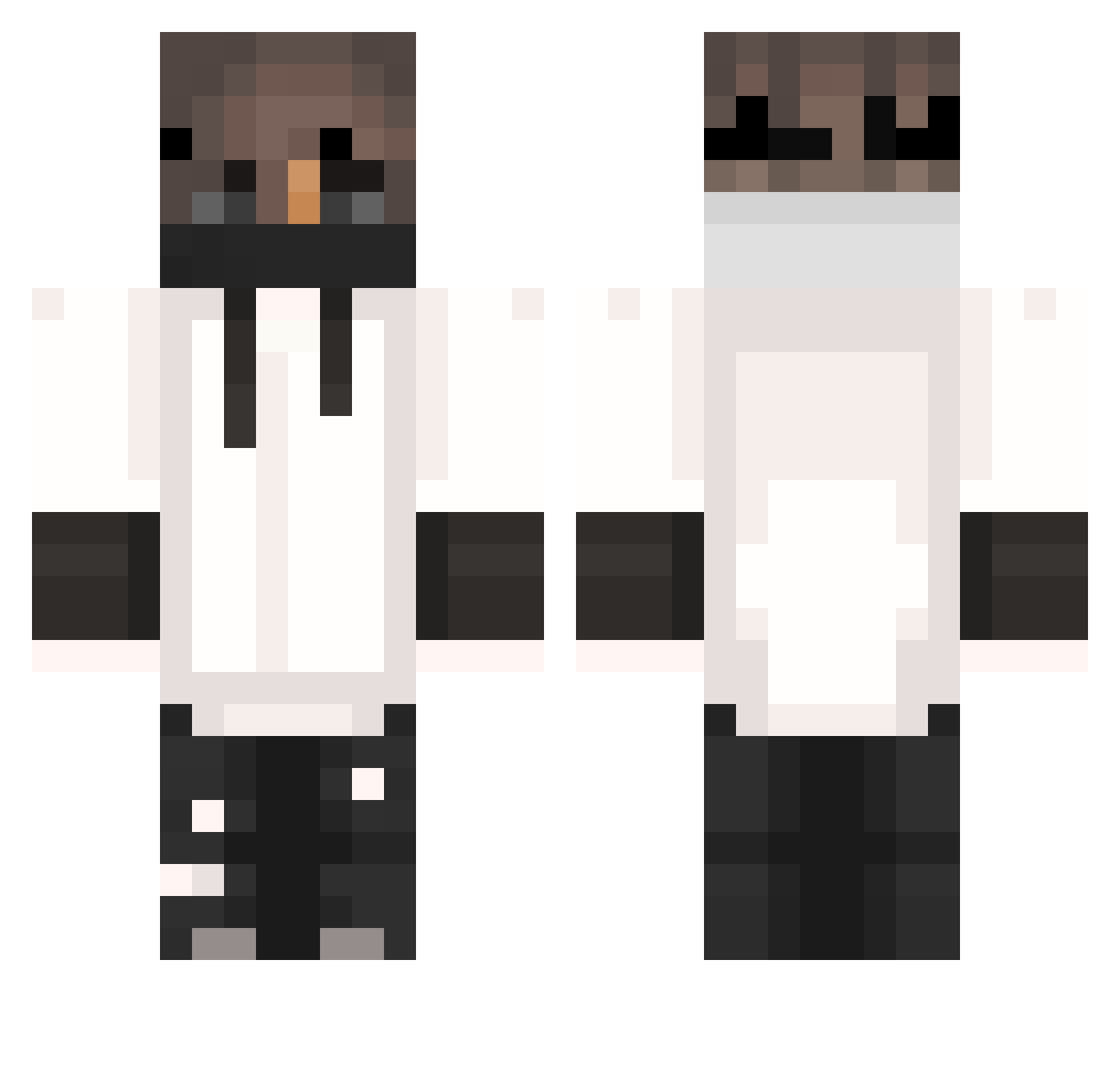
Current Minecraft skin of the player Dragonitar, loaded from the official Mojang API. Rotate the 3D model with your mouse or finger, then download the skin as a PNG file and use it in Minecraft: Bedrock Edition or Java Edition for free. When Dragonitar changes their skin, this page updates automatically and the old skin stays in the history below.
Other players with this skin (404)
Dragonitar was the 362nd player we have seen with this skin, first spotted on 27.10.2026. The same skin was seen on these players. Open a nickname to see their current skin and skin history.
 ImperialistDog hatedkidichijo hongshinVZ JuicyMonkey05 Feruss bloemer1 TheAstero HiImTangBao bozy_42 Xgamer89 Sara292004 Basic_bosss _Umutt Itz_Ayxus TheMasterOfNoPVP 0VIP ShinJ CATSARECOOL23 SilverProphet Str1ter1337 elchetos3 Omar_pro2240 YuichiroOMG FDino_7 Wellen456 MC_Tber Nachoss_ Brusa_X Szakal69 Kethor Pedritocabrera Patrukan Bazyl320 SparkleMars3 4HX __H_U_N_T_E_R__ Yunusmnx Sinestro717 RealRegentLola 3z01a scorpion1893 Fargela UmperPie ItsAyouda zrotch Ermarluck alvaro_rm_07 Kunaijin StayFrostyls IRITOSENPAI X_Atome_X _Livio_ Roma2009 Zero_World_ _MattyMatty_ Kaazeq Bombonko L3CHUx1 Mexx107 zVldo
More Mask Minecraft skins
How to install the Dragonitar skin
- Press the Download button above to save the skin as a PNG file.
- Minecraft: Bedrock Edition (PE): open the Dressing Room from the main menu (or tap your character → Edit Character), go to Classic Skins → Owned, press the + (new skin) button, choose the downloaded PNG and pick the Classic (Steve) model. Works on PC and mobile; consoles cannot import custom skins.
- Minecraft: Java Edition: open the Minecraft Launcher, go to the Skins tab, click New Skin, load the PNG, pick the Classic (Steve) model and press Save & Use. You can also upload it at minecraft.net → Profile → Change Skin.
The skin does not show up after import - what should I do?
Restart Minecraft and open the Dressing Room again - imported skins sometimes appear only after a restart. Also make sure you selected the imported skin and picked the Classic (Steve) model.
Which model should I choose, Classic or Slim?
This skin is designed for the Classic (Steve) model. If you pick the wrong model, the arms of the skin will look stretched or squeezed.
Is the skin of Dragonitar free to download?
Yes. Press Download, save the PNG file and use it in Minecraft: Bedrock Edition or Java Edition - no payment or registration needed. The skin also works on multiplayer servers and Realms.
More skins
Looking for more? Go back to all Minecraft skins and check the top skins of the week, month and all time, or find any player's skin by nickname.