
DraGma6 - Minecraft Skins & Skin History
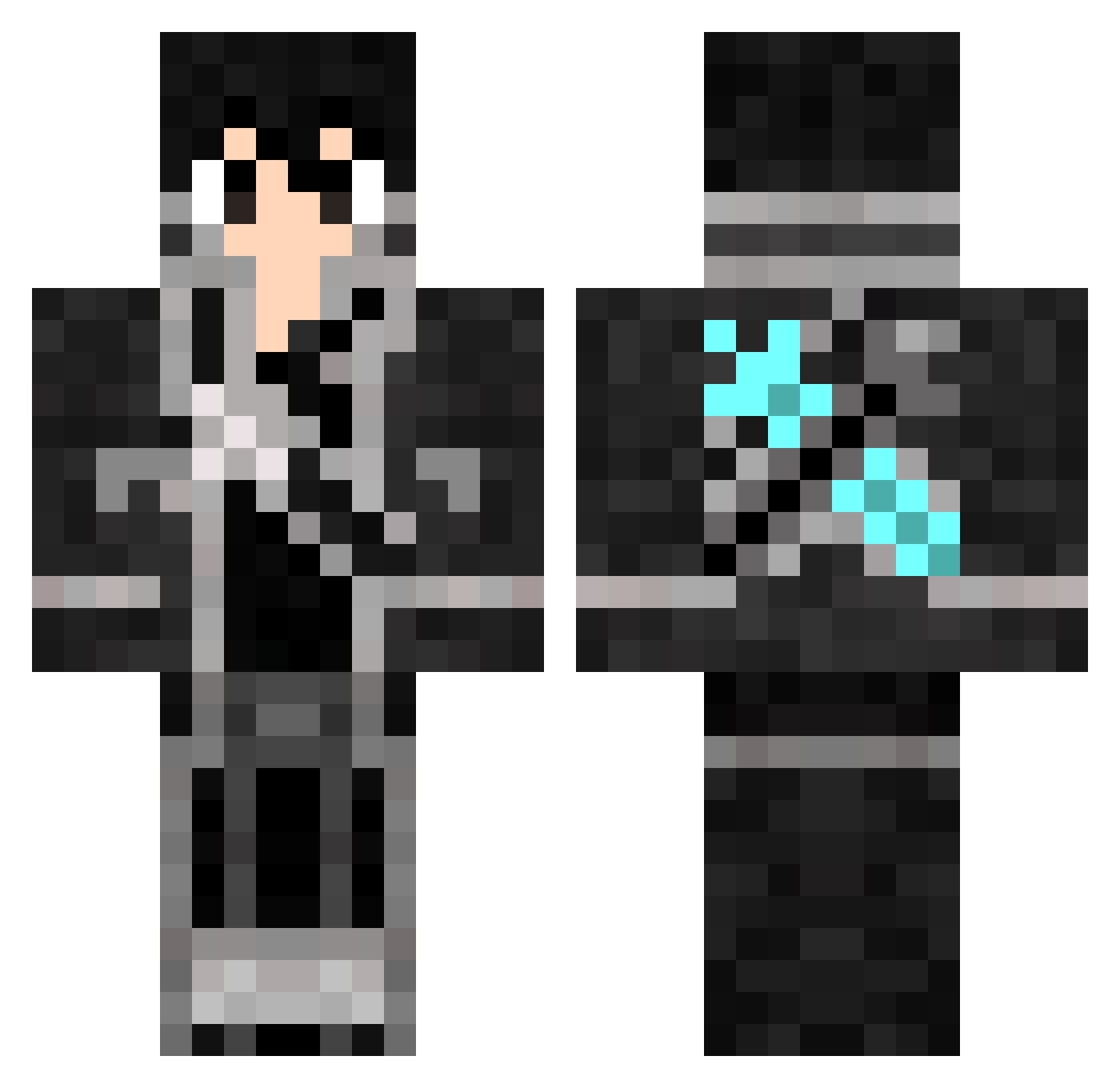
Current Minecraft skin of the player DraGma6, loaded from the official Mojang API. Rotate the 3D model with your mouse or finger, then download the skin as a PNG file and use it in Minecraft: Bedrock Edition or Java Edition for free. When DraGma6 changes their skin, this page updates automatically and the old skin stays in the history below.
Other players with this skin (502)
DraGma6 was the 50th player we have seen with this skin, first spotted on 06.08.2026. The same skin was seen on these players. Open a nickname to see their current skin and skin history.
 Eimir johny1234567 Nidaross IlyLtr Big_Jon96 kccho1 grimreaper0722 christheott theshild GodWearsGuci JolteonSenpai Ngapi ShaZero ashmanhafeez kevinas321 Flash2437 Kanaivn m4ng0sm007h13 sylas09 ALSHMITY vexAkita Freevo FalseRhino RealSchlomo Kiripat kevin20030320 RyanRaian Kaitenjo56 KillzeerRitir ScrubbyGamer Zo1db3rg_ gabebondoc JuliSM ICP_Kirito Kdraguna dustydinah carlJH123 DezMorAll Kirito1112 Asempo Pandamonium787 ibukiibuki BlackFarm Hi_Legend NattyK99 SW00SIE Why_do_i YeungIvan xXGolgariLichXx ming_you infinityphinix tachibanana Nouze__ elputoo Justice_Gerbil plinjp rogue234 Sniapig flater88 Nanaaya0908
More Kirito Minecraft skins
How to install the DraGma6 skin
- Press the Download button above to save the skin as a PNG file.
- Minecraft: Bedrock Edition (PE): open the Dressing Room from the main menu (or tap your character → Edit Character), go to Classic Skins → Owned, press the + (new skin) button, choose the downloaded PNG and pick the Classic (Steve) model. Works on PC and mobile; consoles cannot import custom skins.
- Minecraft: Java Edition: open the Minecraft Launcher, go to the Skins tab, click New Skin, load the PNG, pick the Classic (Steve) model and press Save & Use. You can also upload it at minecraft.net → Profile → Change Skin.
The skin does not show up after import - what should I do?
Restart Minecraft and open the Dressing Room again - imported skins sometimes appear only after a restart. Also make sure you selected the imported skin and picked the Classic (Steve) model.
Which model should I choose, Classic or Slim?
This skin is designed for the Classic (Steve) model. If you pick the wrong model, the arms of the skin will look stretched or squeezed.
Is the skin of DraGma6 free to download?
Yes. Press Download, save the PNG file and use it in Minecraft: Bedrock Edition or Java Edition - no payment or registration needed. The skin also works on multiplayer servers and Realms.
More skins
Looking for more? Go back to all Minecraft skins and check the top skins of the week, month and all time, or find any player's skin by nickname.