
Dounut47 - Minecraft Skins & Skin History
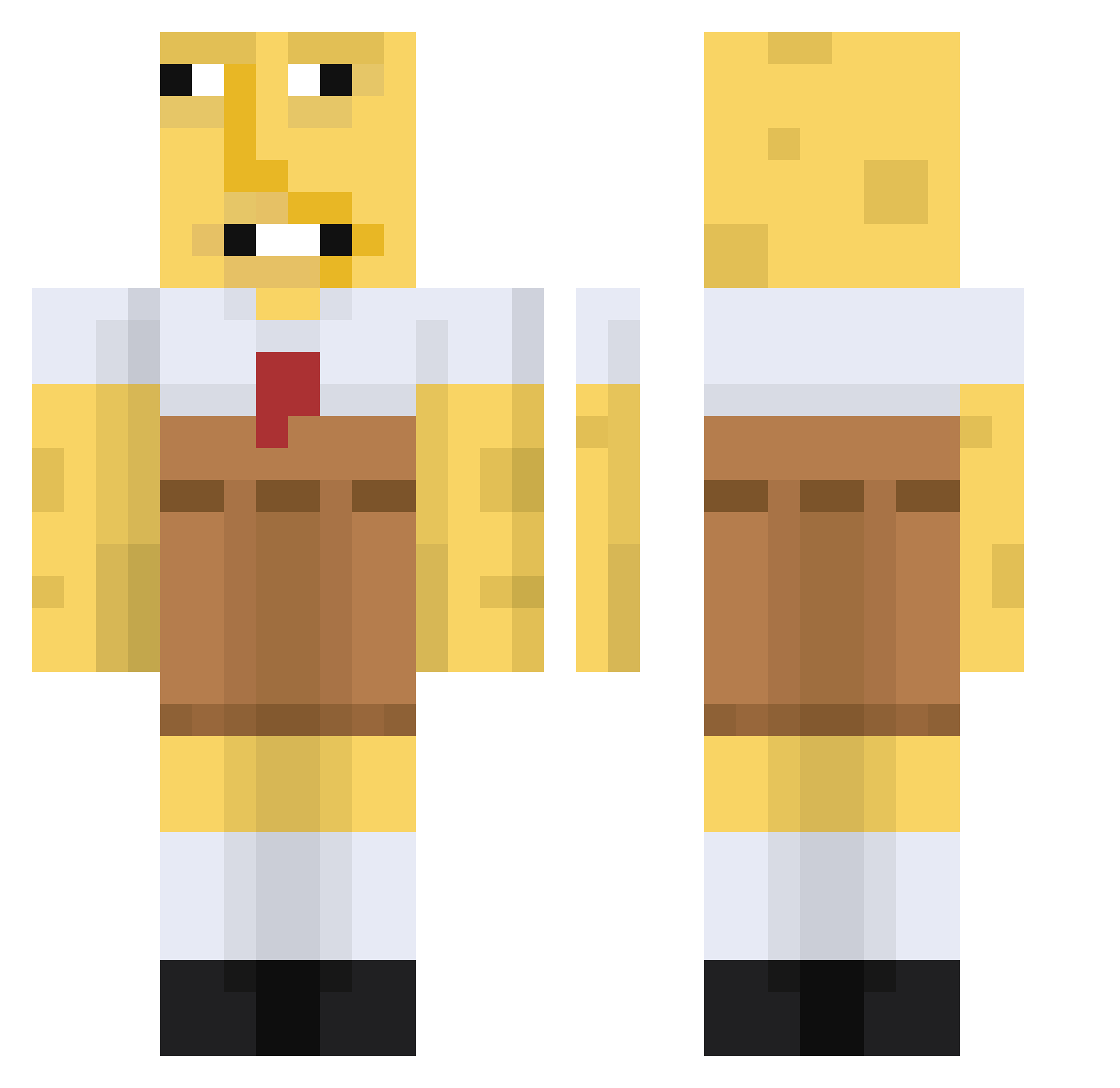
Current Minecraft skin of the player Dounut47, loaded from the official Mojang API. Rotate the 3D model with your mouse or finger, then download the skin as a PNG file and use it in Minecraft: Bedrock Edition or Java Edition for free. When Dounut47 changes their skin, this page updates automatically and the old skin stays in the history below.
Other players with this skin (670)
Dounut47 was the 23rd player we have seen with this skin, first spotted on 27.07.2026. The same skin was seen on these players. Open a nickname to see their current skin and skin history.
 MrZafik NervousBugx19 JunJuncorn Moniko1234 Curbsidechx Mincyy SirBigMac3 BusanWeDaeHan Xx_NatsuKi_xX MrTahoe21 kimseong1 DesiredManSweets TorjDoyygass lilSmith109 BillyGotBills Traky80 AmedGMR eeskeez BBKR2003 Chedder_Cheese69 EndlessKushiro PatoeterKrabs Lawllipop HondaTinkler STANKTEETH12 lximziu murochanco DigginInMyBuh rexskim1003 Thesuc CodytheSK mrcosmic_04 saturn2210 parontseng Spoderjoni LightDL DisturbedToilet ThatWasAFluke IgnazioOfficial benson66666 kyzooy NorbertKlopp idminecraft0431 Ternola Yusufivemusufi AK47Rorian DomTalovo Rodderr Hugh_Mungo LemonDudeZombie SprogGoblin SANTlXX kyak27 Flich4 kotrules123 beni0_0 zmaczbr TheNutCookie MogMaster1 X0TIlC_
More Spongebob Minecraft skins
How to install the Dounut47 skin
- Press the Download button above to save the skin as a PNG file.
- Minecraft: Bedrock Edition (PE): open the Dressing Room from the main menu (or tap your character → Edit Character), go to Classic Skins → Owned, press the + (new skin) button, choose the downloaded PNG and pick the Classic (Steve) model. Works on PC and mobile; consoles cannot import custom skins.
- Minecraft: Java Edition: open the Minecraft Launcher, go to the Skins tab, click New Skin, load the PNG, pick the Classic (Steve) model and press Save & Use. You can also upload it at minecraft.net → Profile → Change Skin.
The skin does not show up after import - what should I do?
Restart Minecraft and open the Dressing Room again - imported skins sometimes appear only after a restart. Also make sure you selected the imported skin and picked the Classic (Steve) model.
Which model should I choose, Classic or Slim?
This skin is designed for the Classic (Steve) model. If you pick the wrong model, the arms of the skin will look stretched or squeezed.
Is the skin of Dounut47 free to download?
Yes. Press Download, save the PNG file and use it in Minecraft: Bedrock Edition or Java Edition - no payment or registration needed. The skin also works on multiplayer servers and Realms.
More skins
Looking for more? Go back to all Minecraft skins and check the top skins of the week, month and all time, or find any player's skin by nickname.