
 Wolverine628 Carlos_dams Antastosigma cobreitilo Alexthemancraft AngelDaGr8 ScarletDespairs Wind647 LuckyMinecraft10 zuawni RTXFIX CrispyCreamDonut HadriS ElecTiCaLz danhan1111 Appollyo Yume_Kase correbandas ilker202020 MurkyJupiter722 Simoneeh MyLittleNoxy Yuilemjuvichka MANTRYDA LittleJim123879 ddfn kenesin2013 Not_Turtle D1vine88 REALSSB Fabio967 brown1myfave hahahaha22 fortnitekyleigh 2Oderati Kalash_Man imarse_cheeksbtw MasterOtis727 El_Moai Papa_Ghanoush YoJo1324 1zizondark1 wazknuckle cobragab b44ntley exation0 WalachmetHamdula Femboyyyyyyyyyy MilkAlxoholic Shiivee fraudulantt Petmochi Ideal_Fox OtRues notmut Johexo WTHIDK WAVE1111 ItzRealDavid_ CrumbFace
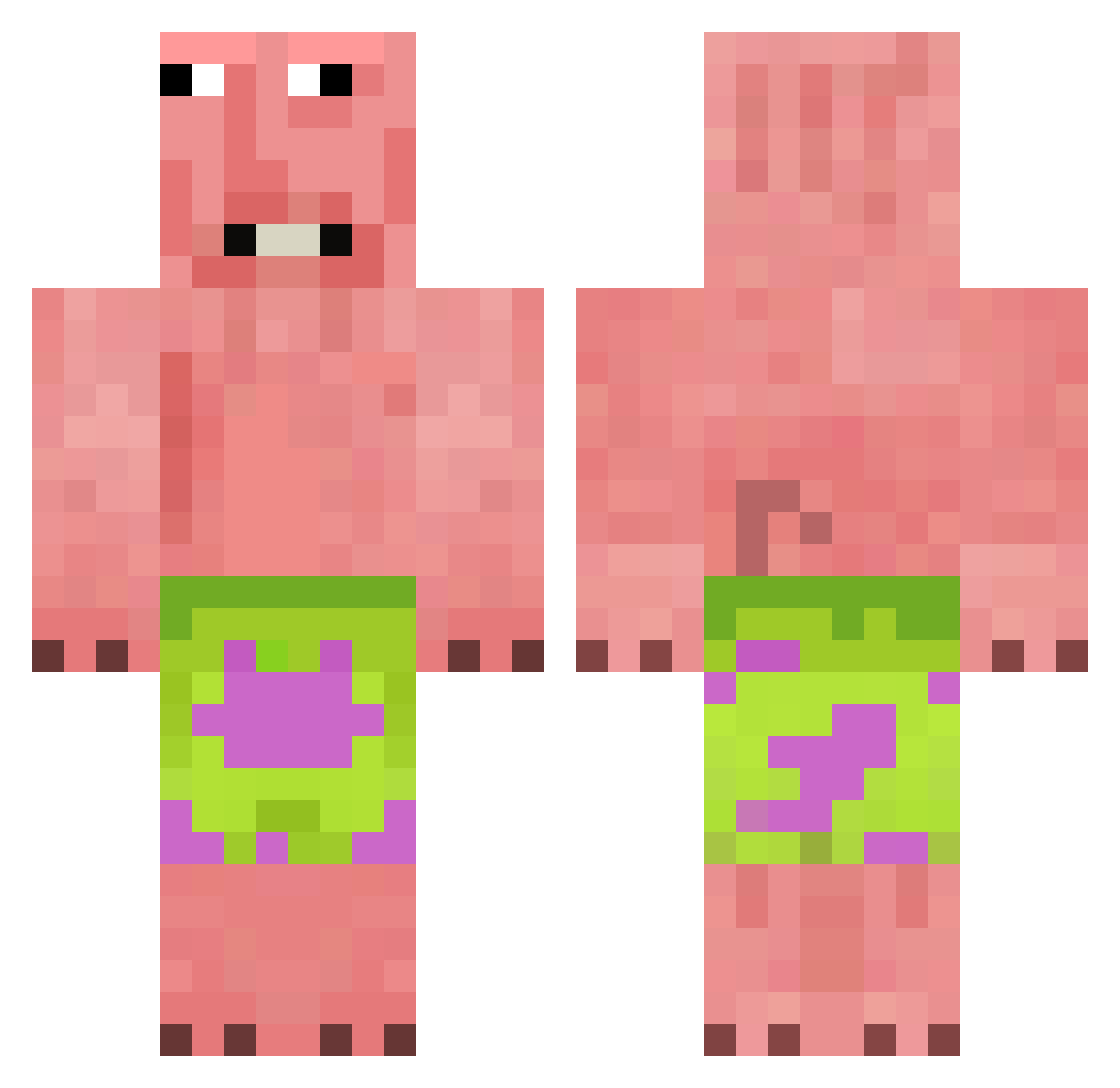
Minecraft skin of shulmbi. Rotate the 3D model with your mouse or finger to view the skin from every angle, then download it as a PNG file and use it in Minecraft: Bedrock Edition or Java Edition for free. Rate the skin with stars to help other players find the best skins in our collection.
How to install the shulmbi skin
- Press the Download button above to save the skin as a PNG file.
- Minecraft: Bedrock Edition (PE): open the Dressing Room from the main menu (or tap your character → Edit Character), go to Classic Skins → Owned, press the + (new skin) button, choose the downloaded PNG and pick the Classic (Steve) model. Works on PC and mobile; consoles cannot import custom skins.
- Minecraft: Java Edition: open the Minecraft Launcher, go to the Skins tab, click New Skin, load the PNG, pick the Classic (Steve) model and press Save & Use. You can also upload it at minecraft.net → Profile → Change Skin.
The skin does not show up after import - what should I do?
Restart Minecraft and open the Dressing Room again - imported skins sometimes appear only after a restart. Also make sure you selected the imported skin and picked the Classic (Steve) model.
Which model should I choose, Classic or Slim?
This skin is designed for the Classic (Steve) model. If you pick the wrong model, the arms of the skin will look stretched or squeezed.
Is this skin free to use?
Yes. Press Download, save the PNG file and use it in Minecraft: Bedrock Edition or Java Edition - no payment or registration needed. The skin also works on multiplayer servers and Realms.
More Patrick Star Minecraft skins
See all 611 Patrick Star skins
More skins
Looking for more? Go back to all Minecraft skins and check the top skins of the week, month and all time, or find any player's skin by nickname.