
DominikJava - Minecraft Skins & Skin History
Current Minecraft skin of the player DominikJava, loaded from the official Mojang API. Rotate the 3D model with your mouse or finger, then download the skin as a PNG file and use it in Minecraft: Bedrock Edition or Java Edition for free. When DominikJava changes their skin, this page updates automatically and the old skin stays in the history below.
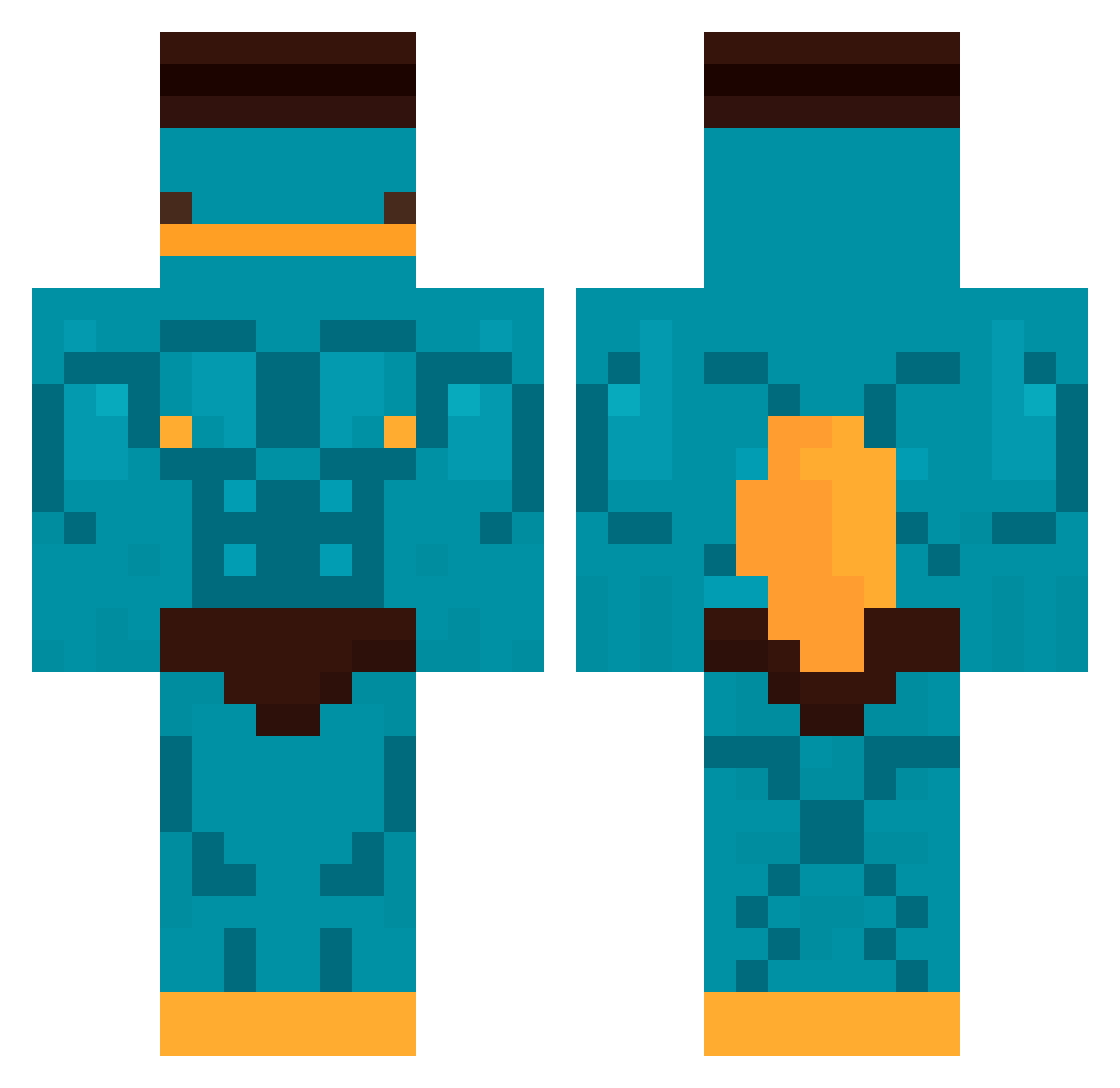
Other players with this skin (481)
DominikJava was the 139th player we have seen with this skin, first spotted on 25.08.2026. The same skin was seen on these players. Open a nickname to see their current skin and skin history.
 SimoXx_18 GOOMPY Zi3lony_
 szalonaszynka27 KINGCAP1 Felepes maudrg Furnaceratjr0162 JannaMiami Kadojimo Send099
 TrumpIsBest23
 S1lver1H4RDC4RRY Cepi1407 mateoo__ hsxnrk TobiasMonster
 Monopolo666 GMZ123 KupuLL Seamonsters29 MrBmth NotFloops KingKieran04 DaDickas Lutchet312 YuPPie_ Momio11 InutTooQuick27
 wooyungslungs XOXiun humwar Phantom_ADM
 stevi_zika K0PPi4 ManuMinegames NIghtmare1669 Gustas2905 Regular_omelet Jxisxn_16_X IzzyDKing777 HeckerG_ Dragonrink LuffyOlascoaga dragn2ght Fuba_021 silverviper38 barisullah BigOlAnderson J_JBG black_doo Dennis_127 NovaaEstar CALAmarciano kenka66 wx3n0w juan3235 William980827
 3x0dia_B01_69 TheAgent_P
More Buff Minecraft skins
How to install the DominikJava skin
- Press the Download button above to save the skin as a PNG file.
- Minecraft: Bedrock Edition (PE): open the Dressing Room from the main menu (or tap your character → Edit Character), go to Classic Skins → Owned, press the + (new skin) button, choose the downloaded PNG and pick the Classic (Steve) model. Works on PC and mobile; consoles cannot import custom skins.
- Minecraft: Java Edition: open the Minecraft Launcher, go to the Skins tab, click New Skin, load the PNG, pick the Classic (Steve) model and press Save & Use. You can also upload it at minecraft.net → Profile → Change Skin.
The skin does not show up after import - what should I do?
Restart Minecraft and open the Dressing Room again - imported skins sometimes appear only after a restart. Also make sure you selected the imported skin and picked the Classic (Steve) model.
Which model should I choose, Classic or Slim?
This skin is designed for the Classic (Steve) model. If you pick the wrong model, the arms of the skin will look stretched or squeezed.
Is the skin of DominikJava free to download?
Yes. Press Download, save the PNG file and use it in Minecraft: Bedrock Edition or Java Edition - no payment or registration needed. The skin also works on multiplayer servers and Realms.
More skins
Looking for more? Go back to all Minecraft skins and check the top skins of the week, month and all time, or find any player's skin by nickname.