
Destritix - Minecraft Skins & Skin History
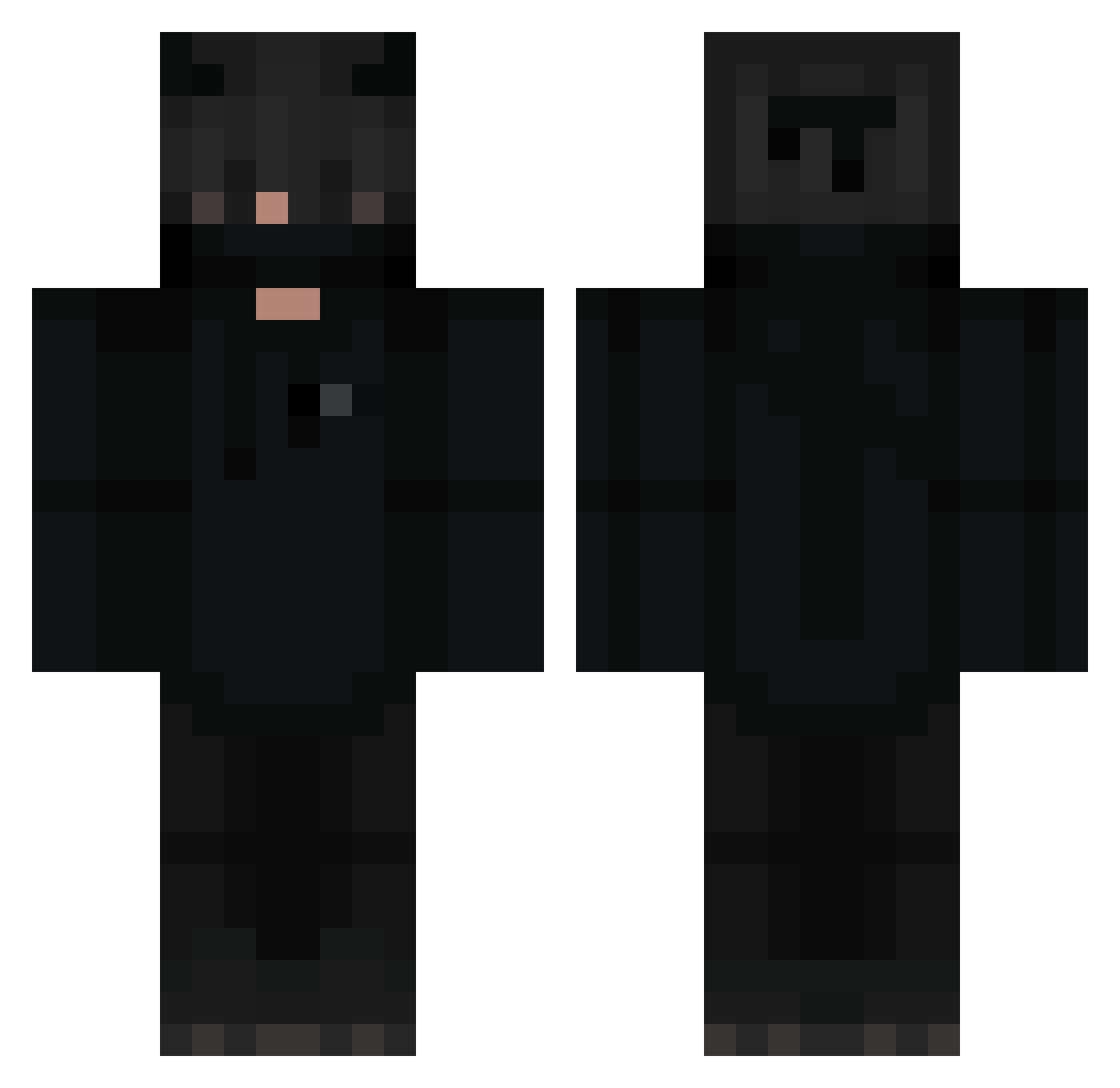
Current Minecraft skin of the player Destritix, loaded from the official Mojang API. Rotate the 3D model with your mouse or finger, then download the skin as a PNG file and use it in Minecraft: Bedrock Edition or Java Edition for free. When Destritix changes their skin, this page updates automatically and the old skin stays in the history below.
Other players with this skin (297)
Destritix was the 144th player we have seen with this skin, first spotted on 10.09.2026. The same skin was seen on these players. Open a nickname to see their current skin and skin history.
 B_Side_Miner czikenkfc Im_B xUmut _Kamyg_ Azers Thebob1 N1K3O quut4y Kjellosdagamma drewmason KrsWG mouchmouch1310 John3702 Damien873 Valaska0 Sparkin0 Filip1610 Bunk0 samulord18 JxviCL FornoskV60 Hello_GHG Mlorry Alyxander2222 Enhhy sincapceviz anteking2004 Boklanx_x leesh2138 Rayner_ Alcrian Dachisimo dxl_27 Criptc opar_x slkq Hylix26 its__XD LLFaislLL bloodychortt DarkLoL_870 YoungDeus_ _Mr___M_ dlgustn11 Nedlow_ Super_Isaiah Paddyepic BeliWeeknd1409 Lintie LuBo963 PolishWhite noananas1 JakeSqaure artcrabal GazaRYT75 Liaxolize Chooblin Gokami95 KuroPsico
More Demon Minecraft skins
How to install the Destritix skin
- Press the Download button above to save the skin as a PNG file.
- Minecraft: Bedrock Edition (PE): open the Dressing Room from the main menu (or tap your character → Edit Character), go to Classic Skins → Owned, press the + (new skin) button, choose the downloaded PNG and pick the Classic (Steve) model. Works on PC and mobile; consoles cannot import custom skins.
- Minecraft: Java Edition: open the Minecraft Launcher, go to the Skins tab, click New Skin, load the PNG, pick the Classic (Steve) model and press Save & Use. You can also upload it at minecraft.net → Profile → Change Skin.
The skin does not show up after import - what should I do?
Restart Minecraft and open the Dressing Room again - imported skins sometimes appear only after a restart. Also make sure you selected the imported skin and picked the Classic (Steve) model.
Which model should I choose, Classic or Slim?
This skin is designed for the Classic (Steve) model. If you pick the wrong model, the arms of the skin will look stretched or squeezed.
Is the skin of Destritix free to download?
Yes. Press Download, save the PNG file and use it in Minecraft: Bedrock Edition or Java Edition - no payment or registration needed. The skin also works on multiplayer servers and Realms.
More skins
Looking for more? Go back to all Minecraft skins and check the top skins of the week, month and all time, or find any player's skin by nickname.