
DarkEagle17 - Minecraft Skins & Skin History
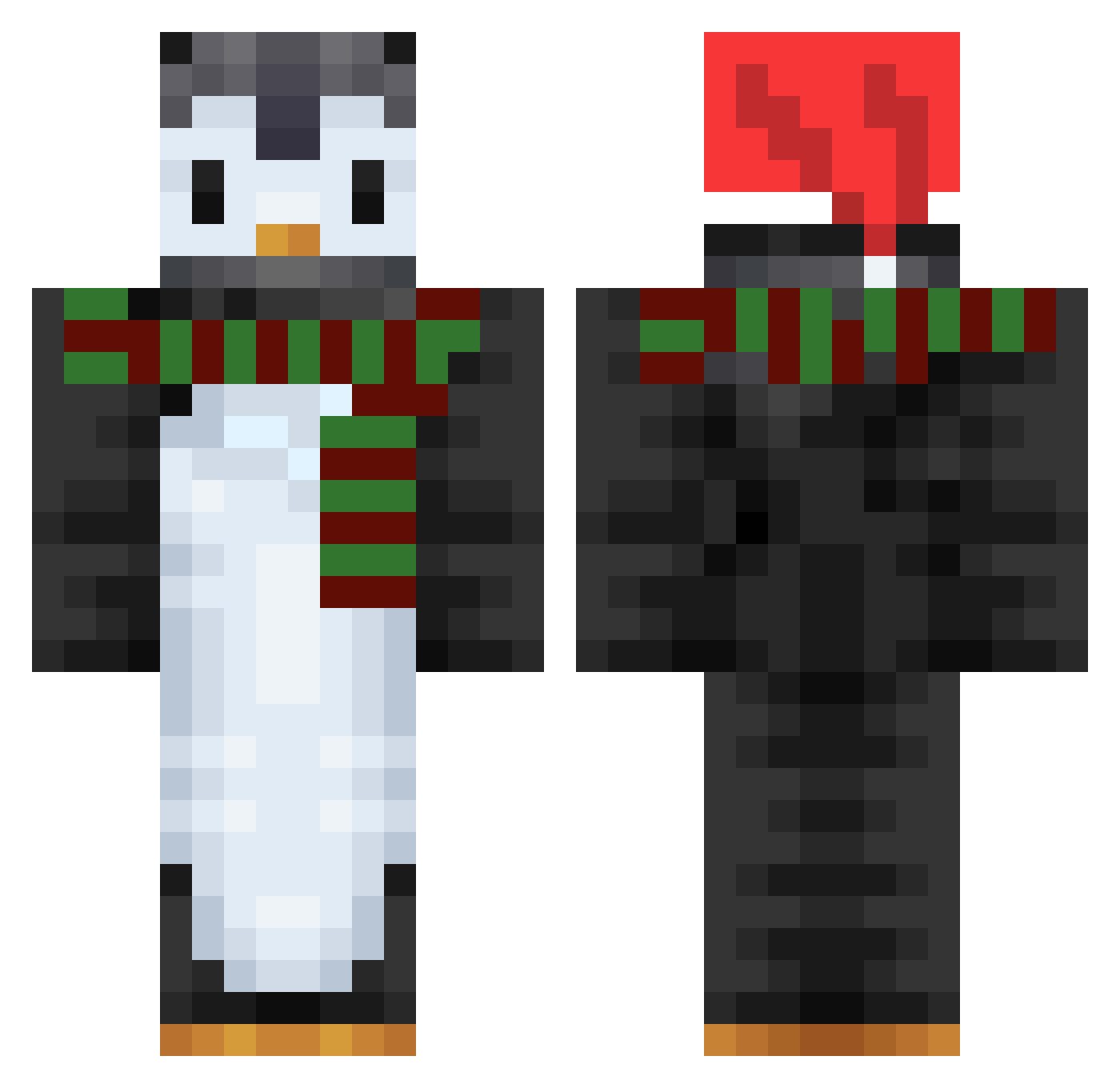
Current Minecraft skin of the player DarkEagle17, loaded from the official Mojang API. Rotate the 3D model with your mouse or finger, then download the skin as a PNG file and use it in Minecraft: Bedrock Edition or Java Edition for free. When DarkEagle17 changes their skin, this page updates automatically and the old skin stays in the history below.
Other players with this skin (753)
DarkEagle17 was the 430th player we have seen with this skin, first spotted on 28.09.2026. The same skin was seen on these players. Open a nickname to see their current skin and skin history.
 eunbyeol86 JINU6968 Babelka3077 LolzBatman patew11 Noscoperrr DieuDechu _Mein_Kampf SeobJu cheeseburgerIol Noltesers Victimiser Sh_i_ge chengernt Leafey tadahito06 tssuri Spookyhero pokeriza HAEUNJI hgf517 Penguinfan81 hagewashi jacky9999123 __JUNG Loot_Cream life_verse RoboKing09 MagyarKrispy Zorro_v2 caiojorgen RainyRion cnstlr12 Mandoo0627 _Poy_Poy_ Hreti ZjaranyPingwin SsibBug insung_ Math2542 jaennlol Hydraleen penguro _Veyrix_ SoJoe VPenguin XimbasThePenguin rniyu Gu1pen Uhidk172 mollycatrin KoepiLord asong_ii Katzeeeeeee AwesomeTyTy1 Snazeczek ibadplayer dany8026 winterwren2022 Quaqqer
More Penguin Minecraft skins
How to install the DarkEagle17 skin
- Press the Download button above to save the skin as a PNG file.
- Minecraft: Bedrock Edition (PE): open the Dressing Room from the main menu (or tap your character → Edit Character), go to Classic Skins → Owned, press the + (new skin) button, choose the downloaded PNG and pick the Classic (Steve) model. Works on PC and mobile; consoles cannot import custom skins.
- Minecraft: Java Edition: open the Minecraft Launcher, go to the Skins tab, click New Skin, load the PNG, pick the Classic (Steve) model and press Save & Use. You can also upload it at minecraft.net → Profile → Change Skin.
The skin does not show up after import - what should I do?
Restart Minecraft and open the Dressing Room again - imported skins sometimes appear only after a restart. Also make sure you selected the imported skin and picked the Classic (Steve) model.
Which model should I choose, Classic or Slim?
This skin is designed for the Classic (Steve) model. If you pick the wrong model, the arms of the skin will look stretched or squeezed.
Is the skin of DarkEagle17 free to download?
Yes. Press Download, save the PNG file and use it in Minecraft: Bedrock Edition or Java Edition - no payment or registration needed. The skin also works on multiplayer servers and Realms.
More skins
Looking for more? Go back to all Minecraft skins and check the top skins of the week, month and all time, or find any player's skin by nickname.