
Czaja2006 - Minecraft Skins & Skin History
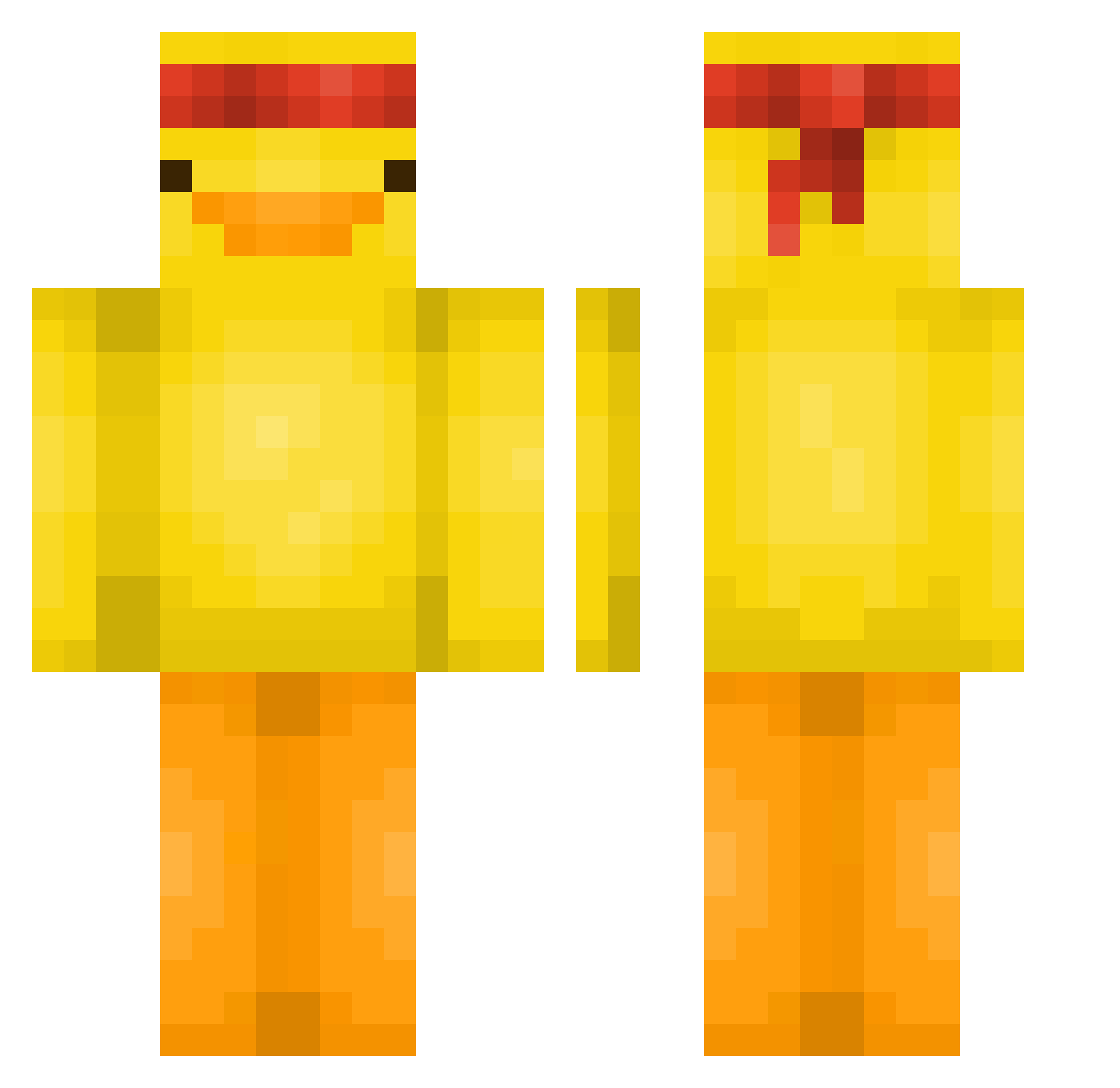
Current Minecraft skin of the player Czaja2006, loaded from the official Mojang API. Rotate the 3D model with your mouse or finger, then download the skin as a PNG file and use it in Minecraft: Bedrock Edition or Java Edition for free. When Czaja2006 changes their skin, this page updates automatically and the old skin stays in the history below.
Other players with this skin (579)
Czaja2006 was the 157th player we have seen with this skin, first spotted on 22.08.2026. The same skin was seen on these players. Open a nickname to see their current skin and skin history.
 Weitii Demonic_Duck666 09Aaa Valdeminister Olausson100 WhatisLine fishstonk FleoX6 CookieKing986 YoloMaster420 Bisc0tto HoJun01 Mike14092 vnreleased isabido23 neo3R MrMimoso06 CmaxPhoto Jankies1234 mrcork xElfinx NotFrost__ Ryziox FeraMansa180 leomessiii1 Kraastoron Gabool Stubbed___Toe nachofries22 TheWaterChicken IHeartWomen6 yioq TheQurek TheFool222 WhataBean kaioba_ CGx0CT0 lea_fish lonelydoni Boruu__ Hjhhmh12345 Kameleonten1 cloowfv Zayy285 Sienaj3 benkeboy1 makermatic Os0_ eugonycz Jonny_Fighter alvenoe JimmyVX Simo_Bega Drag0403 Vip_Noeul poptarteater23 hanamula beatmyskills1 mr__wood W_TI
More Duck Minecraft skins
How to install the Czaja2006 skin
- Press the Download button above to save the skin as a PNG file.
- Minecraft: Bedrock Edition (PE): open the Dressing Room from the main menu (or tap your character → Edit Character), go to Classic Skins → Owned, press the + (new skin) button, choose the downloaded PNG and pick the Classic (Steve) model. Works on PC and mobile; consoles cannot import custom skins.
- Minecraft: Java Edition: open the Minecraft Launcher, go to the Skins tab, click New Skin, load the PNG, pick the Classic (Steve) model and press Save & Use. You can also upload it at minecraft.net → Profile → Change Skin.
The skin does not show up after import - what should I do?
Restart Minecraft and open the Dressing Room again - imported skins sometimes appear only after a restart. Also make sure you selected the imported skin and picked the Classic (Steve) model.
Which model should I choose, Classic or Slim?
This skin is designed for the Classic (Steve) model. If you pick the wrong model, the arms of the skin will look stretched or squeezed.
Is the skin of Czaja2006 free to download?
Yes. Press Download, save the PNG file and use it in Minecraft: Bedrock Edition or Java Edition - no payment or registration needed. The skin also works on multiplayer servers and Realms.
More skins
Looking for more? Go back to all Minecraft skins and check the top skins of the week, month and all time, or find any player's skin by nickname.