
Ckrt1 - Minecraft Skins & Skin History
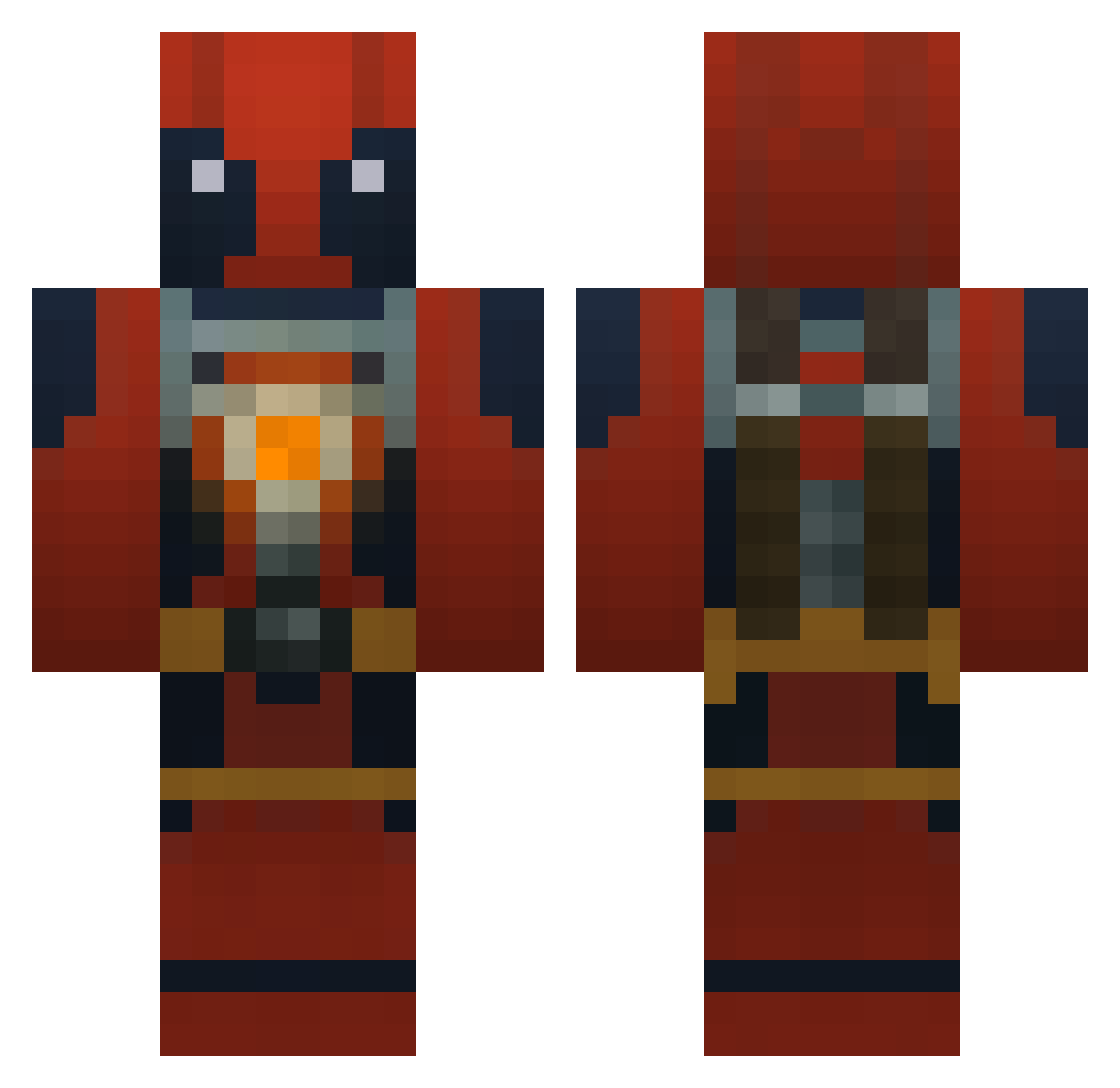
Current Minecraft skin of the player Ckrt1, loaded from the official Mojang API. Rotate the 3D model with your mouse or finger, then download the skin as a PNG file and use it in Minecraft: Bedrock Edition or Java Edition for free. When Ckrt1 changes their skin, this page updates automatically and the old skin stays in the history below.
Other players with this skin (772)
Ckrt1 was the 591st player we have seen with this skin, first spotted on 05.10.2026. The same skin was seen on these players. Open a nickname to see their current skin and skin history.
 Scrapperchap Arillis xDarkWolf05x fraseyboy2000 clown_love Isaiah33269 jakestone AzraelUzumaki BeanShady paco3434 binnayae Esti_titxu Thorhaxx CamTrudz WhySoMadd makistani young_foreverr IsaacICon gunmin2007 JACKO1357 sepurdy Cuevaxx97 Ekson1c FoodComa9998 price897 jkcrazy Twisticus IRFU2 SubCopied Deadpool138 Shads03 M4didadi remi62600 Doge73 Bosskid4651 greenaron speedyplague Shahryarkh Heuston3 Blaumeise556 DrOrhanBenceGay ScribbleGaming drewd10 Gallagher1235 Masternero71 MrTraxis Drazil16 JustZane18 Zerkosis ColinRetterer cayneisminecraft CSUcosx SlothDemonKing Pero1337 Moppa2K17 teenagesewer wixa45 Baconbeet RWD7 abemand200
More Deadpool Minecraft skins
How to install the Ckrt1 skin
- Press the Download button above to save the skin as a PNG file.
- Minecraft: Bedrock Edition (PE): open the Dressing Room from the main menu (or tap your character → Edit Character), go to Classic Skins → Owned, press the + (new skin) button, choose the downloaded PNG and pick the Classic (Steve) model. Works on PC and mobile; consoles cannot import custom skins.
- Minecraft: Java Edition: open the Minecraft Launcher, go to the Skins tab, click New Skin, load the PNG, pick the Classic (Steve) model and press Save & Use. You can also upload it at minecraft.net → Profile → Change Skin.
The skin does not show up after import - what should I do?
Restart Minecraft and open the Dressing Room again - imported skins sometimes appear only after a restart. Also make sure you selected the imported skin and picked the Classic (Steve) model.
Which model should I choose, Classic or Slim?
This skin is designed for the Classic (Steve) model. If you pick the wrong model, the arms of the skin will look stretched or squeezed.
Is the skin of Ckrt1 free to download?
Yes. Press Download, save the PNG file and use it in Minecraft: Bedrock Edition or Java Edition - no payment or registration needed. The skin also works on multiplayer servers and Realms.
More skins
Looking for more? Go back to all Minecraft skins and check the top skins of the week, month and all time, or find any player's skin by nickname.