
Chipsabc123 - Minecraft Skins & Skin History
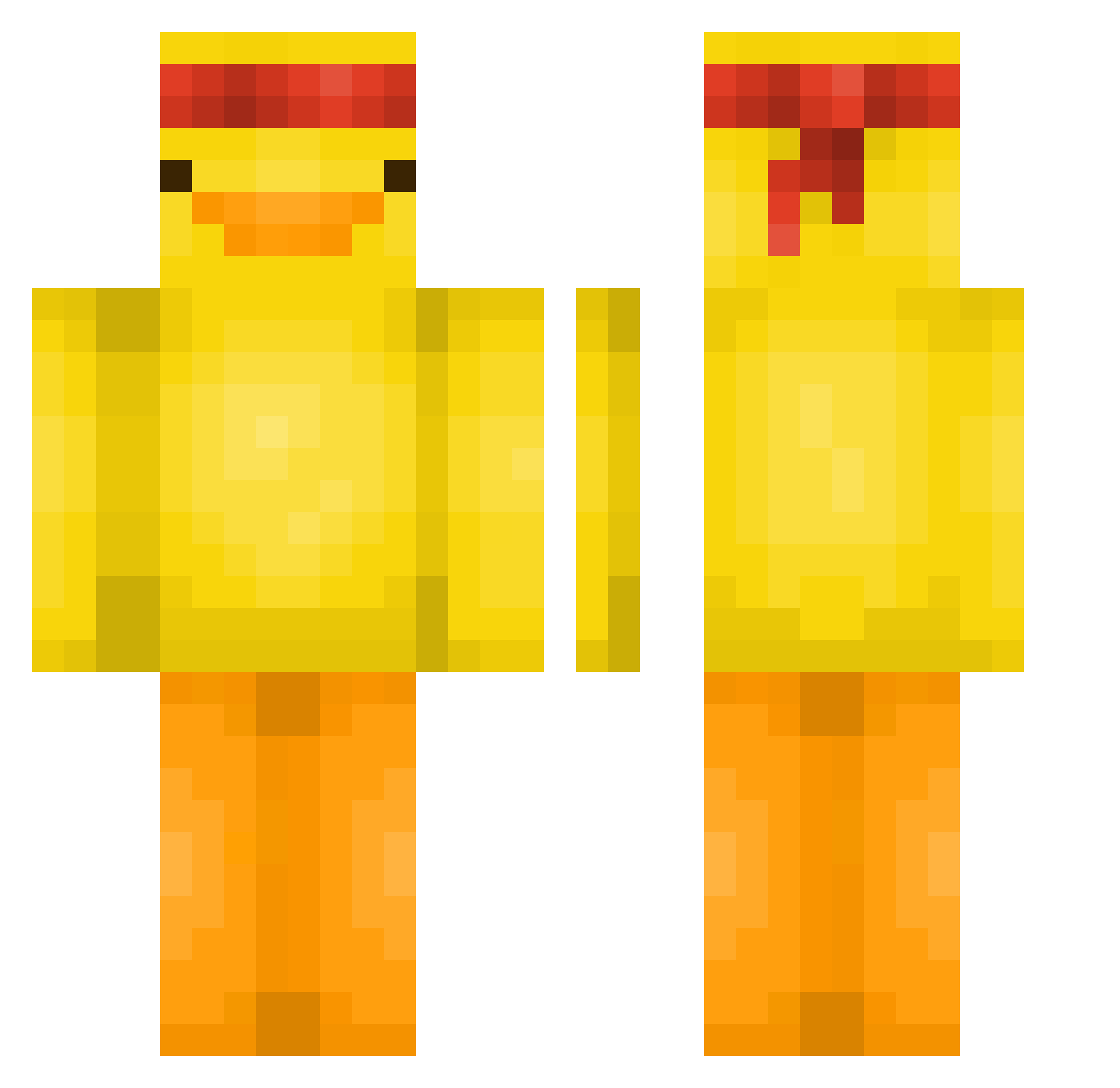
Current Minecraft skin of the player Chipsabc123, loaded from the official Mojang API. Rotate the 3D model with your mouse or finger, then download the skin as a PNG file and use it in Minecraft: Bedrock Edition or Java Edition for free. When Chipsabc123 changes their skin, this page updates automatically and the old skin stays in the history below.
Other players with this skin (579)
Chipsabc123 was the 329th player we have seen with this skin, first spotted on 27.09.2026. The same skin was seen on these players. Open a nickname to see their current skin and skin history.
 Passi88 Paul5646 Warneyy melzito14 BigOwens0606 gr4y4213 DarkIceDust Reoy80 AbooBr8 Lenninnn Juifish CasualAscension Klabusterbeere88 imaginablyx Cereal_Consumer melonik1123 BunnyOhHoney Kapibaraaaa Willlwolf Xd_BabyG CarsonCamera gotsimaek08 Pubertttt KaanOvBeans Samburel TanteLen Moonkakak PopsSued Standarts_GG stasikLOVEmlynio TacoDefender valuekeeper new_bie__ Fiberr44 Skullmoon98 cardamoms Donir Manu_31 soooj11 Pinky_01 G1ul10I3 syona0812 _p1G30Ndunners jegelskerflipman RodgerDodger46 TylerPueri Seacowzz GanglBua hung___0 Scurix1 Mini_DaBoi Mr_raphael25 ItzXenovia Moonbbang_ Garfton mangos0125 Sum_Guyy X_Lukas12 Eirhau12 Miy_ns
More Duck Minecraft skins
How to install the Chipsabc123 skin
- Press the Download button above to save the skin as a PNG file.
- Minecraft: Bedrock Edition (PE): open the Dressing Room from the main menu (or tap your character → Edit Character), go to Classic Skins → Owned, press the + (new skin) button, choose the downloaded PNG and pick the Classic (Steve) model. Works on PC and mobile; consoles cannot import custom skins.
- Minecraft: Java Edition: open the Minecraft Launcher, go to the Skins tab, click New Skin, load the PNG, pick the Classic (Steve) model and press Save & Use. You can also upload it at minecraft.net → Profile → Change Skin.
The skin does not show up after import - what should I do?
Restart Minecraft and open the Dressing Room again - imported skins sometimes appear only after a restart. Also make sure you selected the imported skin and picked the Classic (Steve) model.
Which model should I choose, Classic or Slim?
This skin is designed for the Classic (Steve) model. If you pick the wrong model, the arms of the skin will look stretched or squeezed.
Is the skin of Chipsabc123 free to download?
Yes. Press Download, save the PNG file and use it in Minecraft: Bedrock Edition or Java Edition - no payment or registration needed. The skin also works on multiplayer servers and Realms.
More skins
Looking for more? Go back to all Minecraft skins and check the top skins of the week, month and all time, or find any player's skin by nickname.