
Cedarn - Minecraft Skins & Skin History
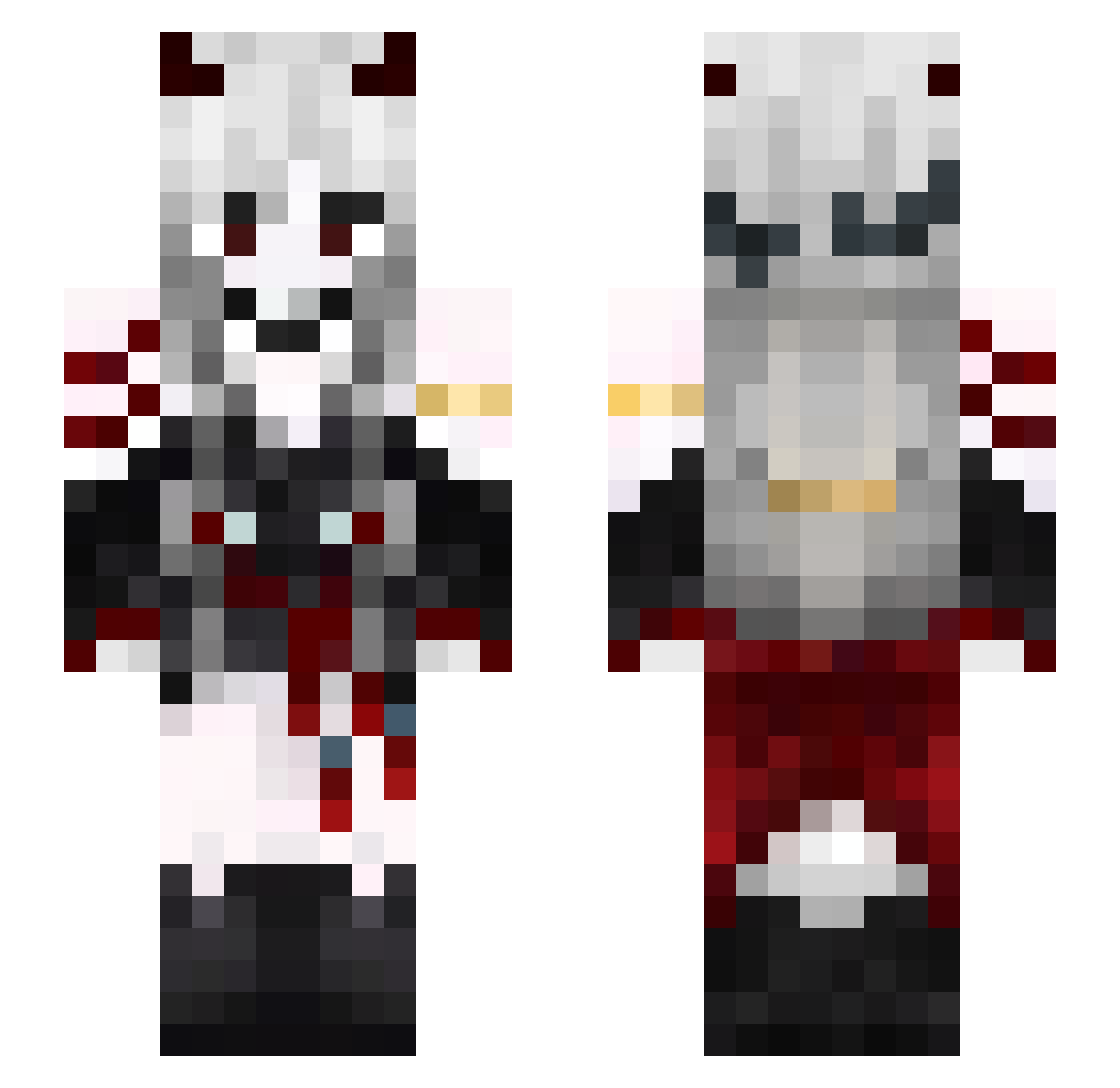
Current Minecraft skin of the player Cedarn, loaded from the official Mojang API. Rotate the 3D model with your mouse or finger, then download the skin as a PNG file and use it in Minecraft: Bedrock Edition or Java Edition for free. When Cedarn changes their skin, this page updates automatically and the old skin stays in the history below.
Other players with this skin (464)
Cedarn was the 33rd player we have seen with this skin, first spotted on 31.07.2026. The same skin was seen on these players. Open a nickname to see their current skin and skin history.
 kkzo Marushu_ bestofriendo70 AsianNugget Strikers21373 Freya_Hel01 zielsicherGSG
 doh_o CupChad misaxkira Iceaexa Gyr_myr kilnswordsman Isiafungo
 Pvtproyt
 Sah_Mestra st0rmlol huangjunjie KOAKAZUKI mythicalsarux InquisitorEx CatChaos_8 Untipoacaso TheRainSword
 jeinnie Seungtae_ BlaaackJaaaaack ReportedAgain BadDragonHQ Rey245__ Love_N_Peace_S2 VampireCoco saual blucake_211 JayDoessStuff Meteor436 zlehdghkzl
 Mefisuto Christy140909 Hanuke shdjhs Elm07trf Basszer23 Oskjur09 Yuk1x_ xiaorose ReiKo2001 RCalamityHD Just_Rick_ Silcoss HuaBuyv Alice_SN Jaeyong_L Baltazano Calmilara Hzynk
 emobbq wkdgksmf13 Asp_ectz AngelaRyu0614
More Demon Minecraft skins
How to install the Cedarn skin
- Press the Download button above to save the skin as a PNG file.
- Minecraft: Bedrock Edition (PE): open the Dressing Room from the main menu (or tap your character → Edit Character), go to Classic Skins → Owned, press the + (new skin) button, choose the downloaded PNG and pick the Slim (Alex) model. Works on PC and mobile; consoles cannot import custom skins.
- Minecraft: Java Edition: open the Minecraft Launcher, go to the Skins tab, click New Skin, load the PNG, pick the Slim (Alex) model and press Save & Use. You can also upload it at minecraft.net → Profile → Change Skin.
The skin does not show up after import - what should I do?
Restart Minecraft and open the Dressing Room again - imported skins sometimes appear only after a restart. Also make sure you selected the imported skin and picked the Slim (Alex) model.
Which model should I choose, Classic or Slim?
This skin is designed for the Slim (Alex) model. If you pick the wrong model, the arms of the skin will look stretched or squeezed.
Is the skin of Cedarn free to download?
Yes. Press Download, save the PNG file and use it in Minecraft: Bedrock Edition or Java Edition - no payment or registration needed. The skin also works on multiplayer servers and Realms.
More skins
Looking for more? Go back to all Minecraft skins and check the top skins of the week, month and all time, or find any player's skin by nickname.