
Carderlino - Minecraft Skins & Skin History
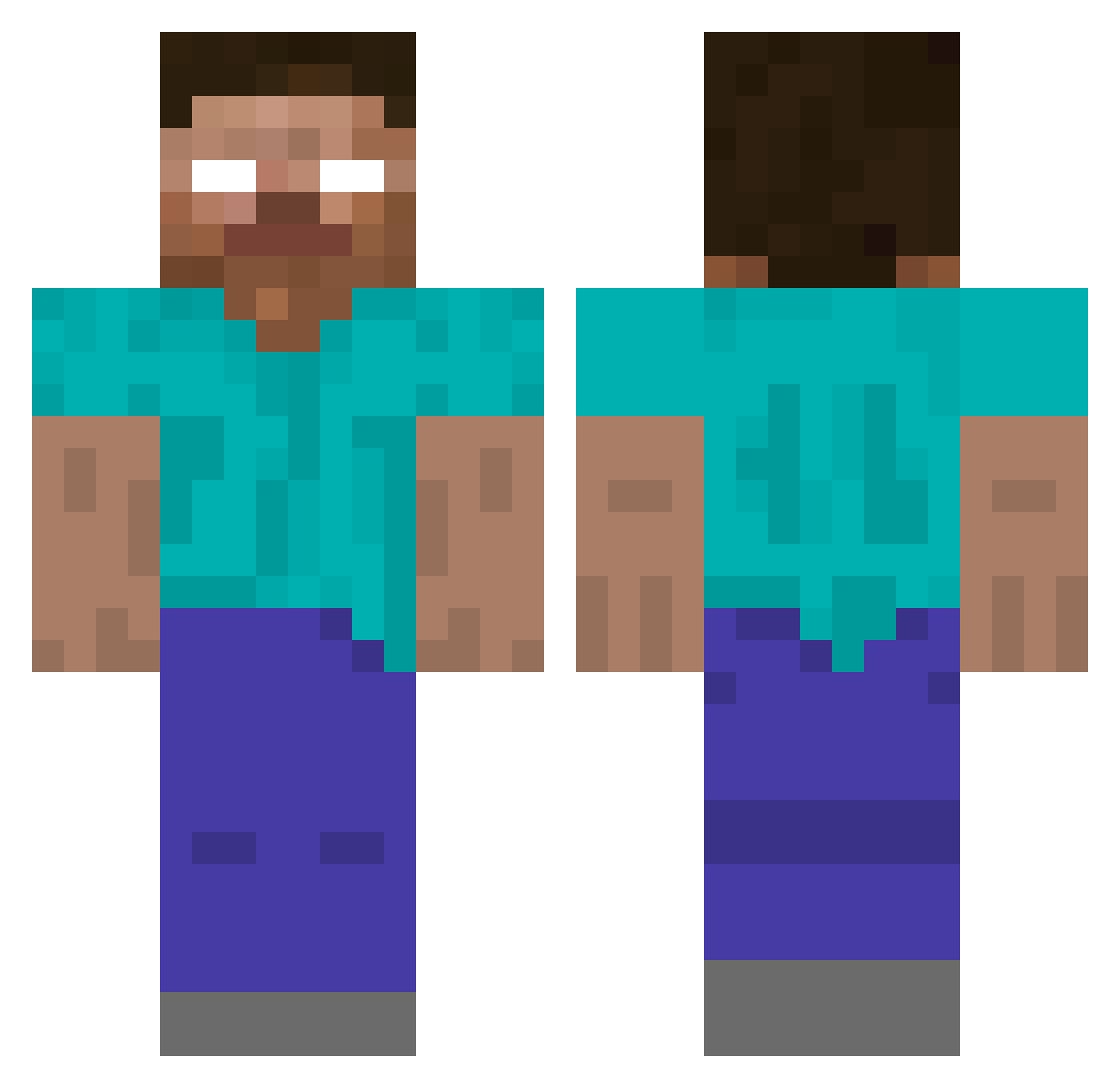
Current Minecraft skin of the player Carderlino, loaded from the official Mojang API. Rotate the 3D model with your mouse or finger, then download the skin as a PNG file and use it in Minecraft: Bedrock Edition or Java Edition for free. When Carderlino changes their skin, this page updates automatically and the old skin stays in the history below.
Other players with this skin (424)
Carderlino was the 186th player we have seen with this skin, first spotted on 17.09.2026. The same skin was seen on these players. Open a nickname to see their current skin and skin history.
 cakeface2000 LtRustikal jakeylol EyseR kirksrule MiningNinja98 mariuxen frenkenetor Jamieson10 NICKASH12399 Chieffy22 tarantulaman49 sidsworld animal360 MikeEhrmantraut3 jacobdb11 PLONOR Evilarcher123 wade0626 SanFranOM Doffen2012 dunnoshine CLISBO ufogta38 GlenOlen Nilsemann97 10_thirty_11 ykko TanMan2013 redhalo86 FabianB8 aloysius42 Spidey_Ry hotdude7777 wille12 Taelynn2004 nextLVLup pfarl1234 Massi000 Georgedika funksters missflores Juli2007 Gryffyn7 achmed_ DaCrafter64 bauerranger minecraft123k JRB3000 Xevian26 scottishladdie31 Silversurfer66 Zezzku reckertiii Silent_Diamond_x Redcreeper77 Josh_Terminator GryphonXX711 Kylian1210 XLcookie
More Herobrine Minecraft skins
How to install the Carderlino skin
- Press the Download button above to save the skin as a PNG file.
- Minecraft: Bedrock Edition (PE): open the Dressing Room from the main menu (or tap your character → Edit Character), go to Classic Skins → Owned, press the + (new skin) button, choose the downloaded PNG and pick the Classic (Steve) model. Works on PC and mobile; consoles cannot import custom skins.
- Minecraft: Java Edition: open the Minecraft Launcher, go to the Skins tab, click New Skin, load the PNG, pick the Classic (Steve) model and press Save & Use. You can also upload it at minecraft.net → Profile → Change Skin.
The skin does not show up after import - what should I do?
Restart Minecraft and open the Dressing Room again - imported skins sometimes appear only after a restart. Also make sure you selected the imported skin and picked the Classic (Steve) model.
Which model should I choose, Classic or Slim?
This skin is designed for the Classic (Steve) model. If you pick the wrong model, the arms of the skin will look stretched or squeezed.
Is the skin of Carderlino free to download?
Yes. Press Download, save the PNG file and use it in Minecraft: Bedrock Edition or Java Edition - no payment or registration needed. The skin also works on multiplayer servers and Realms.
More skins
Looking for more? Go back to all Minecraft skins and check the top skins of the week, month and all time, or find any player's skin by nickname.