
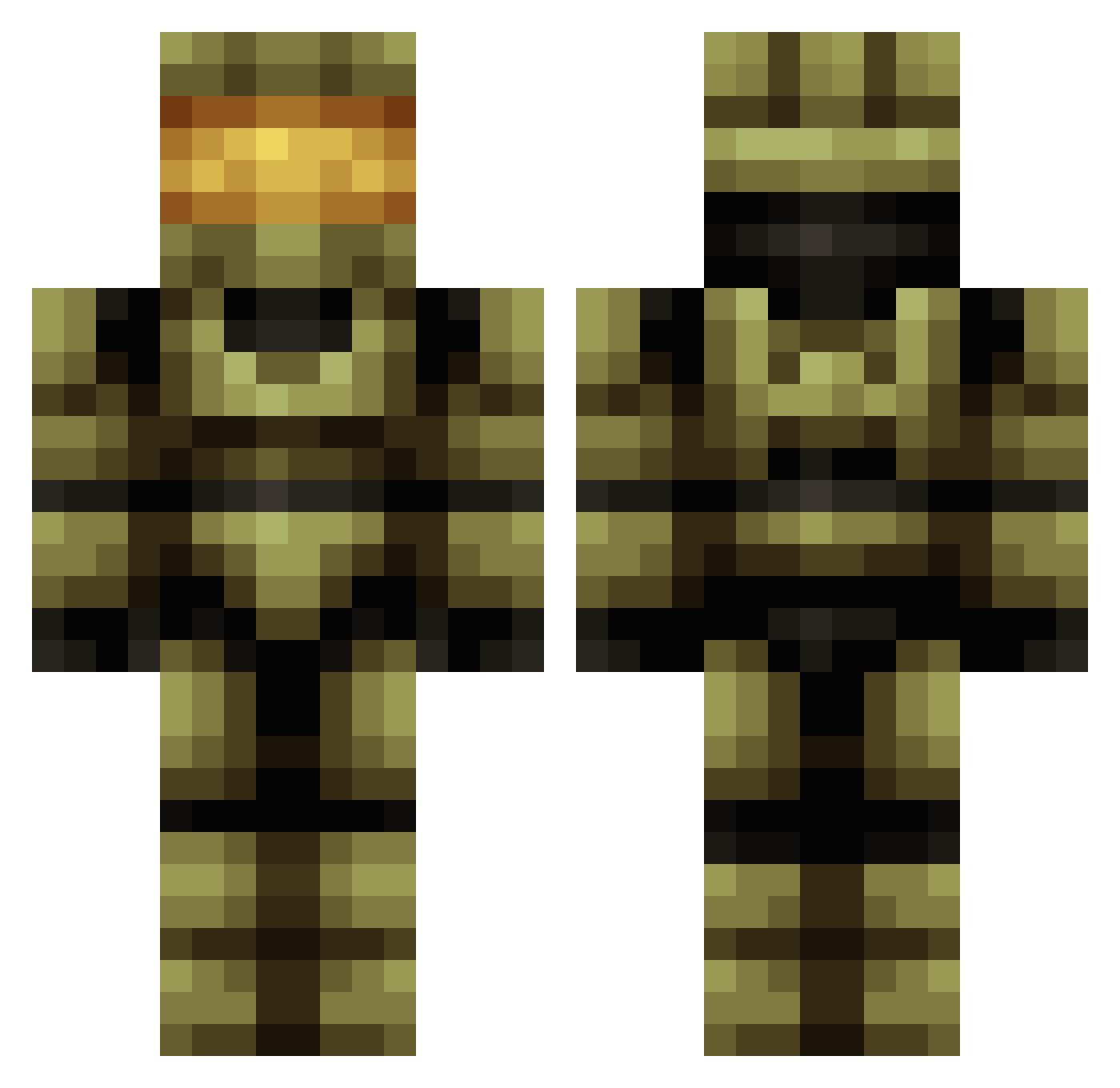
Current Minecraft skin of the player CaptainRex9, loaded from the official Mojang API. Rotate the 3D model with your mouse or finger, then download the skin as a PNG file and use it in Minecraft: Bedrock Edition or Java Edition for free. When CaptainRex9 changes their skin, this page updates automatically and the old skin stays in the history below.
Other players with this skin (506)
CaptainRex9 was the 317th player we have seen with this skin, first spotted on 19.09.2026. The same skin was seen on these players. Open a nickname to see their current skin and skin history.
 LordEmerald Aerysch TonicCrane cocobahia tomatoman444 LaughTime Ovirew RexSki XxDeadShadowxX Mastercheif1897 Peso16 MatthewGarcia1 snatchpat RoyalTempest Clawed _GodKirito_ hypno7 JJHammie Gor_Oz lucario2222 Eronox coolspider86 gavl58 Dodo0912 Ryno_C RobertSoane Noahrock9 Deadpoolinhalo IdealParadigm joco408 Kenny_100 Damon_McGee xHarionx money_master1 Juliar1357 EthanT06 SquawkingCrow Spirit141 peewack nathanjend10 Xenraos stryderlis_ J2HShadow247 DeadloxXxXx Strong_Bad88 Im_Reham blockblockblock6 masterchiefsean camomaster21 BubbleGum144 ExPo_GamingXx_YT AnRvBFreak awesomator2000 Helakon Articwolf626 Limppu062 flyboy07 chewblocka55 Emper0rAwes0me miloski
More Master Chief Minecraft skins
See all 446 Master Chief skins
How to install the CaptainRex9 skin
- Press the Download button above to save the skin as a PNG file.
- Minecraft: Bedrock Edition (PE): open the Dressing Room from the main menu (or tap your character → Edit Character), go to Classic Skins → Owned, press the + (new skin) button, choose the downloaded PNG and pick the Classic (Steve) model. Works on PC and mobile; consoles cannot import custom skins.
- Minecraft: Java Edition: open the Minecraft Launcher, go to the Skins tab, click New Skin, load the PNG, pick the Classic (Steve) model and press Save & Use. You can also upload it at minecraft.net → Profile → Change Skin.
The skin does not show up after import - what should I do?
Restart Minecraft and open the Dressing Room again - imported skins sometimes appear only after a restart. Also make sure you selected the imported skin and picked the Classic (Steve) model.
Which model should I choose, Classic or Slim?
This skin is designed for the Classic (Steve) model. If you pick the wrong model, the arms of the skin will look stretched or squeezed.
Is the skin of CaptainRex9 free to download?
Yes. Press Download, save the PNG file and use it in Minecraft: Bedrock Edition or Java Edition - no payment or registration needed. The skin also works on multiplayer servers and Realms.
More skins
Looking for more? Go back to all Minecraft skins and check the top skins of the week, month and all time, or find any player's skin by nickname.