
COVIDSTONE - Minecraft Skins & Skin History
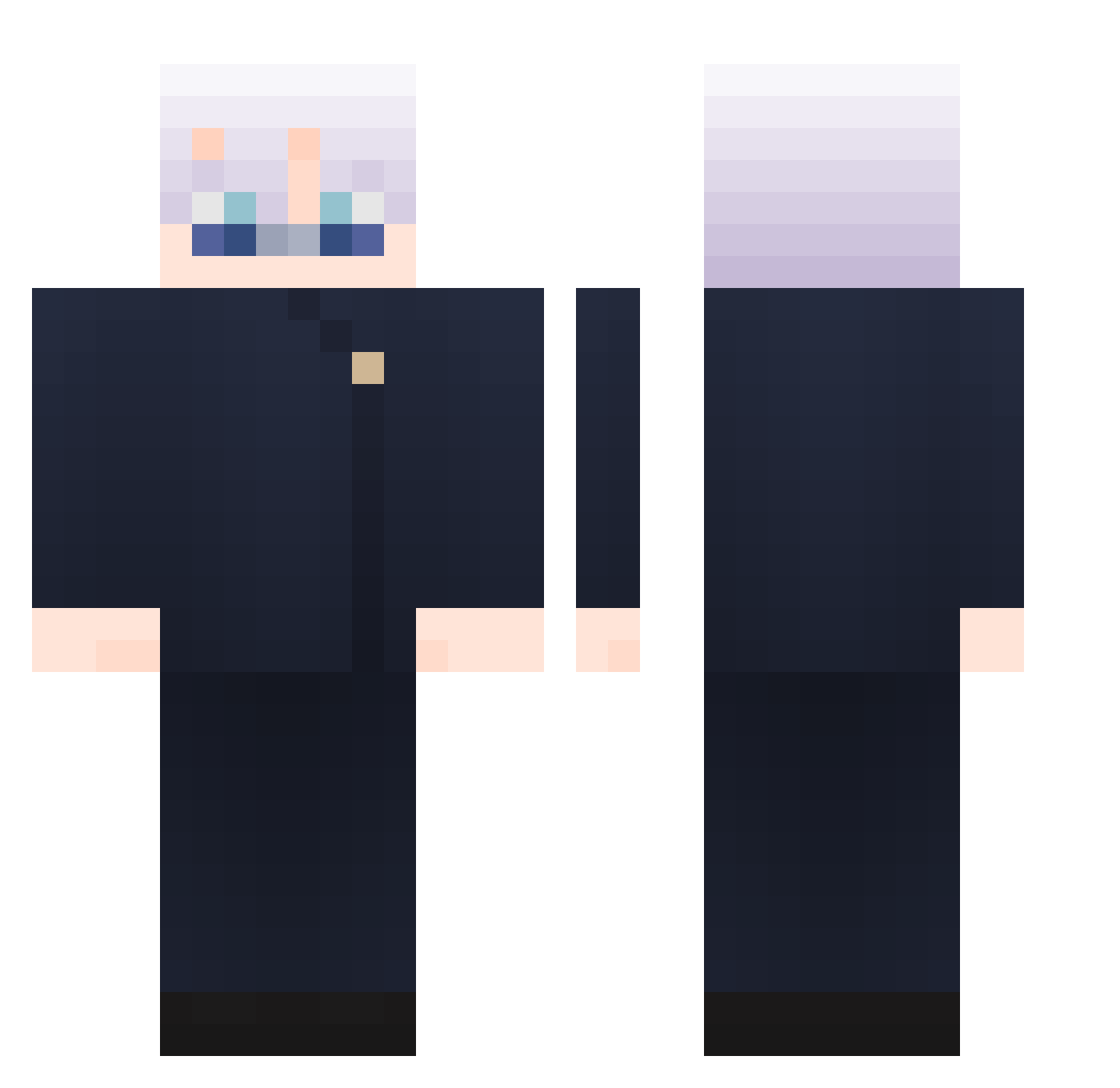
Current Minecraft skin of the player COVIDSTONE, loaded from the official Mojang API. Rotate the 3D model with your mouse or finger, then download the skin as a PNG file and use it in Minecraft: Bedrock Edition or Java Edition for free. When COVIDSTONE changes their skin, this page updates automatically and the old skin stays in the history below.
Other players with this skin (1029)
COVIDSTONE was the 640th player we have seen with this skin, first spotted on 04.10.2026. The same skin was seen on these players. Open a nickname to see their current skin and skin history.
 h_c0923 CrackChupisky 112233hh Ying_1225 hotkii dlalsdnr Kaaiidou PewDisc SrChris69 K1NGK4SH MugenIlusion buchacra Grax4 xTFB77 DADDADADDYY Naser290 PedroM356 H_yang romxbtw xeltoras SurvivaL0612 B4rbarossa MiguelTopG R063R70 XLA7 Estarossa117 MangoAng PhNgwyxn 200366NB Ultraman109 Three_mu Slyarrow NahIdWinn gunwooking0204 ian954 Eiji_24 hellosung AMUBrother mohammeddo37 BANDODG MonkeBud whybetaqq ememoho BadunJia Mqtute MZiN96 RTG2121 SaiFMohand WolfMiner04 kaikairun ShiSan_GX kepa9230 Kunnoh flennn rtxd360 Hackrofoblivion omso0308 Eeric0917 Melacum GamersFou
More Satoru Gojo Minecraft skins
See all 1360 Satoru Gojo skins
How to install the COVIDSTONE skin
- Press the Download button above to save the skin as a PNG file.
- Minecraft: Bedrock Edition (PE): open the Dressing Room from the main menu (or tap your character → Edit Character), go to Classic Skins → Owned, press the + (new skin) button, choose the downloaded PNG and pick the Classic (Steve) model. Works on PC and mobile; consoles cannot import custom skins.
- Minecraft: Java Edition: open the Minecraft Launcher, go to the Skins tab, click New Skin, load the PNG, pick the Classic (Steve) model and press Save & Use. You can also upload it at minecraft.net → Profile → Change Skin.
The skin does not show up after import - what should I do?
Restart Minecraft and open the Dressing Room again - imported skins sometimes appear only after a restart. Also make sure you selected the imported skin and picked the Classic (Steve) model.
Which model should I choose, Classic or Slim?
This skin is designed for the Classic (Steve) model. If you pick the wrong model, the arms of the skin will look stretched or squeezed.
Is the skin of COVIDSTONE free to download?
Yes. Press Download, save the PNG file and use it in Minecraft: Bedrock Edition or Java Edition - no payment or registration needed. The skin also works on multiplayer servers and Realms.
More skins
Looking for more? Go back to all Minecraft skins and check the top skins of the week, month and all time, or find any player's skin by nickname.