
Bulus83 - Minecraft Skins & Skin History
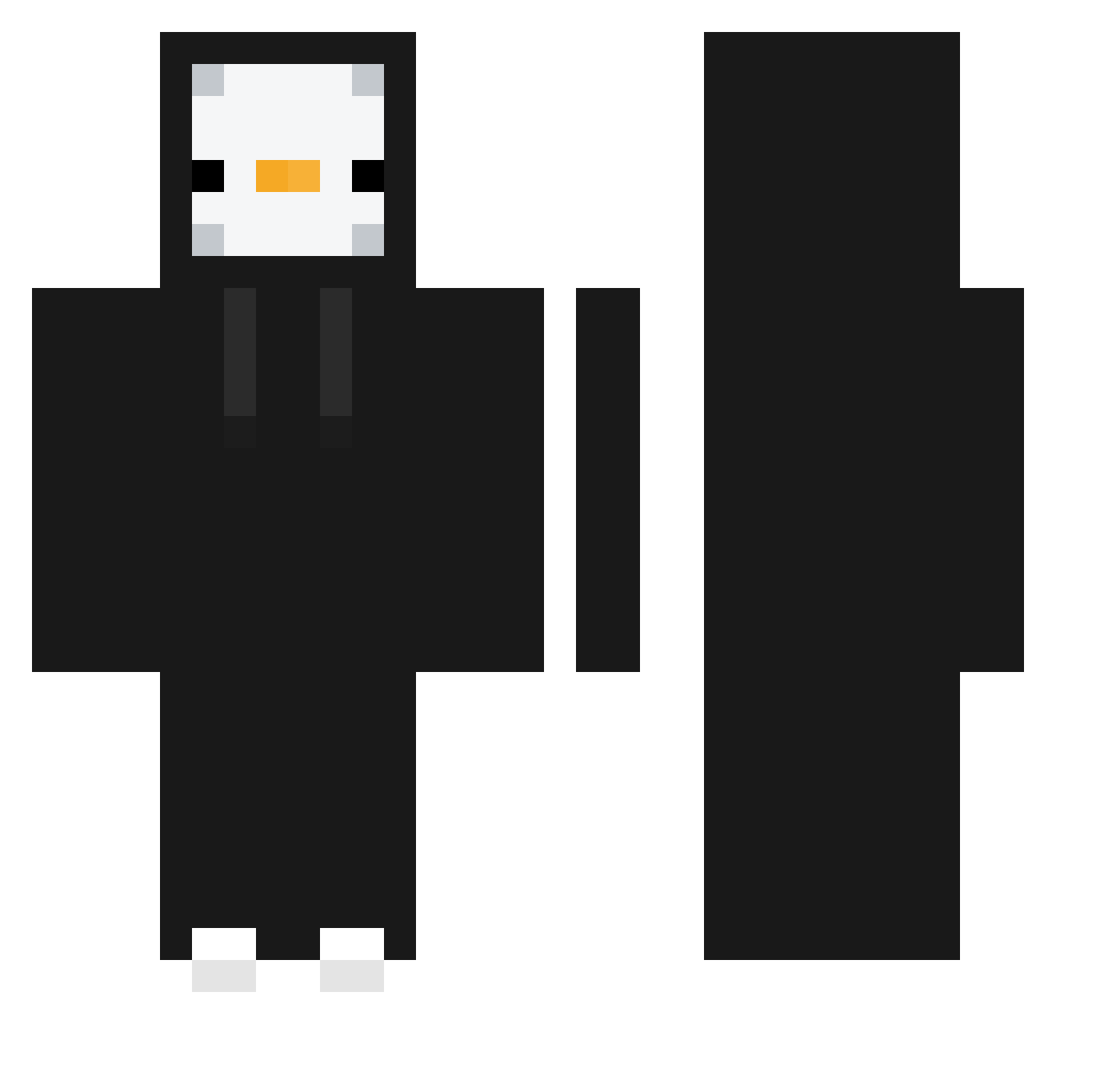
Current Minecraft skin of the player Bulus83, loaded from the official Mojang API. Rotate the 3D model with your mouse or finger, then download the skin as a PNG file and use it in Minecraft: Bedrock Edition or Java Edition for free. When Bulus83 changes their skin, this page updates automatically and the old skin stays in the history below.
Other players with this skin (372)
Bulus83 was the 80th player we have seen with this skin, first spotted on 13.08.2026. The same skin was seen on these players. Open a nickname to see their current skin and skin history.
 ViniBIack
 skb_610 HokitxX arrivejs jerokin Blackbird_71_ VERYGOODGOM Pvppingwinek ToYui12 pedroplays11 Joaquico365 trindasss Grimm72 SassTv PinguRages SAHAYORIYT azaaaz MoonLight_BLAST Tetra5 Werk3nd koala9282
 Rodaay nowing_ heomin ilorelai morenium The3fess BERTINELLI5716 jrung2c MandoorDavid chs3657 HASHE__ fmgames13 Ivan5355 llkasoull kitek1233 ZrDark011 Alias301 dqmedia cm829 General_Jeans subidubob oJxr lapede Bnonz MaGnet_GuM yourbadkid__ ghQKd1023 Gukbae 1Puffer OHHY7 VinihLins AHYONG calma11 Letmediealreadyy Jefrow321 wgcjv yongin_kim Coolio99989 Martyneko
More Penguin Minecraft skins
How to install the Bulus83 skin
- Press the Download button above to save the skin as a PNG file.
- Minecraft: Bedrock Edition (PE): open the Dressing Room from the main menu (or tap your character → Edit Character), go to Classic Skins → Owned, press the + (new skin) button, choose the downloaded PNG and pick the Classic (Steve) model. Works on PC and mobile; consoles cannot import custom skins.
- Minecraft: Java Edition: open the Minecraft Launcher, go to the Skins tab, click New Skin, load the PNG, pick the Classic (Steve) model and press Save & Use. You can also upload it at minecraft.net → Profile → Change Skin.
The skin does not show up after import - what should I do?
Restart Minecraft and open the Dressing Room again - imported skins sometimes appear only after a restart. Also make sure you selected the imported skin and picked the Classic (Steve) model.
Which model should I choose, Classic or Slim?
This skin is designed for the Classic (Steve) model. If you pick the wrong model, the arms of the skin will look stretched or squeezed.
Is the skin of Bulus83 free to download?
Yes. Press Download, save the PNG file and use it in Minecraft: Bedrock Edition or Java Edition - no payment or registration needed. The skin also works on multiplayer servers and Realms.
More skins
Looking for more? Go back to all Minecraft skins and check the top skins of the week, month and all time, or find any player's skin by nickname.