
Bostonnator - Minecraft Skins & Skin History
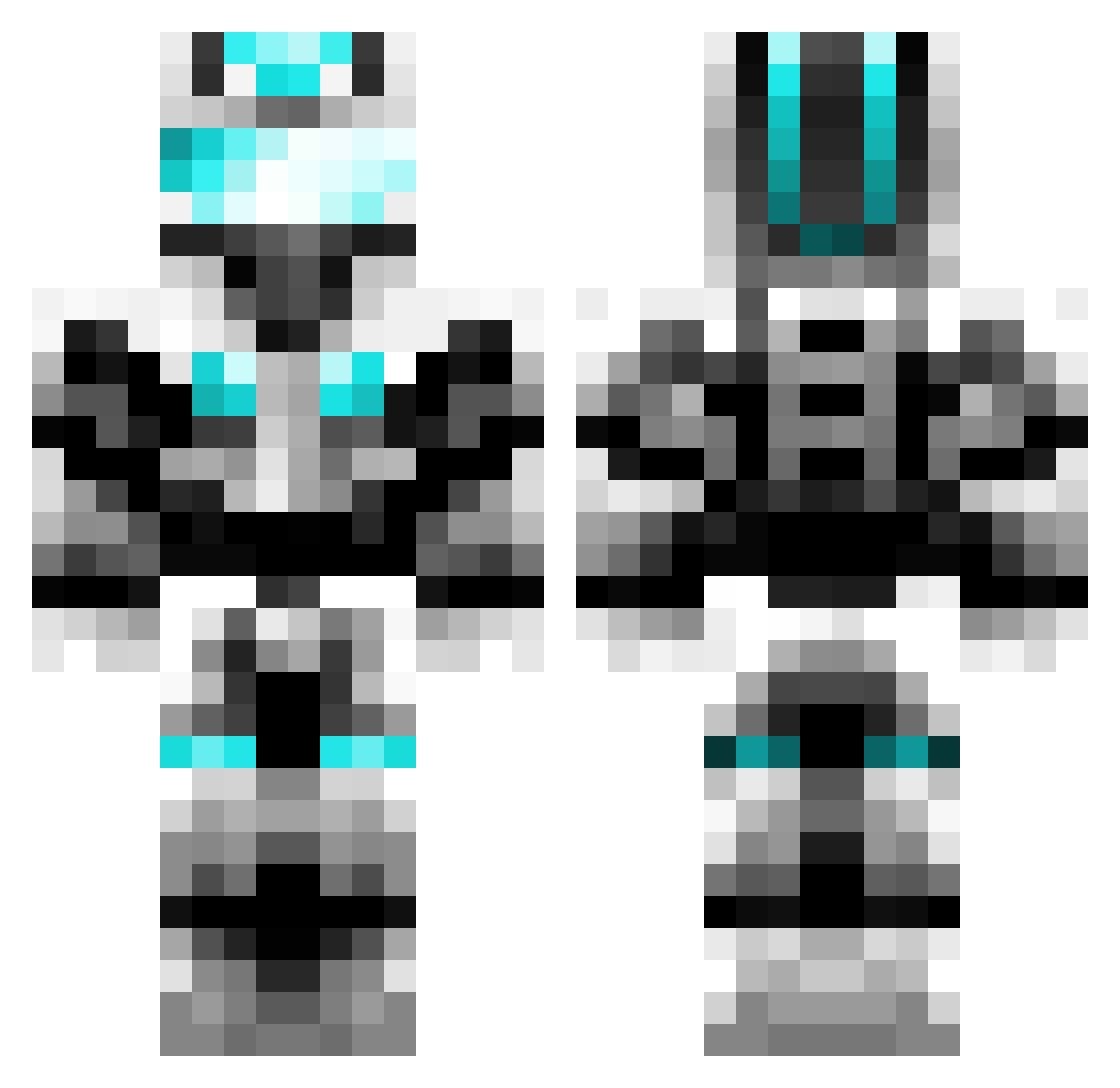
Current Minecraft skin of the player Bostonnator, loaded from the official Mojang API. Rotate the 3D model with your mouse or finger, then download the skin as a PNG file and use it in Minecraft: Bedrock Edition or Java Edition for free. When Bostonnator changes their skin, this page updates automatically and the old skin stays in the history below.
Other players with this skin (376)
Bostonnator was the 109th player we have seen with this skin, first spotted on 22.08.2026. The same skin was seen on these players. Open a nickname to see their current skin and skin history.
 Xx_Tactical_xX MareNubium1 ToumaAAA Whyyoubullyme123 WaTe928 LiArLe ActionF AgentKreeper007 HarleyQQuinn1 LIB179 Captain126 FLEX_QAQ jirong666 Jan_Yeer Yanhaii FlyingRabbitA29 xiaoliwo chinaliu DarkNight_____ fengshen1794 dradon303 Darkmessengerhky FairFauxSalmon Lao_mi Yi_Sou AtCN Nickeyao FattyBY OskarD3000 millaroot 2023yang CL455IFI3DBaron Manggo_jun wykcc PitX3 MCjingchuan Benndy ZeroShelf Quintwaaa Mo_SeTian innovationLou luo233 zhangmoumou Emperorday cxj_ korseek RubiaRubiaS zxynhc Gwemo MostCallMeKeith AleUDad drgshine Joseph0628 zibthzi kimodi shadowtalker Shadowden40 jlwrorc WristyHarp GaoYuan0610
More Cyber Soldier Minecraft skins
See all 43 Cyber Soldier skins
How to install the Bostonnator skin
- Press the Download button above to save the skin as a PNG file.
- Minecraft: Bedrock Edition (PE): open the Dressing Room from the main menu (or tap your character → Edit Character), go to Classic Skins → Owned, press the + (new skin) button, choose the downloaded PNG and pick the Classic (Steve) model. Works on PC and mobile; consoles cannot import custom skins.
- Minecraft: Java Edition: open the Minecraft Launcher, go to the Skins tab, click New Skin, load the PNG, pick the Classic (Steve) model and press Save & Use. You can also upload it at minecraft.net → Profile → Change Skin.
The skin does not show up after import - what should I do?
Restart Minecraft and open the Dressing Room again - imported skins sometimes appear only after a restart. Also make sure you selected the imported skin and picked the Classic (Steve) model.
Which model should I choose, Classic or Slim?
This skin is designed for the Classic (Steve) model. If you pick the wrong model, the arms of the skin will look stretched or squeezed.
Is the skin of Bostonnator free to download?
Yes. Press Download, save the PNG file and use it in Minecraft: Bedrock Edition or Java Edition - no payment or registration needed. The skin also works on multiplayer servers and Realms.
More skins
Looking for more? Go back to all Minecraft skins and check the top skins of the week, month and all time, or find any player's skin by nickname.