
Blastee - Minecraft Skins & Skin History
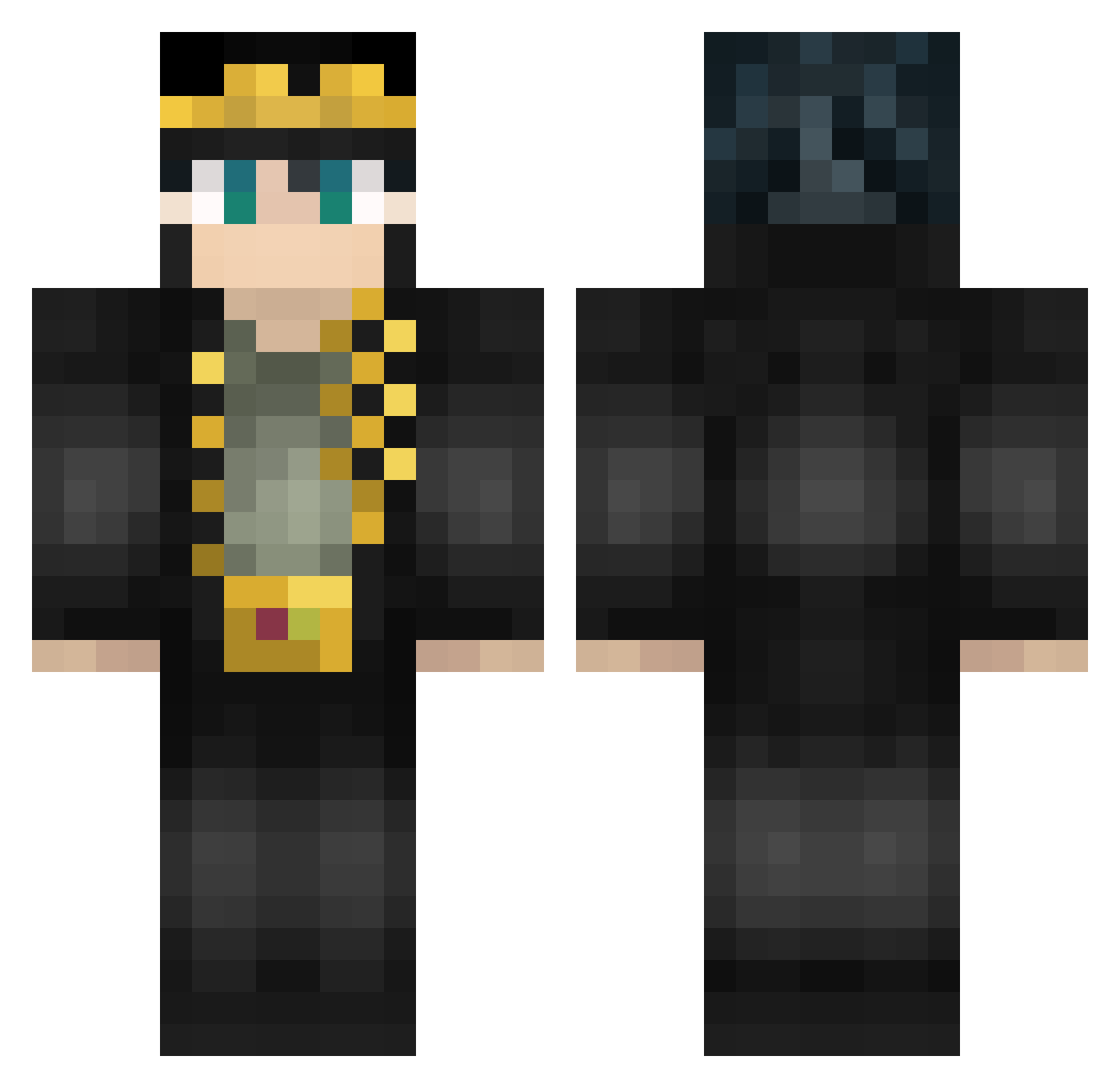
Current Minecraft skin of the player Blastee, loaded from the official Mojang API. Rotate the 3D model with your mouse or finger, then download the skin as a PNG file and use it in Minecraft: Bedrock Edition or Java Edition for free. When Blastee changes their skin, this page updates automatically and the old skin stays in the history below.
Other players with this skin (462)
Blastee was the 192nd player we have seen with this skin, first spotted on 01.09.2026. The same skin was seen on these players. Open a nickname to see their current skin and skin history.
 WhatTheTibo PSN_Ridecraft OBSD R6__ pigplay22 star2412 LarsIssel Tanvir4212 Hikoya_ Blackkeys0430 daysial MiguelMcrafter Strm_ Kizast amveryt CloutaroKujo SixOver AdamSandlerLoL sirrupybuzzard BubbaMCBubba13 Akkk1023 Va5her koo_yuu AzzKills15 MissedStudent50 DarkMortalVamp LiBeRtY_GoD JotaroNoKujo xxxbigmamaxxx Loork Azureqwq m1_s0 KARIN_____ JotarOnizuka AhRab aoxd55 simen7361 KH1212 TheEngineer2774 Andrew_power Soaps86 GeBi_XiaoBao _Akiraa Low_Fat_Milk Schnitzel_990 Kunai9o Diandian94 LapinoTerrace Ganjaaj45 NiaoMao kiweira heaglu cclee1103 GivenNightMare IchLamy SamGiovanna manvirako Prometheus_H3rsh Canon_Kai Rookieastroid17
More Jotaro Kujo Minecraft skins
How to install the Blastee skin
- Press the Download button above to save the skin as a PNG file.
- Minecraft: Bedrock Edition (PE): open the Dressing Room from the main menu (or tap your character → Edit Character), go to Classic Skins → Owned, press the + (new skin) button, choose the downloaded PNG and pick the Classic (Steve) model. Works on PC and mobile; consoles cannot import custom skins.
- Minecraft: Java Edition: open the Minecraft Launcher, go to the Skins tab, click New Skin, load the PNG, pick the Classic (Steve) model and press Save & Use. You can also upload it at minecraft.net → Profile → Change Skin.
The skin does not show up after import - what should I do?
Restart Minecraft and open the Dressing Room again - imported skins sometimes appear only after a restart. Also make sure you selected the imported skin and picked the Classic (Steve) model.
Which model should I choose, Classic or Slim?
This skin is designed for the Classic (Steve) model. If you pick the wrong model, the arms of the skin will look stretched or squeezed.
Is the skin of Blastee free to download?
Yes. Press Download, save the PNG file and use it in Minecraft: Bedrock Edition or Java Edition - no payment or registration needed. The skin also works on multiplayer servers and Realms.
More skins
Looking for more? Go back to all Minecraft skins and check the top skins of the week, month and all time, or find any player's skin by nickname.