
BingChillinng - Minecraft Skins & Skin History
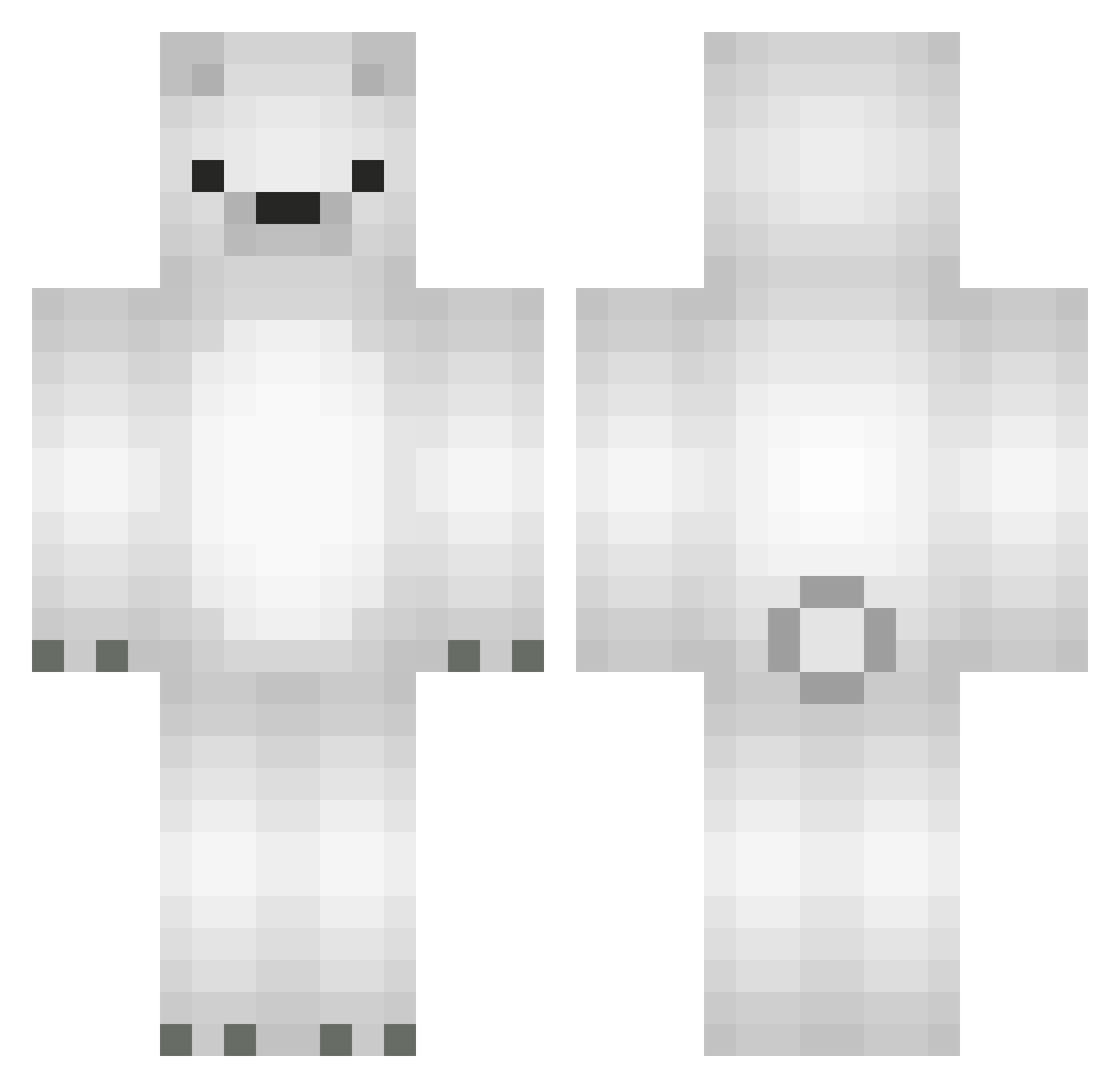
Current Minecraft skin of the player BingChillinng, loaded from the official Mojang API. Rotate the 3D model with your mouse or finger, then download the skin as a PNG file and use it in Minecraft: Bedrock Edition or Java Edition for free. When BingChillinng changes their skin, this page updates automatically and the old skin stays in the history below.
Other players with this skin (566)
BingChillinng was the 489th player we have seen with this skin, first spotted on 21.10.2026. The same skin was seen on these players. Open a nickname to see their current skin and skin history.
 pochi_wanwan Itona54 MUUMA09 YeGwan eeeeee77777 JAYZ1992 borxx Rhinestone_Soph Leg1tMaster Bobohobolobo azisdu DONGARI GUNMOM SEAL0808 MINGUMANGU reno_113 lovkeet Mr_Vincent anacks kelokalewi shirosan88 chebuuri Yuvi_M BMLeopard Jihun_123 sexyminyoo Dobixyz young4223 HYEO5K SOTANALLE22 individual28 ICIC_ blurpste o6tsu Mc_Yoka Fishmon32 Santiago1127 mHX0918 Le_Gauche sleepyx__plays Javiibu Wandteppich_ Stambox360 s0bsessed Tiquin kyoungzu calielMYSTIC kutsko YoungDump BeyondG OfficialFuuf EL_PUTTI Azu3 BccGang BARAHE eSwarthy _ENOVA_ _jihyun_ sagisagi BreadGaeng
More Polar Bear Minecraft skins
How to install the BingChillinng skin
- Press the Download button above to save the skin as a PNG file.
- Minecraft: Bedrock Edition (PE): open the Dressing Room from the main menu (or tap your character → Edit Character), go to Classic Skins → Owned, press the + (new skin) button, choose the downloaded PNG and pick the Classic (Steve) model. Works on PC and mobile; consoles cannot import custom skins.
- Minecraft: Java Edition: open the Minecraft Launcher, go to the Skins tab, click New Skin, load the PNG, pick the Classic (Steve) model and press Save & Use. You can also upload it at minecraft.net → Profile → Change Skin.
The skin does not show up after import - what should I do?
Restart Minecraft and open the Dressing Room again - imported skins sometimes appear only after a restart. Also make sure you selected the imported skin and picked the Classic (Steve) model.
Which model should I choose, Classic or Slim?
This skin is designed for the Classic (Steve) model. If you pick the wrong model, the arms of the skin will look stretched or squeezed.
Is the skin of BingChillinng free to download?
Yes. Press Download, save the PNG file and use it in Minecraft: Bedrock Edition or Java Edition - no payment or registration needed. The skin also works on multiplayer servers and Realms.
More skins
Looking for more? Go back to all Minecraft skins and check the top skins of the week, month and all time, or find any player's skin by nickname.