
BetusBoy420 - Minecraft Skins & Skin History
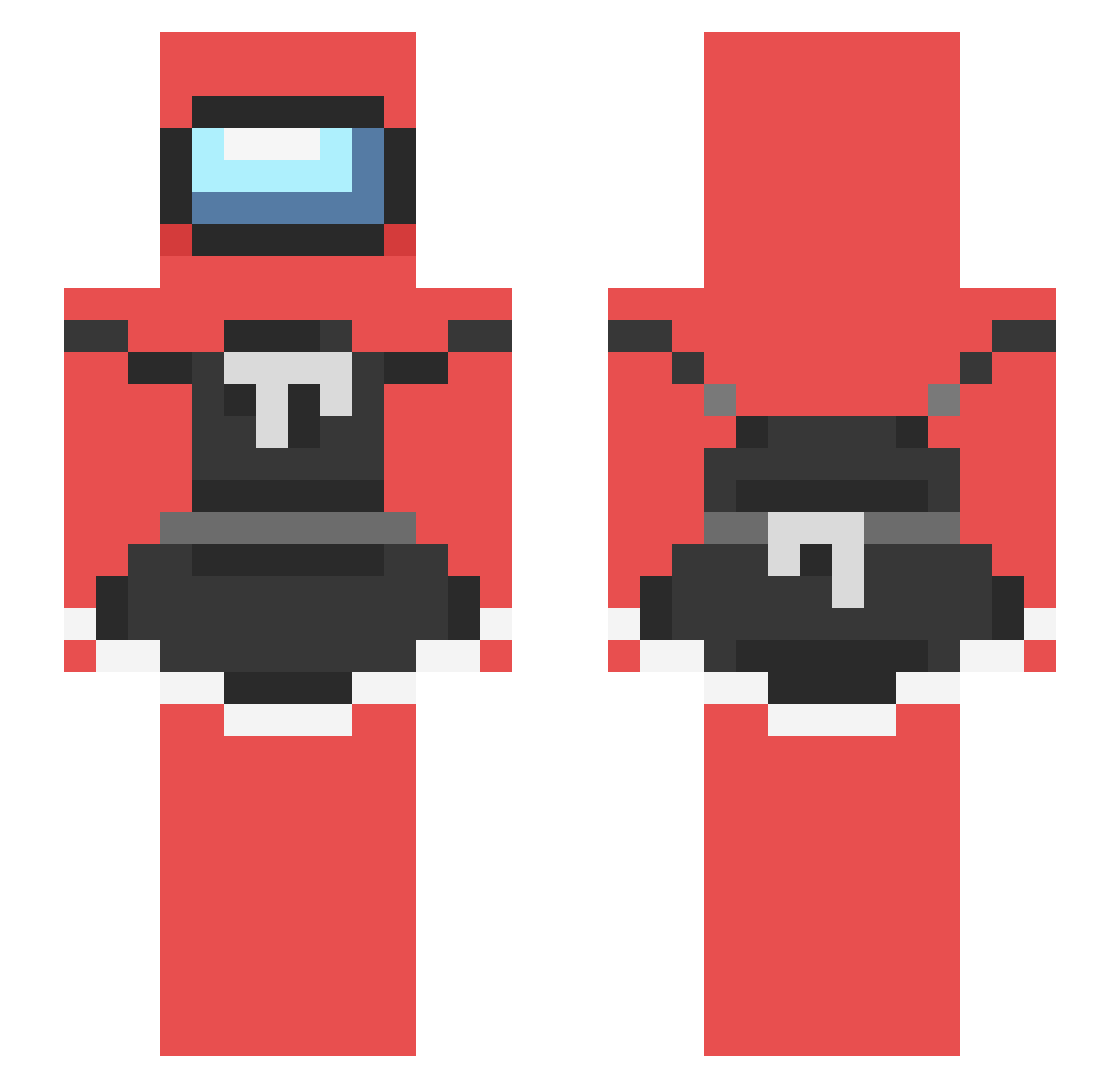
Current Minecraft skin of the player BetusBoy420, loaded from the official Mojang API. Rotate the 3D model with your mouse or finger, then download the skin as a PNG file and use it in Minecraft: Bedrock Edition or Java Edition for free. When BetusBoy420 changes their skin, this page updates automatically and the old skin stays in the history below.
Other players with this skin (238)
BetusBoy420 was the 155th player we have seen with this skin, first spotted on 07.10.2026. The same skin was seen on these players. Open a nickname to see their current skin and skin history.
 Shark_ELITE128 Emm43210 WM_BakedBoot Paleeeeeee PolishImperator HOMBREFELIS therealbigtuna grepo123 RaincloudHead _GATA mackeroni_kun Daquivas fiddol C2noz 10BRYAN10 ILoveMiners88 roronoaZoro106 Xillian313 Nerfilio TheZekeen ObamaCares_too NicolasCagesNose Yufal_ Sammy2223 perezzc DriftCaliber nickrichards 007phil007 sluerp meriandas Phobiareleased Pysioxx Cawus EsoBrad69 GunsZero Arcorigin daddyracc faze_leo2318 lkape Renotu iliketomaten Rynomolotov BaTaTa_Adb coolacdc paradaox_63 Liela308 JustanIndian DaddyMoMo Petteri_Palikka MythicalCY skullcrusher903 znnc Nippy2 Refuted Youngcornejo KavyaLover6969 Sucurizin Buk0vka Xxshreder KingDorephan
More Among Us Minecraft skins
How to install the BetusBoy420 skin
- Press the Download button above to save the skin as a PNG file.
- Minecraft: Bedrock Edition (PE): open the Dressing Room from the main menu (or tap your character → Edit Character), go to Classic Skins → Owned, press the + (new skin) button, choose the downloaded PNG and pick the Slim (Alex) model. Works on PC and mobile; consoles cannot import custom skins.
- Minecraft: Java Edition: open the Minecraft Launcher, go to the Skins tab, click New Skin, load the PNG, pick the Slim (Alex) model and press Save & Use. You can also upload it at minecraft.net → Profile → Change Skin.
The skin does not show up after import - what should I do?
Restart Minecraft and open the Dressing Room again - imported skins sometimes appear only after a restart. Also make sure you selected the imported skin and picked the Slim (Alex) model.
Which model should I choose, Classic or Slim?
This skin is designed for the Slim (Alex) model. If you pick the wrong model, the arms of the skin will look stretched or squeezed.
Is the skin of BetusBoy420 free to download?
Yes. Press Download, save the PNG file and use it in Minecraft: Bedrock Edition or Java Edition - no payment or registration needed. The skin also works on multiplayer servers and Realms.
More skins
Looking for more? Go back to all Minecraft skins and check the top skins of the week, month and all time, or find any player's skin by nickname.