
Bana0011 - Minecraft Skins & Skin History
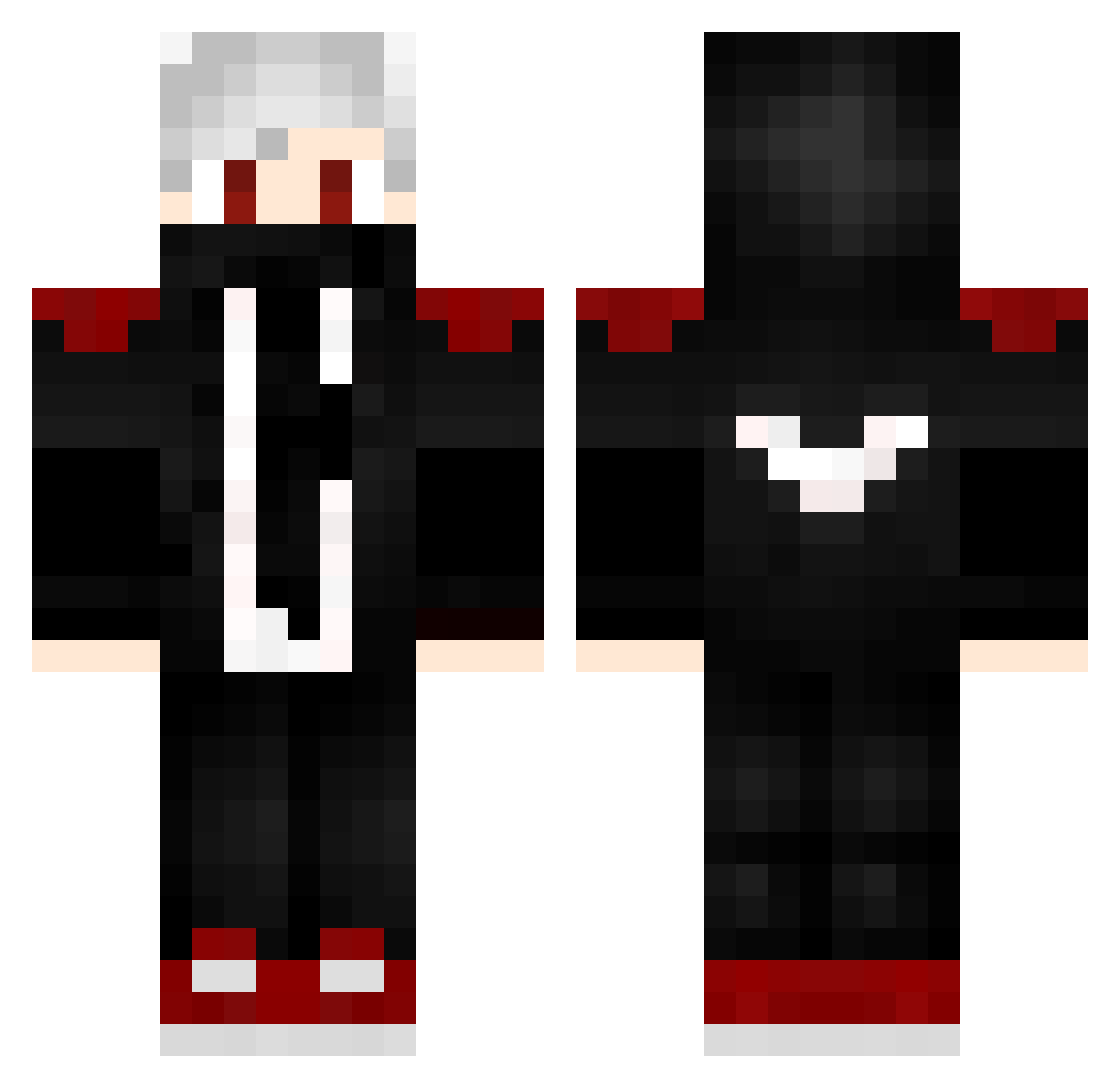
Current Minecraft skin of the player Bana0011, loaded from the official Mojang API. Rotate the 3D model with your mouse or finger, then download the skin as a PNG file and use it in Minecraft: Bedrock Edition or Java Edition for free. When Bana0011 changes their skin, this page updates automatically and the old skin stays in the history below.
Other players with this skin (232)
Bana0011 was the 71st player we have seen with this skin, first spotted on 31.08.2026. The same skin was seen on these players. Open a nickname to see their current skin and skin history.
 ELIT_BUILDER STRONG_CBN18 FurkanReings HomerElMeroMero Aniki224 SN_Games Vertebrae007 dz_mnanauk Arif_171 Younning VenomLT Markisnotmarker Hotway SHIMOR sadra_dragon Narengaming ArkSuns sir7434 Slayzoks Hexosss kinakomochi_0204 LEN0512 OrdinariO Bencuus_69 MiroMC2020 KeeZoo07 guiaug Glight0511 Asero98 Legend_Tom_YT SungJinKawo Tr511oY Scathly GoopC4t Yousefoxxx reeesan Tartarus99 kayra_akyol Nierr__ The_True_Maggot LeoWayne157 Targaryens kundz11 MarkDako xDerPzycho Jalix03 Maarshland mariusz_nawrocki XDestina MarioRobert2009 yoDuduDark luge233 CeapaRo Dark_wolfHD77 yokache DexterParadise Pc_Pro_Player Tosic16_GOD AlyssonD_Jesus XDaNsX0
More Mask Minecraft skins
How to install the Bana0011 skin
- Press the Download button above to save the skin as a PNG file.
- Minecraft: Bedrock Edition (PE): open the Dressing Room from the main menu (or tap your character → Edit Character), go to Classic Skins → Owned, press the + (new skin) button, choose the downloaded PNG and pick the Classic (Steve) model. Works on PC and mobile; consoles cannot import custom skins.
- Minecraft: Java Edition: open the Minecraft Launcher, go to the Skins tab, click New Skin, load the PNG, pick the Classic (Steve) model and press Save & Use. You can also upload it at minecraft.net → Profile → Change Skin.
The skin does not show up after import - what should I do?
Restart Minecraft and open the Dressing Room again - imported skins sometimes appear only after a restart. Also make sure you selected the imported skin and picked the Classic (Steve) model.
Which model should I choose, Classic or Slim?
This skin is designed for the Classic (Steve) model. If you pick the wrong model, the arms of the skin will look stretched or squeezed.
Is the skin of Bana0011 free to download?
Yes. Press Download, save the PNG file and use it in Minecraft: Bedrock Edition or Java Edition - no payment or registration needed. The skin also works on multiplayer servers and Realms.
More skins
Looking for more? Go back to all Minecraft skins and check the top skins of the week, month and all time, or find any player's skin by nickname.