
BalleBo - Minecraft Skins & Skin History
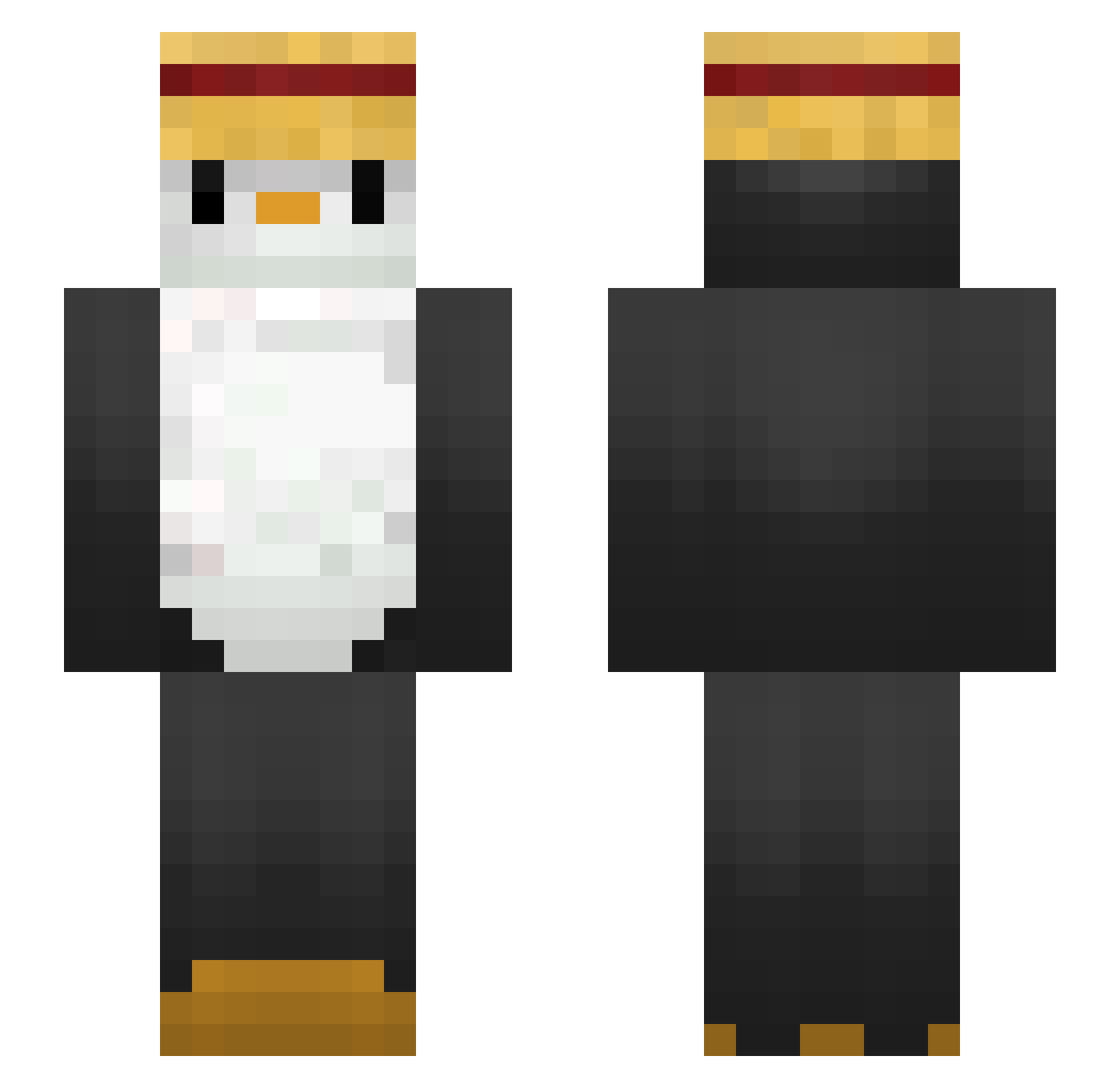
Current Minecraft skin of the player BalleBo, loaded from the official Mojang API. Rotate the 3D model with your mouse or finger, then download the skin as a PNG file and use it in Minecraft: Bedrock Edition or Java Edition for free. When BalleBo changes their skin, this page updates automatically and the old skin stays in the history below.
Other players with this skin (271)
BalleBo was the 162nd player we have seen with this skin, first spotted on 30.09.2026. The same skin was seen on these players. Open a nickname to see their current skin and skin history.
 Boywoood Tiger0fEurope KingPingu212 Yell_low cream0205 scholle325 Pingz8 DDaGyu_ THEREALUKAS DD3X DaSp00n hy3_sng t_field purukogi2018 iIIIiiIIIilII Kijaye_ KangKoon123 zupzipzap dxty3 AnderB SlowerWriter vLawz ShoppyDetails sokloos SEKITOBAQ PROJO_ CobaltNJN Something_1101 Duckslayer369 Penguin4366 owo87 TooRisk Byron642 LosPenguinosss IIZorno Maeyiii Axtru17 male320 SloppyToppy dzonsoneq k4ntN AnimalPuthy carciofino23 SixLobSter48181 skadndu sumusylvain Jeebaleebareee parker858 grtew spicysalad11 Oyannax hojeong021 Lukaso_1213 Sohappyouo S1lentH1ll_ lybin767 SeductivePenguin RobertoSun CRJ782 Rubao777
More Straw Hat Minecraft skins
How to install the BalleBo skin
- Press the Download button above to save the skin as a PNG file.
- Minecraft: Bedrock Edition (PE): open the Dressing Room from the main menu (or tap your character → Edit Character), go to Classic Skins → Owned, press the + (new skin) button, choose the downloaded PNG and pick the Slim (Alex) model. Works on PC and mobile; consoles cannot import custom skins.
- Minecraft: Java Edition: open the Minecraft Launcher, go to the Skins tab, click New Skin, load the PNG, pick the Slim (Alex) model and press Save & Use. You can also upload it at minecraft.net → Profile → Change Skin.
The skin does not show up after import - what should I do?
Restart Minecraft and open the Dressing Room again - imported skins sometimes appear only after a restart. Also make sure you selected the imported skin and picked the Slim (Alex) model.
Which model should I choose, Classic or Slim?
This skin is designed for the Slim (Alex) model. If you pick the wrong model, the arms of the skin will look stretched or squeezed.
Is the skin of BalleBo free to download?
Yes. Press Download, save the PNG file and use it in Minecraft: Bedrock Edition or Java Edition - no payment or registration needed. The skin also works on multiplayer servers and Realms.
More skins
Looking for more? Go back to all Minecraft skins and check the top skins of the week, month and all time, or find any player's skin by nickname.