
WorldEdit BONY162 Add-on 26.10+/26.3+/26.0+/1.21+

Mod WorldEdit BONY162 — is a powerful tool for editing worlds in Minecraft. It allows you to quickly modify large areas, copy builds, create complex structures, and manage blocks with maximum convenience. The add-on is perfect for players who love building or working on large-scale projects.
All tools are available via commands or the creative inventory, and a detailed guide is built directly into the add-on. Features include area selection with a special wand, copying and pasting builds, configuring random block distribution, as well as undo and redo functions. In addition, the pack offers a flexible settings system: you can adjust the creative flight speed, brush radius, undo limit, and much more.
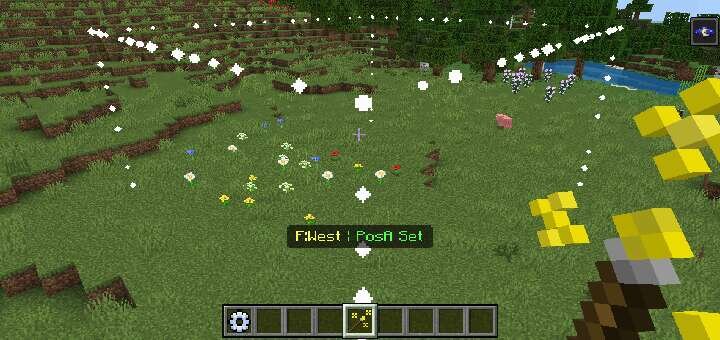
First, enter the command /give @s bn:selection_wand
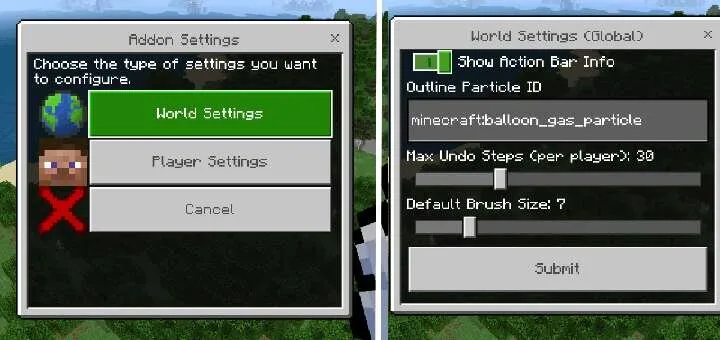
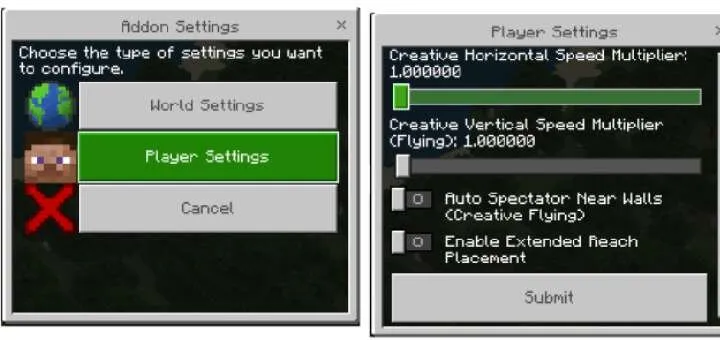
Settings tool (bn:bwe_settings): this is the function control center

Selection wand (bn:selection_wand): defines a 3D area (positions A and B) for editing
Clipboard tools
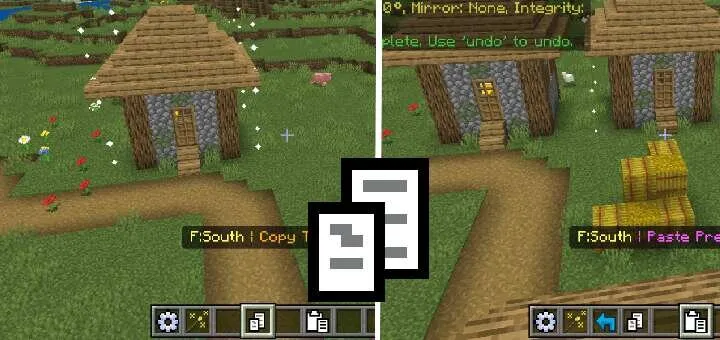
Copy (bn:copy): copies the selected fragment (possibly including entities) to the clipboard
Cut (bn:cut): copies the selection, then deletes the original blocks
Paste (bn:paste): inserts the clipboard contents
Use crouch to access advanced functions
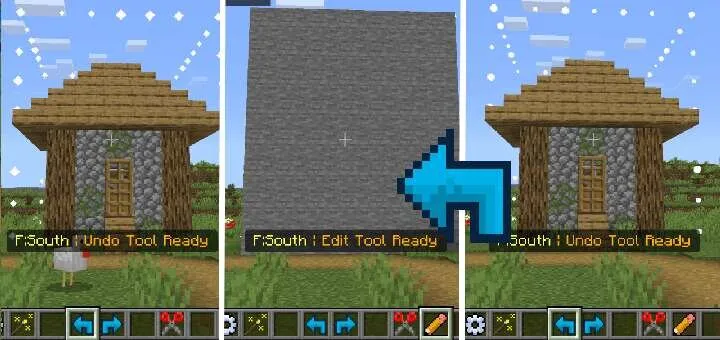
History tools
Undo (bn:undo): cancels the last operation
Redo (bn:redo): reapplies the undone operation
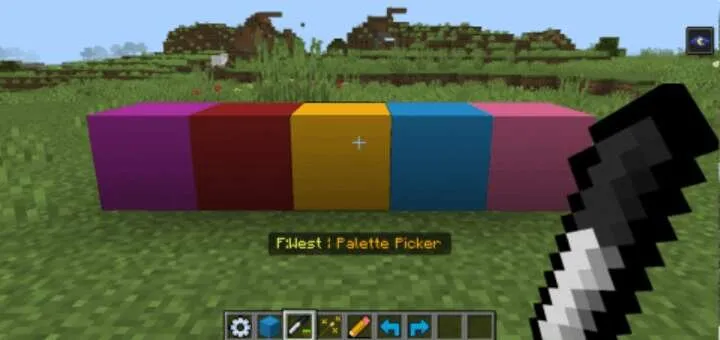
Specify a block ID (for example, stone) or a mixture of blocks (for example, stone:5,dirt:1) for random, natural-looking placement
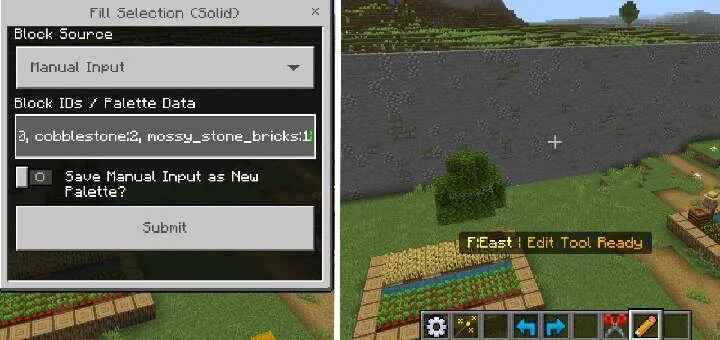
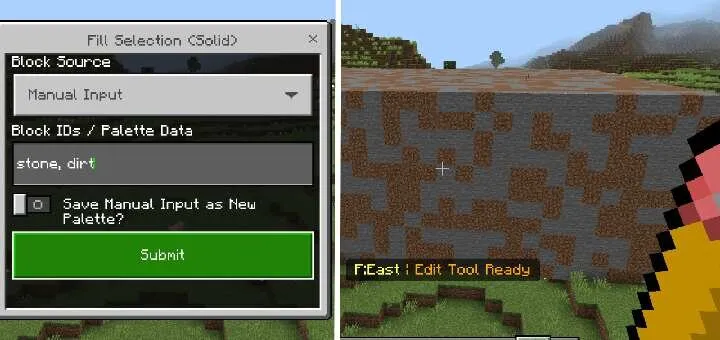
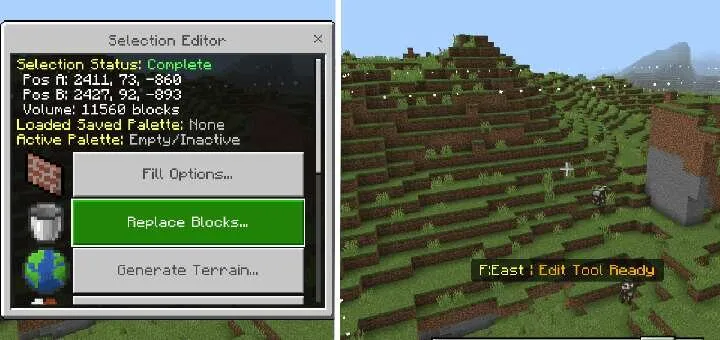
Edit tool (bn:edit): opens a menu for various selection operations
Fill options, fill type selection – solid, hollow, frame, or just walls
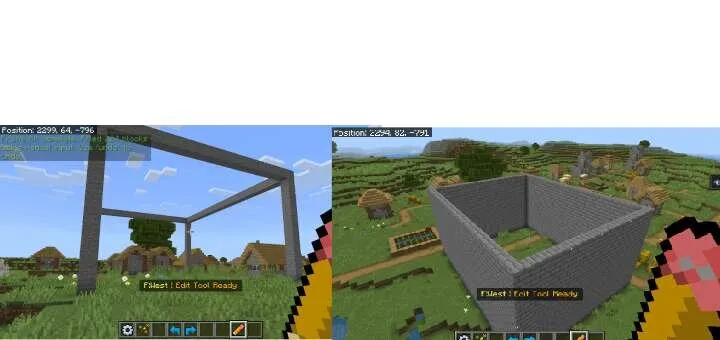
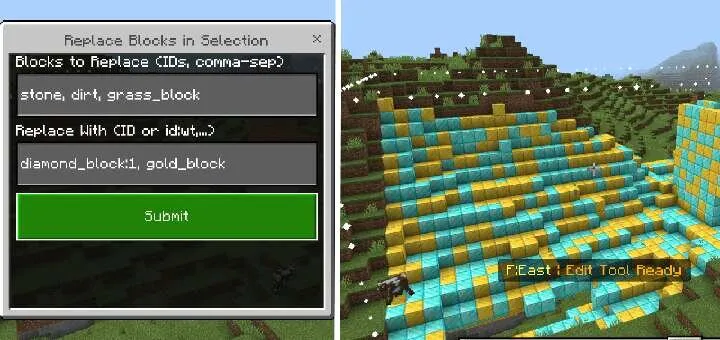
Block replacement
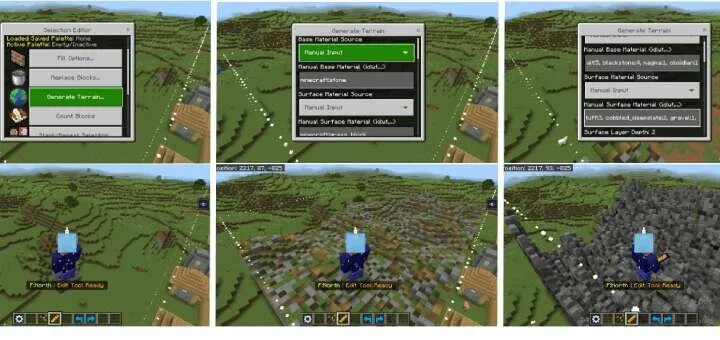
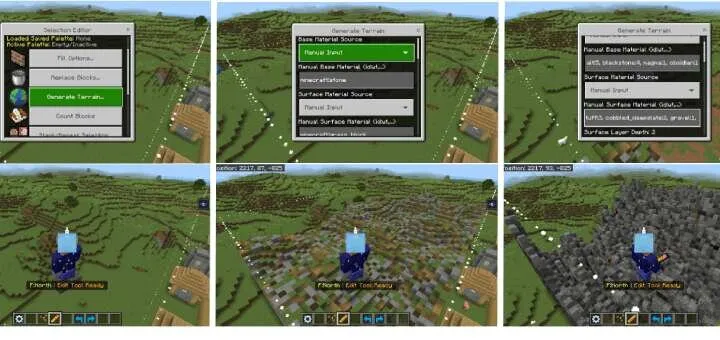
Terrain generation
Block count: counts block types within the selection
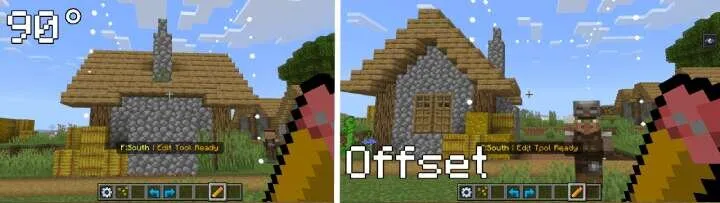
Stack/Repeat selection: duplicates the selection several times in the chosen direction
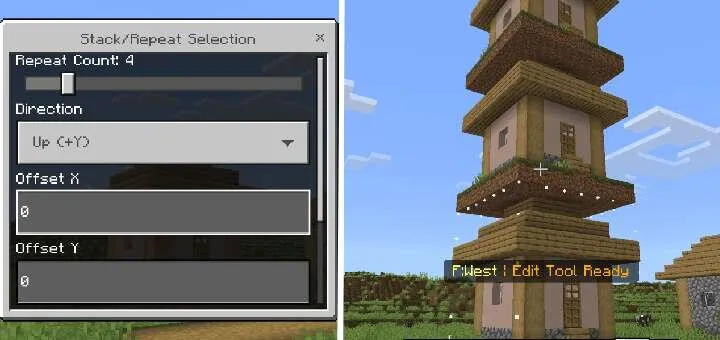
Edit the selected fragment
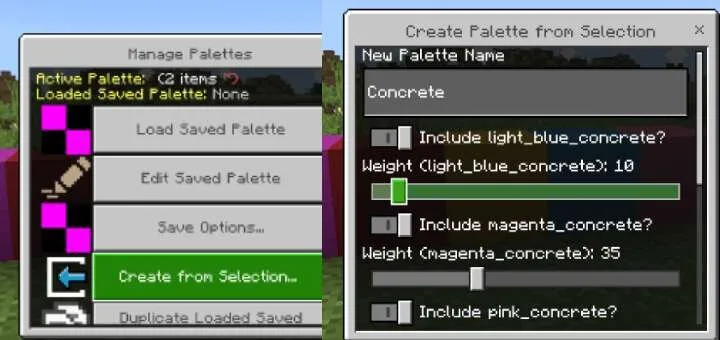
Palette management
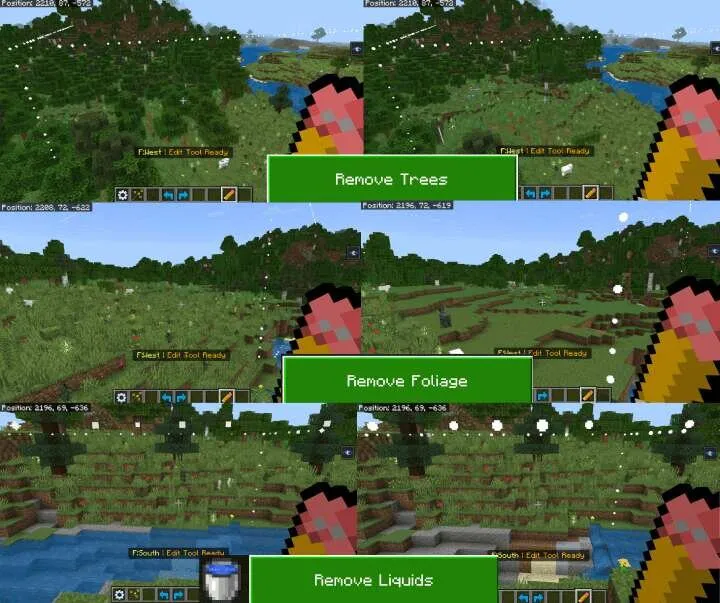
Preset actions: quick actions such as removing trees, liquids, or leveling the terrain
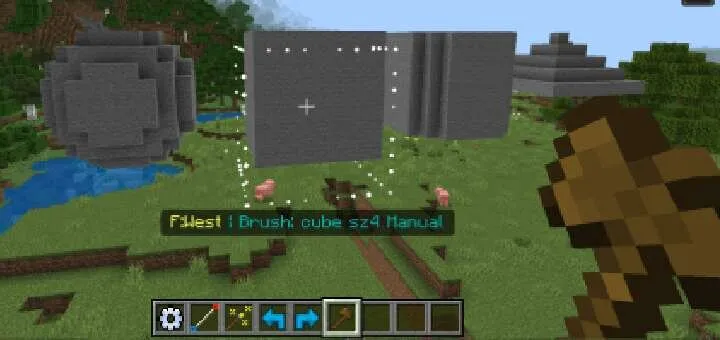
Basic brush (bn:brush): allows you to create blocks of different shapes (spheres, cubes, cylinders). Can be hollow or have soft/blended edges
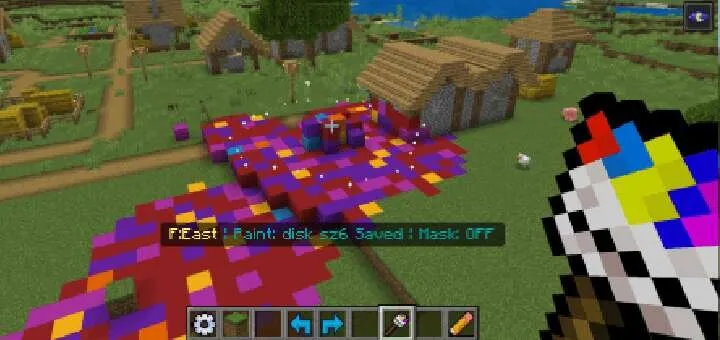
Paint brush (bn:paint_brush): replaces existing blocks that are not air
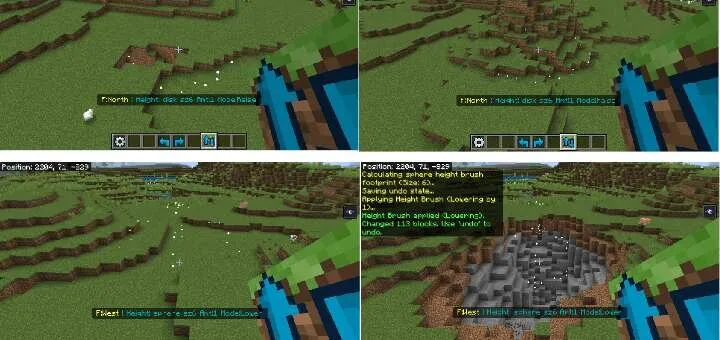
Height brush (bn:height_brush): raises or lowers terrain within the brush shape
Foliage brush (bn:foliage_brush): scatters plants
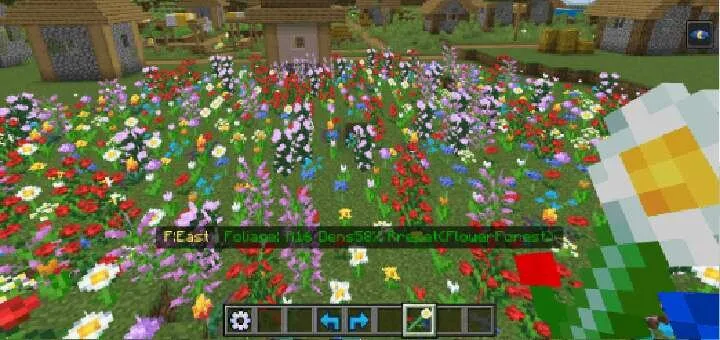
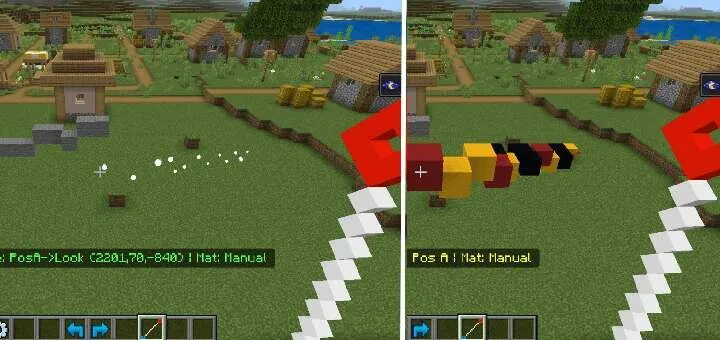
Line tool (bn:line_tool): draws a line 1 block thick between two specified points using chosen materials
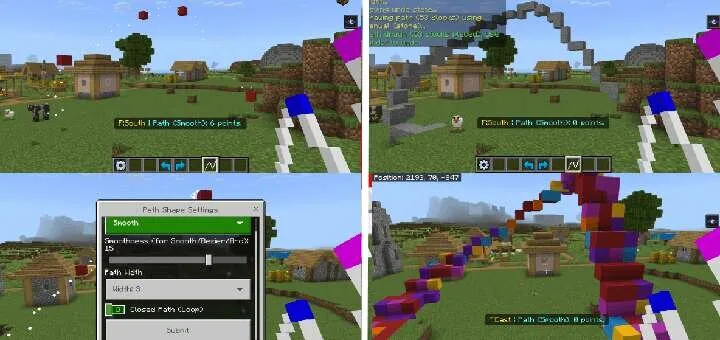
Path tool (bn:path_tool): creates outlines by connecting several points
Landscape generation
Automatic observer mode
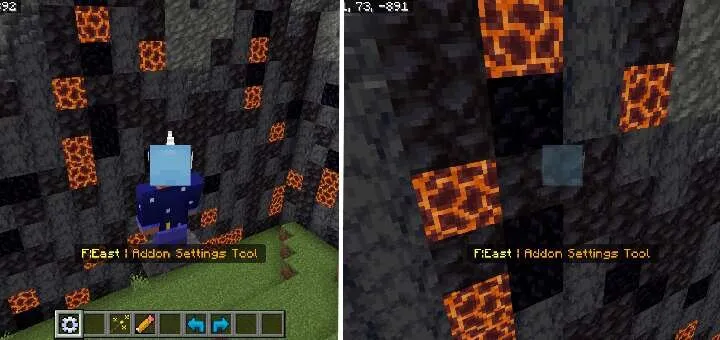
Settings
Changes in the new version
Fixed bugs
Improved code
How to install WorldEdit BONY162 Add-on 26.10+/26.3+/26.0+/1.21+
- Download the file below.
- Open it — Minecraft imports the pack by itself.
- Activate the pack in the world you want to play in.
 More Tools Add-on 1.18
 Z ORIGINS Add-on 1.21+
 Golden Utilities: Transport Any Mob and Much More Add-on
 Godzilla and Kong Rise Of The Titans Add-on 1.18/1.17+
 Tools and Armor Add-on 1.17+
 Elingo's World Edit Add-on 1.20+