
zCryzZ_ - Minecraft Skins & Skin History
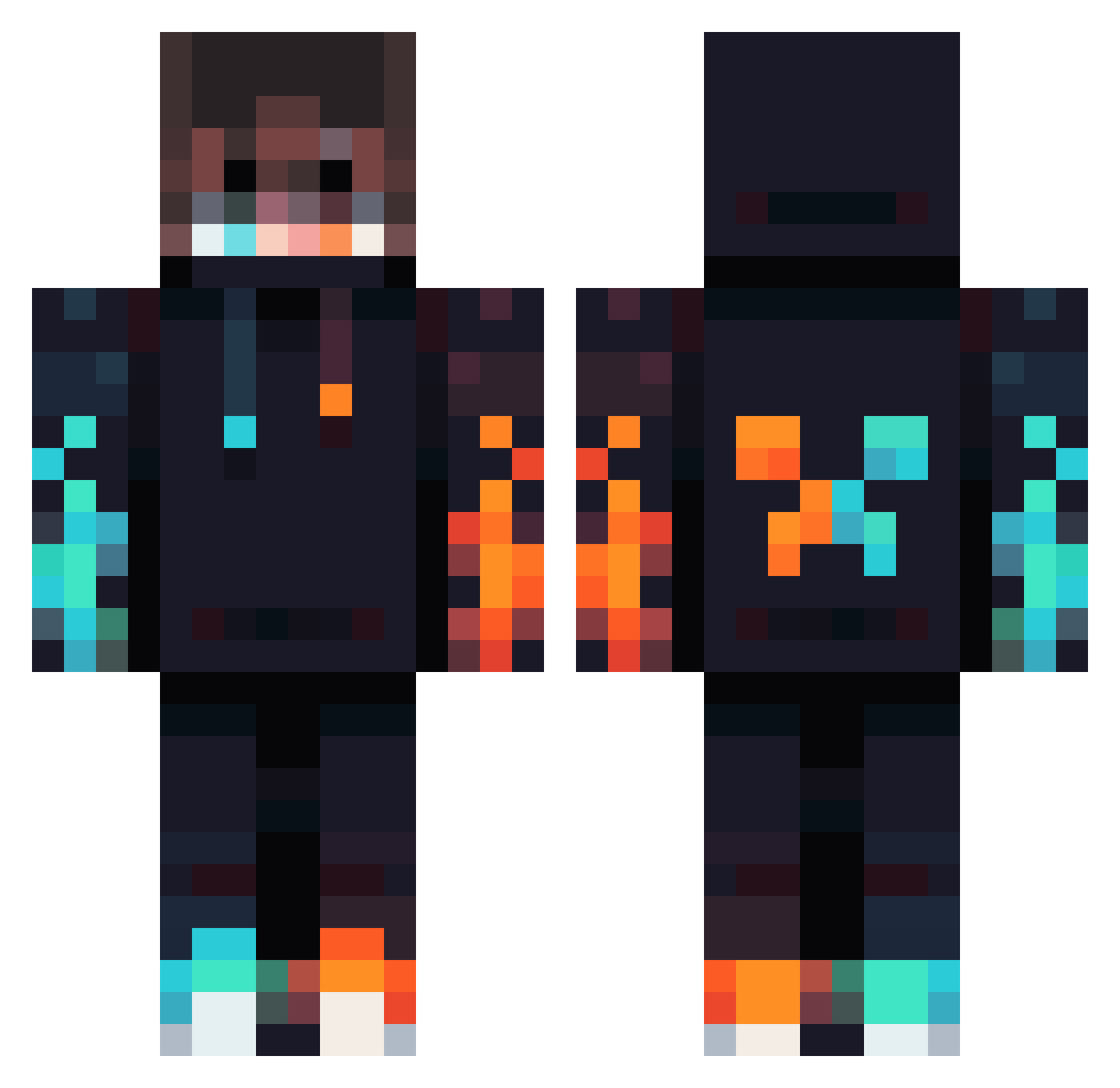
Current Minecraft skin of the player zCryzZ_, loaded from the official Mojang API. Rotate the 3D model with your mouse or finger, then download the skin as a PNG file and use it in Minecraft: Bedrock Edition or Java Edition for free. When zCryzZ_ changes their skin, this page updates automatically and the old skin stays in the history below.
Other players with this skin (1012)
zCryzZ_ was the 851st player we have seen with this skin, first spotted on 02.11.2026. The same skin was seen on these players. Open a nickname to see their current skin and skin history.
 Orange_Warrior Mat530 Superchit CSRCROSS Maxlllllllllllll NeonWolf8222 _Ostry_cien_mgly RedBaron803 Ramanpic SamFighter1411 Notorious__911 Songchondong ELITEGAMER109 Gianlucabbc Darvoaz ImDrakeBoss Wu_Dididi LaMoh MineJape21 xheadhunterx83 OMG13 khaledkh CutiUSA RikS0oN GEAndrei Budzio2115 lightFla TheZone15 Bereghost78 dogwaterdanny y09_ Dark17AO Pro_Gamer_ ClovenChunk78789 Godlychamp08 TTVBioniczz56 art30210 bibbia07 Kiritokjw Grimy102 Trissy_ Badboy2842 Joshify8 seal_kingboi PrimMountain cha3w xXDChipXx WhiteWolf017 Lolzycat NM_lastkiller DrPoopypants200 Blakiii1 By_mee oldleehead KINSHUK123 Tannicapolo SOUL_volt Aarontham99 MihaiBERDILA AdrianSteell
More Fire Minecraft skins
How to install the zCryzZ_ skin
- Press the Download button above to save the skin as a PNG file.
- Minecraft: Bedrock Edition (PE): open the Dressing Room from the main menu (or tap your character → Edit Character), go to Classic Skins → Owned, press the + (new skin) button, choose the downloaded PNG and pick the Classic (Steve) model. Works on PC and mobile; consoles cannot import custom skins.
- Minecraft: Java Edition: open the Minecraft Launcher, go to the Skins tab, click New Skin, load the PNG, pick the Classic (Steve) model and press Save & Use. You can also upload it at minecraft.net → Profile → Change Skin.
The skin does not show up after import - what should I do?
Restart Minecraft and open the Dressing Room again - imported skins sometimes appear only after a restart. Also make sure you selected the imported skin and picked the Classic (Steve) model.
Which model should I choose, Classic or Slim?
This skin is designed for the Classic (Steve) model. If you pick the wrong model, the arms of the skin will look stretched or squeezed.
Is the skin of zCryzZ_ free to download?
Yes. Press Download, save the PNG file and use it in Minecraft: Bedrock Edition or Java Edition - no payment or registration needed. The skin also works on multiplayer servers and Realms.
More skins
Looking for more? Go back to all Minecraft skins and check the top skins of the week, month and all time, or find any player's skin by nickname.