
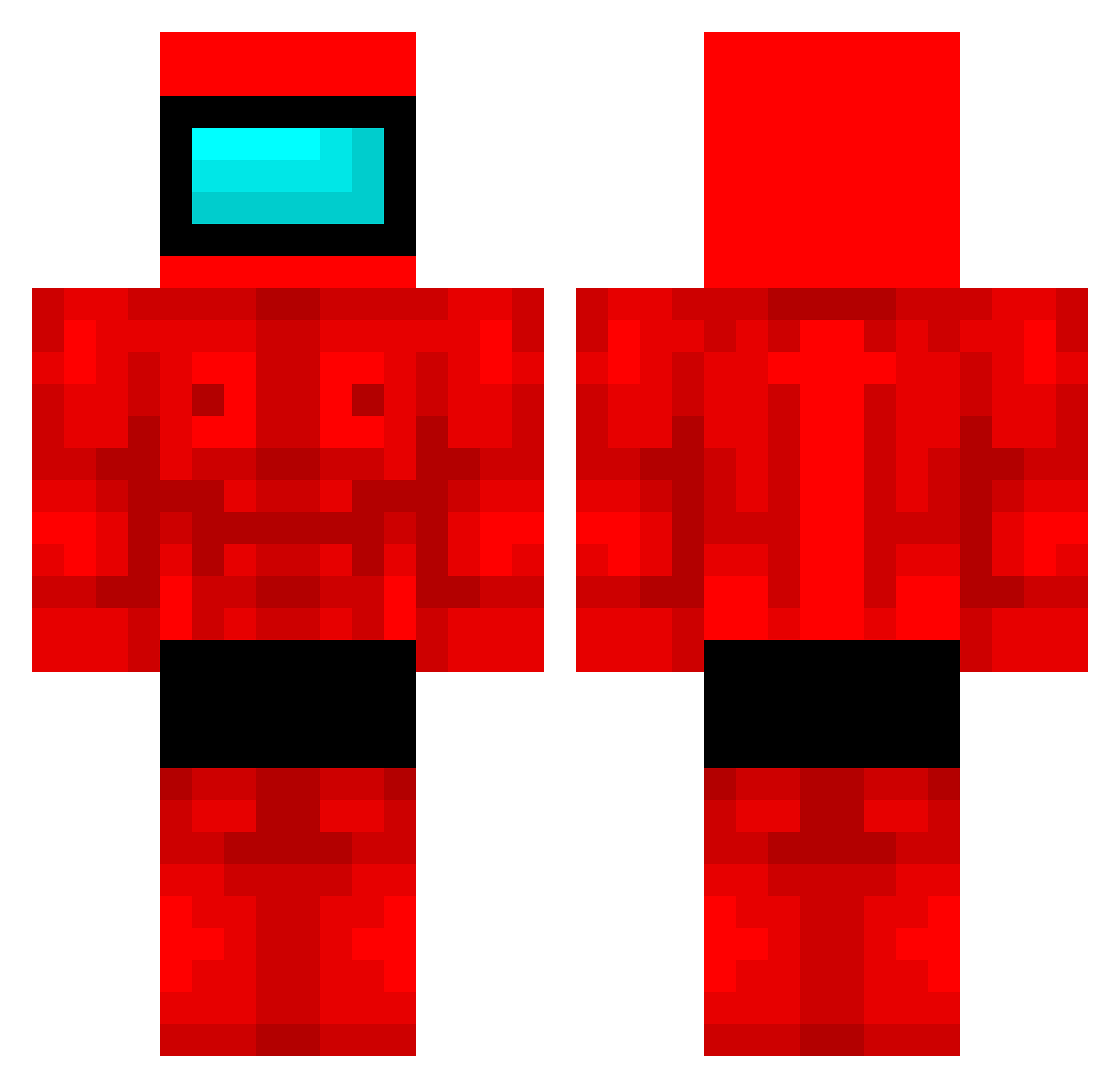
Current Minecraft skin of the player z33wick, loaded from the official Mojang API. Rotate the 3D model with your mouse or finger, then download the skin as a PNG file and use it in Minecraft: Bedrock Edition or Java Edition for free. When z33wick changes their skin, this page updates automatically and the old skin stays in the history below.
Other players with this skin (380)
z33wick was the 111th player we have seen with this skin, first spotted on 19.08.2026. The same skin was seen on these players. Open a nickname to see their current skin and skin history.
 Suzy0928 wassimynikik Michaelllo Zephyrus72 JellReena Bodiar shijjx1 Kenzaza508 Gergybo67 Dominik145_120 juliwi08
 FuzzyFringe SemmieSem_1000 Yxshyrx GentoAoi Exvail
 DevFrijj MolarStone nqgt MISSISABELTR
 ZiggyLeBambi DeusMiguelet Jsmango Wayne_liu_1022 Mqszi BicycleEnY fionnuarxd Eric_the_G Vimperium Paradossifisi Aqjosoh Carin216 Mora_morado Krypth0 JeremyGengus LaveDaniel kmw04 Rjtnz TopG_4 BarBar22Z FRYSIX57 LaTangitaSabrosa Zorpvp SwimmyDoggo MegaStanos WayFour TeyMax PhobaBoba Kulajd AutoLord 52lid iRa3 wik543 KONO__POWA zmeic RaporsuzDelii bymemetr Caii77 VerifiedGigaChad PicklesGod21
More Buff Minecraft skins
How to install the z33wick skin
- Press the Download button above to save the skin as a PNG file.
- Minecraft: Bedrock Edition (PE): open the Dressing Room from the main menu (or tap your character → Edit Character), go to Classic Skins → Owned, press the + (new skin) button, choose the downloaded PNG and pick the Classic (Steve) model. Works on PC and mobile; consoles cannot import custom skins.
- Minecraft: Java Edition: open the Minecraft Launcher, go to the Skins tab, click New Skin, load the PNG, pick the Classic (Steve) model and press Save & Use. You can also upload it at minecraft.net → Profile → Change Skin.
The skin does not show up after import - what should I do?
Restart Minecraft and open the Dressing Room again - imported skins sometimes appear only after a restart. Also make sure you selected the imported skin and picked the Classic (Steve) model.
Which model should I choose, Classic or Slim?
This skin is designed for the Classic (Steve) model. If you pick the wrong model, the arms of the skin will look stretched or squeezed.
Is the skin of z33wick free to download?
Yes. Press Download, save the PNG file and use it in Minecraft: Bedrock Edition or Java Edition - no payment or registration needed. The skin also works on multiplayer servers and Realms.
More skins
Looking for more? Go back to all Minecraft skins and check the top skins of the week, month and all time, or find any player's skin by nickname.