
yobrowatchurjet - Minecraft Skins & Skin History
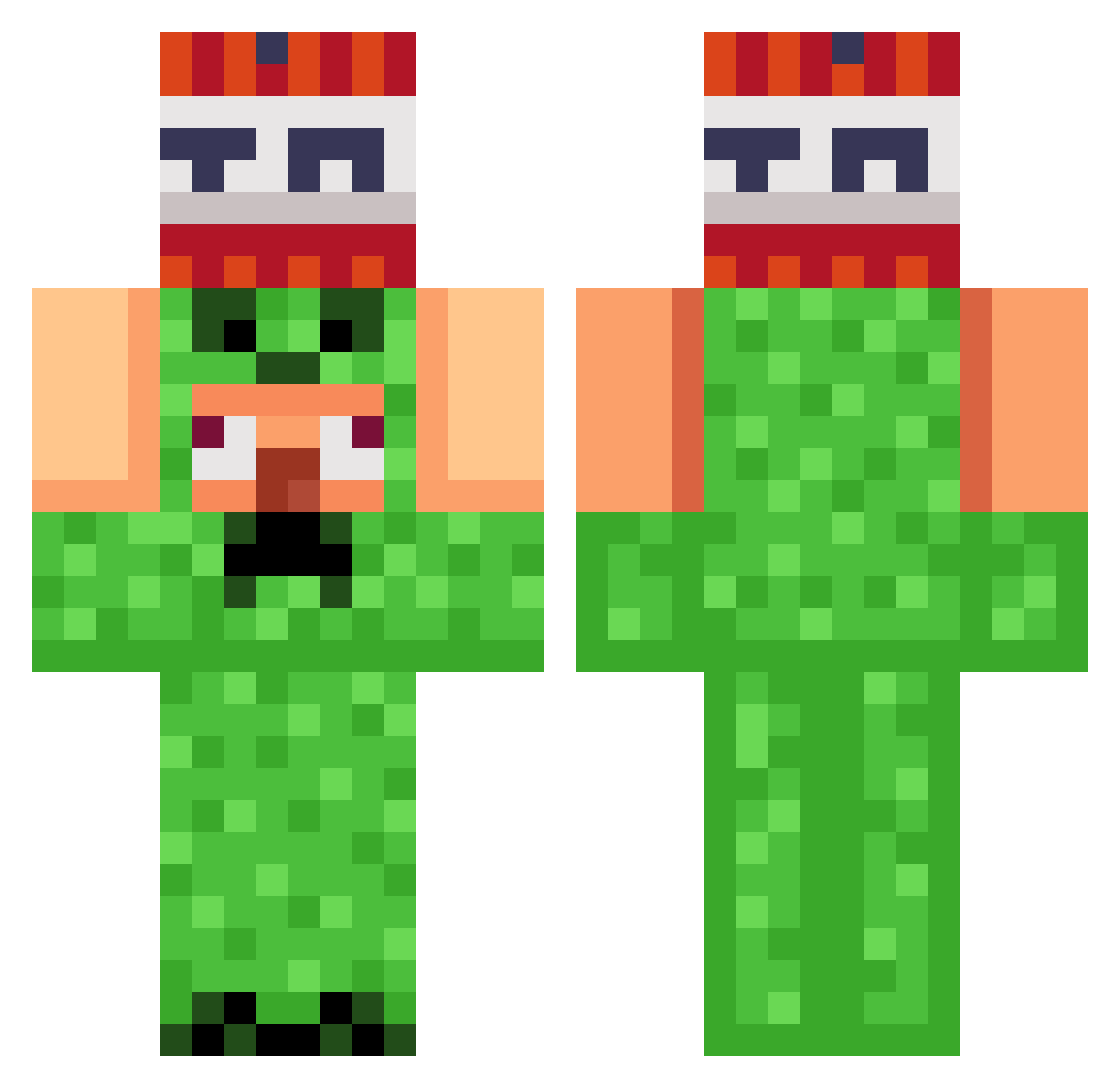
Current Minecraft skin of the player yobrowatchurjet, loaded from the official Mojang API. Rotate the 3D model with your mouse or finger, then download the skin as a PNG file and use it in Minecraft: Bedrock Edition or Java Edition for free. When yobrowatchurjet changes their skin, this page updates automatically and the old skin stays in the history below.
Other players with this skin (830)
yobrowatchurjet was the 800th player we have seen with this skin, first spotted on 18.10.2026. The same skin was seen on these players. Open a nickname to see their current skin and skin history.
 ILLuSi0n17 Giocmw Kuronohi YautjaCetanu BadBunBun tungbin syphfire Aquatic_tK DG_DG_10 ivivhromov Sm_Play_ ReDToky0 Maxx694200 VOiD6996 simjaewoo276 Jiadie Ljochaa bushyb0izz tani0207 Vimlo SaturnJamie stafe69 Spangli420 ButterworthThe1s Aloysiusginting Neres777 Proxim734903 tonyam18 Minablos MarioGaming4 Owen_Moxam ZEPIMBAROM_CHETS MCMagician20 kmj9880 Dane7316 Venom98 Ratman75019 1Madm anubis_shadow rok092 xt1po4ek Pfuikaki PaidoBento OUTRIGHT20 hunjh Scoutwolf10 Muhkuh16 niedyszyn Apxll LIAM69420UHH wpeik TheGamerGoat123 gamingflight23 ichbineinsigma21 makspromaks chihuahua8267 F1lgab2 Tobbe0909 Nirox_x zorrouchi
More TNT Minecraft skins
How to install the yobrowatchurjet skin
- Press the Download button above to save the skin as a PNG file.
- Minecraft: Bedrock Edition (PE): open the Dressing Room from the main menu (or tap your character → Edit Character), go to Classic Skins → Owned, press the + (new skin) button, choose the downloaded PNG and pick the Classic (Steve) model. Works on PC and mobile; consoles cannot import custom skins.
- Minecraft: Java Edition: open the Minecraft Launcher, go to the Skins tab, click New Skin, load the PNG, pick the Classic (Steve) model and press Save & Use. You can also upload it at minecraft.net → Profile → Change Skin.
The skin does not show up after import - what should I do?
Restart Minecraft and open the Dressing Room again - imported skins sometimes appear only after a restart. Also make sure you selected the imported skin and picked the Classic (Steve) model.
Which model should I choose, Classic or Slim?
This skin is designed for the Classic (Steve) model. If you pick the wrong model, the arms of the skin will look stretched or squeezed.
Is the skin of yobrowatchurjet free to download?
Yes. Press Download, save the PNG file and use it in Minecraft: Bedrock Edition or Java Edition - no payment or registration needed. The skin also works on multiplayer servers and Realms.
More skins
Looking for more? Go back to all Minecraft skins and check the top skins of the week, month and all time, or find any player's skin by nickname.