
xplosionchick19 - Minecraft Skins & Skin History
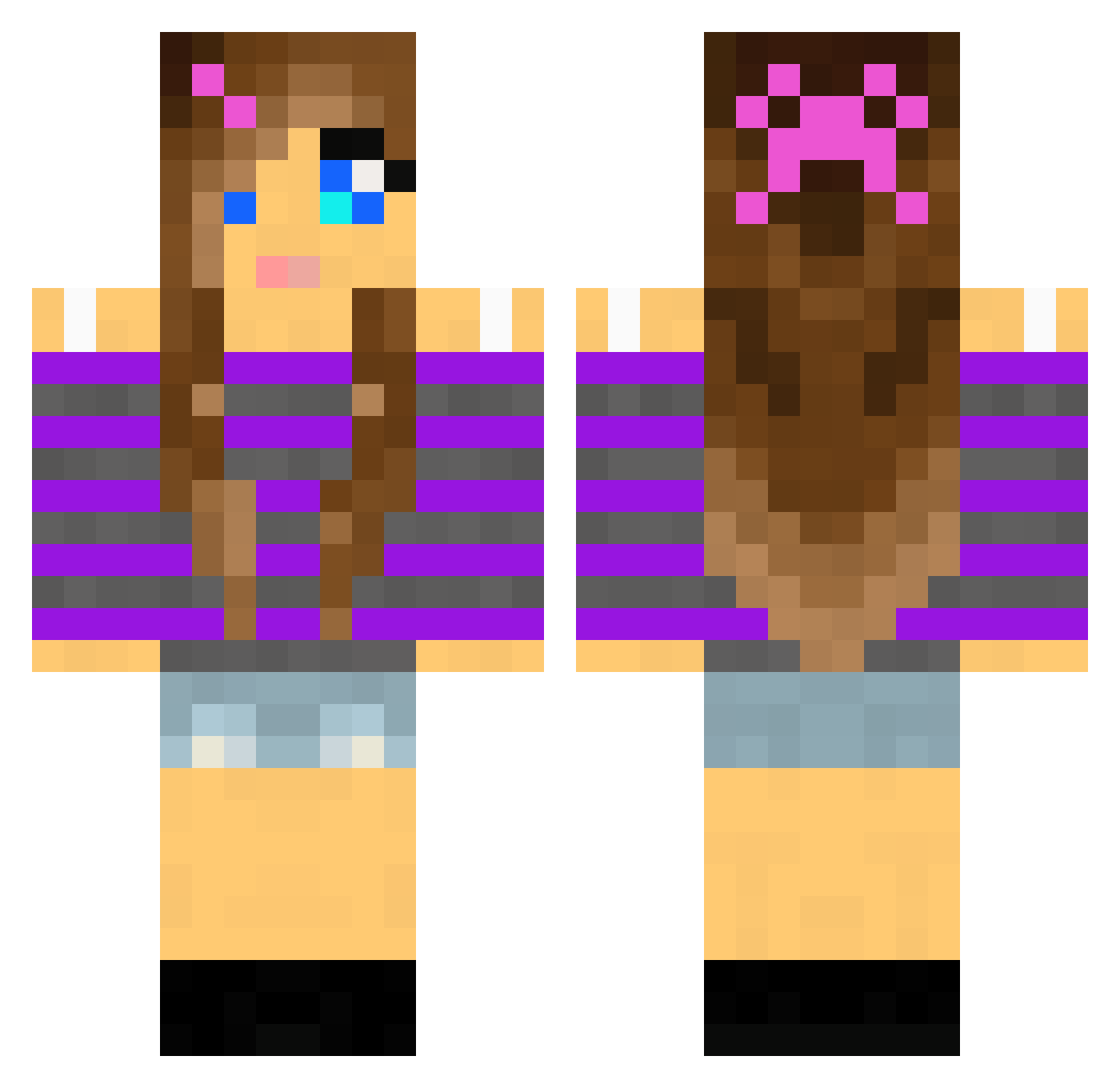
Current Minecraft skin of the player xplosionchick19, loaded from the official Mojang API. Rotate the 3D model with your mouse or finger, then download the skin as a PNG file and use it in Minecraft: Bedrock Edition or Java Edition for free. When xplosionchick19 changes their skin, this page updates automatically and the old skin stays in the history below.
Other players with this skin (2006)
xplosionchick19 was the 1668th player we have seen with this skin, first spotted on 21.10.2026. The same skin was seen on these players. Open a nickname to see their current skin and skin history.
 KevinMosand amckamey9 FrejaLindqvist ChongBong FlamingAngel1415 SuperHej evil_monkey101 Diver2020 unicorn1214 Lyssa_lou Emilyball12345 Alicia0509 jillball srs377 Juliek45 alexmartyn gakkygirl amalie_b Pam4673 Etoile333 BellaRuse X2n Athena_TheOne Maddie9000 Espal95 MsPrettyGirl2552 KPkatniss220 lady_eyrin miss_chica21 faitttth_ PurpleAndie kittyluver16 desi145 nudel333 kimferguson joy4rmu maden06239 mezzie01 savannah5150 littlekiwi3 Heartycus Sexgod_Wiard CrazyxCherry angelwings2001 Janiinaa JennyLouise Kloesetta SofiaBella2006 NicholeH333 losninos em2468 AkinatorDE Drillpike Noosa1 melissabuck Avery0x0 Kittycat_238 bec_m SSS31 mrstomlinson02
More Girl Minecraft skins
How to install the xplosionchick19 skin
- Press the Download button above to save the skin as a PNG file.
- Minecraft: Bedrock Edition (PE): open the Dressing Room from the main menu (or tap your character → Edit Character), go to Classic Skins → Owned, press the + (new skin) button, choose the downloaded PNG and pick the Classic (Steve) model. Works on PC and mobile; consoles cannot import custom skins.
- Minecraft: Java Edition: open the Minecraft Launcher, go to the Skins tab, click New Skin, load the PNG, pick the Classic (Steve) model and press Save & Use. You can also upload it at minecraft.net → Profile → Change Skin.
The skin does not show up after import - what should I do?
Restart Minecraft and open the Dressing Room again - imported skins sometimes appear only after a restart. Also make sure you selected the imported skin and picked the Classic (Steve) model.
Which model should I choose, Classic or Slim?
This skin is designed for the Classic (Steve) model. If you pick the wrong model, the arms of the skin will look stretched or squeezed.
Is the skin of xplosionchick19 free to download?
Yes. Press Download, save the PNG file and use it in Minecraft: Bedrock Edition or Java Edition - no payment or registration needed. The skin also works on multiplayer servers and Realms.
More skins
Looking for more? Go back to all Minecraft skins and check the top skins of the week, month and all time, or find any player's skin by nickname.