
xorwns0824 - Minecraft Skins & Skin History
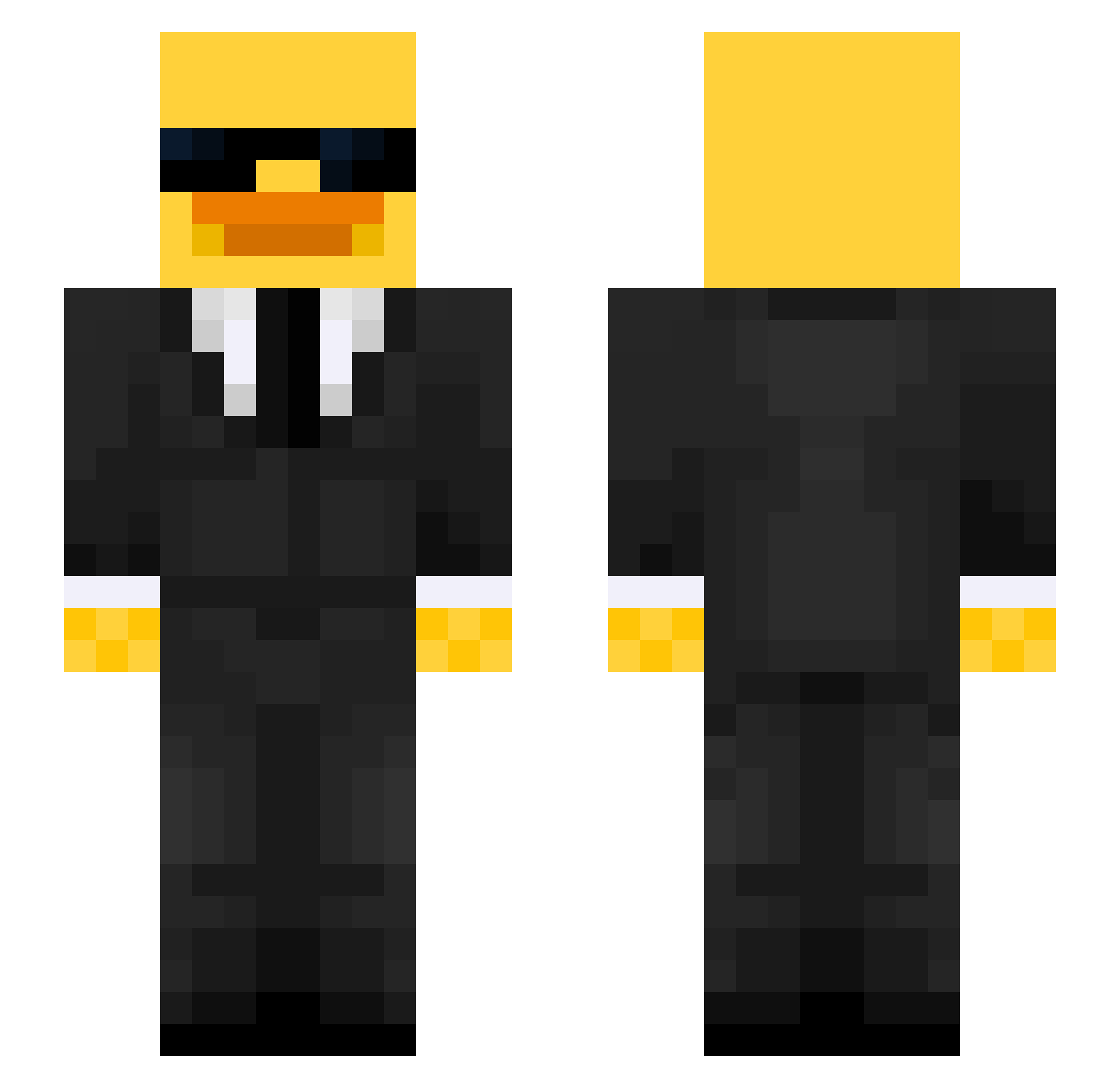
Current Minecraft skin of the player xorwns0824, loaded from the official Mojang API. Rotate the 3D model with your mouse or finger, then download the skin as a PNG file and use it in Minecraft: Bedrock Edition or Java Edition for free. When xorwns0824 changes their skin, this page updates automatically and the old skin stays in the history below.
Other players with this skin (517)
xorwns0824 was the 283rd player we have seen with this skin, first spotted on 21.09.2026. The same skin was seen on these players. Open a nickname to see their current skin and skin history.
 dofomin passafome444 Plaxico123 jonie_banonie FlixyW sachagab CartopBread3527 Villeesh omgg123 byiMex IceTryyy Tugdual973 RickyBobby6090 ZH3N21 Silas0189 ansleyr16 Alexgarcia12 Isaret007 Ericz_ SamZec yutoxn iMertak Hayden_arr Bloops19 guigo12321 nt_zak struggling_sheep KaiKaiiiiiiii Nammi27 norungji A0T0U da1uss Surrapa AlexDaBest7 Balazs30 arturix25 karamel008 lingjue112 Navairi Shruben McTwisted69 Shadows1214 E7ACR Shooro bxyimi Tentrillcon FausTiX_ Kapessh Duckoo_op Restato21 ItsLoLy MachoMunoz101 Dark5lalom krvl_kamil Mustang537 skxrta SavageBasil nisusui temponizz PITTTTTTT
More Duck Minecraft skins
How to install the xorwns0824 skin
- Press the Download button above to save the skin as a PNG file.
- Minecraft: Bedrock Edition (PE): open the Dressing Room from the main menu (or tap your character → Edit Character), go to Classic Skins → Owned, press the + (new skin) button, choose the downloaded PNG and pick the Slim (Alex) model. Works on PC and mobile; consoles cannot import custom skins.
- Minecraft: Java Edition: open the Minecraft Launcher, go to the Skins tab, click New Skin, load the PNG, pick the Slim (Alex) model and press Save & Use. You can also upload it at minecraft.net → Profile → Change Skin.
The skin does not show up after import - what should I do?
Restart Minecraft and open the Dressing Room again - imported skins sometimes appear only after a restart. Also make sure you selected the imported skin and picked the Slim (Alex) model.
Which model should I choose, Classic or Slim?
This skin is designed for the Slim (Alex) model. If you pick the wrong model, the arms of the skin will look stretched or squeezed.
Is the skin of xorwns0824 free to download?
Yes. Press Download, save the PNG file and use it in Minecraft: Bedrock Edition or Java Edition - no payment or registration needed. The skin also works on multiplayer servers and Realms.
More skins
Looking for more? Go back to all Minecraft skins and check the top skins of the week, month and all time, or find any player's skin by nickname.