
xansxan - Minecraft Skins & Skin History
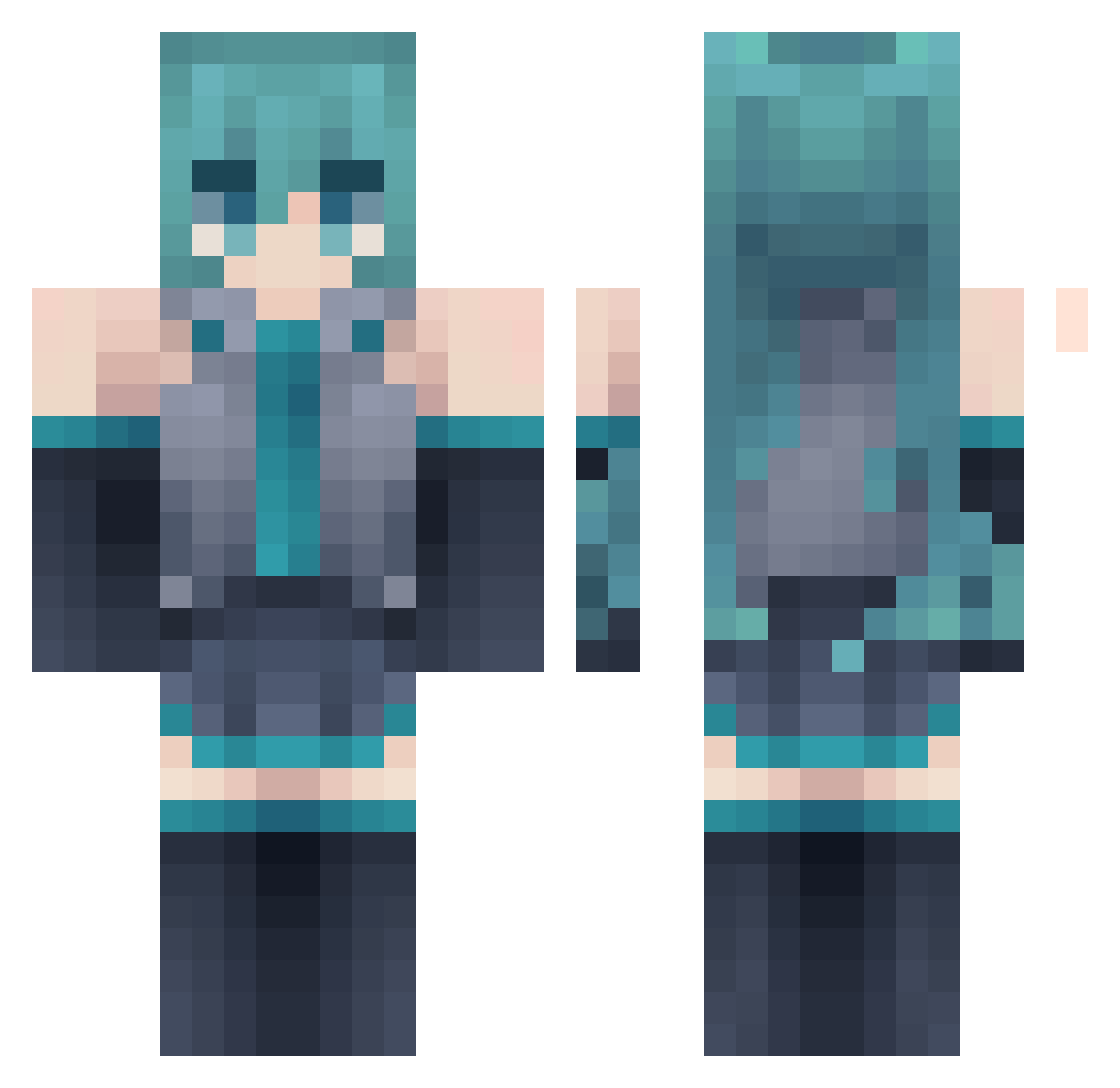
Current Minecraft skin of the player xansxan, loaded from the official Mojang API. Rotate the 3D model with your mouse or finger, then download the skin as a PNG file and use it in Minecraft: Bedrock Edition or Java Edition for free. When xansxan changes their skin, this page updates automatically and the old skin stays in the history below.
Other players with this skin (177)
xansxan was the 52nd player we have seen with this skin, first spotted on 01.09.2026. The same skin was seen on these players. Open a nickname to see their current skin and skin history.
 Pandaseq YTRELATIVE HyperPremium YourPalPika aesthalgi Mode__7 qtilex ItsKiwy Wiktor0511 ikeazaza Shinin_Kanade kurokey_ Ikoru_nou Minatoaquaking 0li24 Depied AngGab YogurtSnek 0Sniix thegingergiant1
 S1lk_S0ng Sh4rkyNek0_27 start1427 Gremlin3k Cobble2141
 NQQT xUnstabl3 Tylojo Francolik Stephani8781 ramiinu Nikkee44 inkingerovo Adam48_PL Ender1810 Thornado_33 AstroPhobia 32428313 DustedV3 ynynyef Matriarch_core YaKevin JirkaDabica shiaohua awon1227 Dogchef_Kang bensonshabi edwinmobslayer Wylluno Swoopert Joker_Su Checkpoint411 Larinux _Kurage Pear_5 5m4g Chunchumaru03 tomato_kk Rxseshx 0piurzyca
More Hatsune Miku Minecraft skins
See all 894 Hatsune Miku skins
How to install the xansxan skin
- Press the Download button above to save the skin as a PNG file.
- Minecraft: Bedrock Edition (PE): open the Dressing Room from the main menu (or tap your character → Edit Character), go to Classic Skins → Owned, press the + (new skin) button, choose the downloaded PNG and pick the Classic (Steve) model. Works on PC and mobile; consoles cannot import custom skins.
- Minecraft: Java Edition: open the Minecraft Launcher, go to the Skins tab, click New Skin, load the PNG, pick the Classic (Steve) model and press Save & Use. You can also upload it at minecraft.net → Profile → Change Skin.
The skin does not show up after import - what should I do?
Restart Minecraft and open the Dressing Room again - imported skins sometimes appear only after a restart. Also make sure you selected the imported skin and picked the Classic (Steve) model.
Which model should I choose, Classic or Slim?
This skin is designed for the Classic (Steve) model. If you pick the wrong model, the arms of the skin will look stretched or squeezed.
Is the skin of xansxan free to download?
Yes. Press Download, save the PNG file and use it in Minecraft: Bedrock Edition or Java Edition - no payment or registration needed. The skin also works on multiplayer servers and Realms.
More skins
Looking for more? Go back to all Minecraft skins and check the top skins of the week, month and all time, or find any player's skin by nickname.