
 arscno Igot4moke Dragoon_Yarn POLAROWL1 Kjorisen Raffitty Teiko0524 VolkswagenCC Thighentologist Bachira15 Atomabomb OddThrone IEatCamshafts DanyU327 _goosenoose Todokami22 Meatloverspizza6 MurderousSpoon yvessaa N00bEr_HD EzyMoka youvin04 Jack_1985 ScrambledNoodles Deoksun 0_0F Nini0221_TW __SSoju NiloFreeman ReformedAlpaca eeper_ Mwry4 satsukishinomiya Anicuedo Ampthena YourJimmyJams trsRedBull YogurtSnek f1ufi lina2017 inkingerovo Ariane887 NaTo_Sh1 ElChizu THEREALPABLO456 Definitys offtheWock ramiinu RLATMDGUS3851 PulgaSaltitante Saevark Kitsuji MegaEvolution Chunchumaru03 MustafinaDA start1427 Yeyuzh FIMOSEPLAYS quishyraze Jelly707
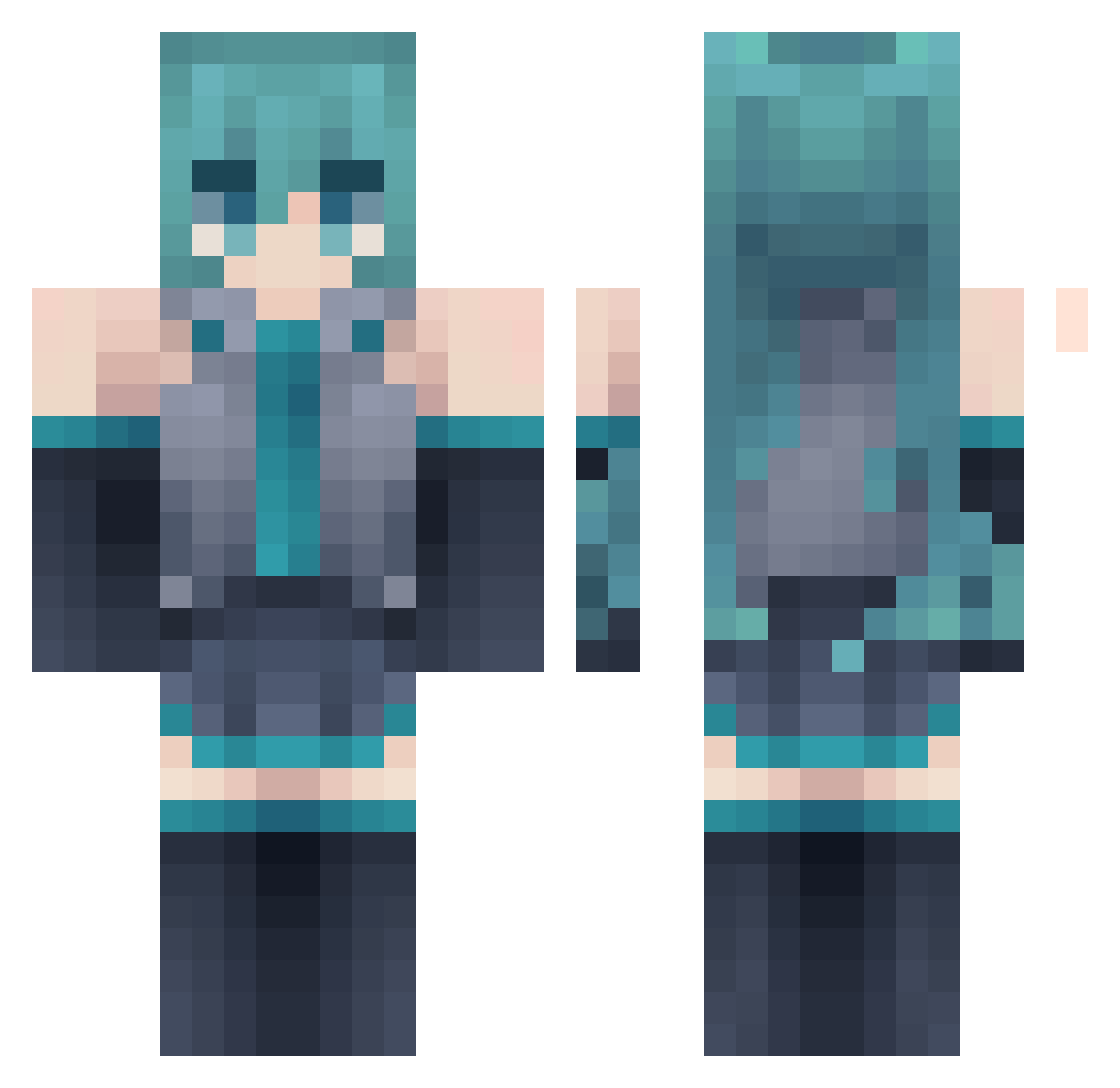
Minecraft skin of NaTo_Sh1. Rotate the 3D model with your mouse or finger to view the skin from every angle, then download it as a PNG file and use it in Minecraft: Bedrock Edition or Java Edition for free. Rate the skin with stars to help other players find the best skins in our collection.
How to install the NaTo_Sh1 skin
- Press the Download button above to save the skin as a PNG file.
- Minecraft: Bedrock Edition (PE): open the Dressing Room from the main menu (or tap your character → Edit Character), go to Classic Skins → Owned, press the + (new skin) button, choose the downloaded PNG and pick the Classic (Steve) model. Works on PC and mobile; consoles cannot import custom skins.
- Minecraft: Java Edition: open the Minecraft Launcher, go to the Skins tab, click New Skin, load the PNG, pick the Classic (Steve) model and press Save & Use. You can also upload it at minecraft.net → Profile → Change Skin.
The skin does not show up after import - what should I do?
Restart Minecraft and open the Dressing Room again - imported skins sometimes appear only after a restart. Also make sure you selected the imported skin and picked the Classic (Steve) model.
Which model should I choose, Classic or Slim?
This skin is designed for the Classic (Steve) model. If you pick the wrong model, the arms of the skin will look stretched or squeezed.
Is this skin free to use?
Yes. Press Download, save the PNG file and use it in Minecraft: Bedrock Edition or Java Edition - no payment or registration needed. The skin also works on multiplayer servers and Realms.
More Hatsune Miku Minecraft skins
See all 897 Hatsune Miku skins
More skins
Looking for more? Go back to all Minecraft skins and check the top skins of the week, month and all time, or find any player's skin by nickname.