
 Smithjde Reporter_Salomon vFreeze resipsa2200 Universe_Clone qwerxd_ luttmis LWHCMB ming7788 CityKawaii Stuhlinger1997 Philgamer7330 Maigeerx pennelopep MikuMikuLove3 Milkyest Tvorop TrickyyGuy g_cunnington APOLLION84 xoultimaox SaffronTexas248 Unfortune39 Steavy Zensaki12 marwanPlus SherlYun ZerowTwo4238 Weeabus Meloma waste_mo BRYNNMICHE funnelfries77 kitro_CZ SunnyTrampoline DaDedBoi Nezuko5293 Canidin Backgao Razaaa wewzlmao Lab_Ise nbAMA10 frankinii0 aliceawesome99 kkkkiana notorious_viv Xaunn yamada0721 HerbataZmalina Arkethel unpan7 woishero ayvacs LazilliVanilli standbyyyy NamikazeFxx Mckrawcik 8810hidora SEM0_
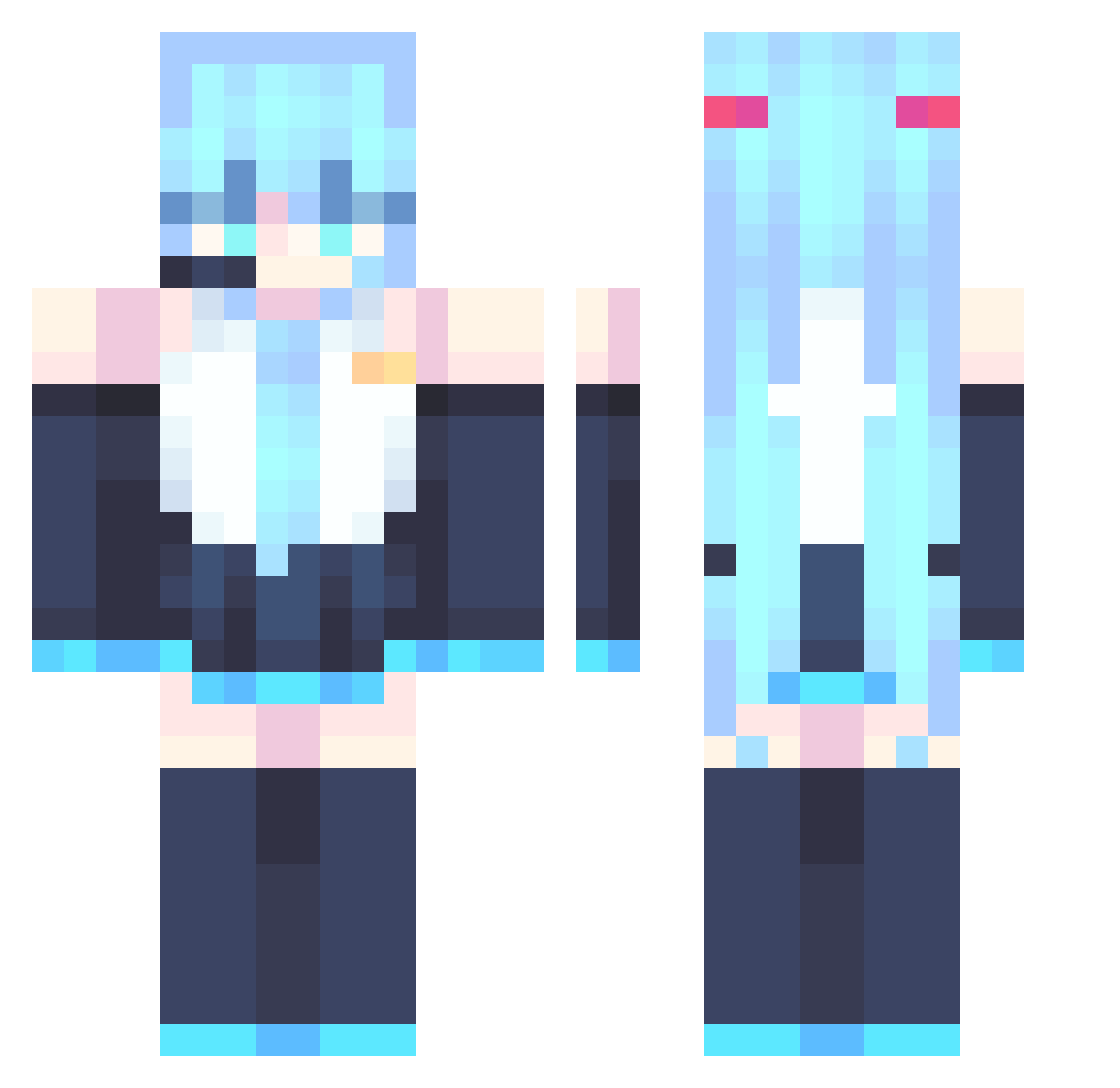
Minecraft skin of Escuro_0. Rotate the 3D model with your mouse or finger to view the skin from every angle, then download it as a PNG file and use it in Minecraft: Bedrock Edition or Java Edition for free. Rate the skin with stars to help other players find the best skins in our collection.
How to install the Escuro_0 skin
- Press the Download button above to save the skin as a PNG file.
- Minecraft: Bedrock Edition (PE): open the Dressing Room from the main menu (or tap your character → Edit Character), go to Classic Skins → Owned, press the + (new skin) button, choose the downloaded PNG and pick the Classic (Steve) model. Works on PC and mobile; consoles cannot import custom skins.
- Minecraft: Java Edition: open the Minecraft Launcher, go to the Skins tab, click New Skin, load the PNG, pick the Classic (Steve) model and press Save & Use. You can also upload it at minecraft.net → Profile → Change Skin.
The skin does not show up after import - what should I do?
Restart Minecraft and open the Dressing Room again - imported skins sometimes appear only after a restart. Also make sure you selected the imported skin and picked the Classic (Steve) model.
Which model should I choose, Classic or Slim?
This skin is designed for the Classic (Steve) model. If you pick the wrong model, the arms of the skin will look stretched or squeezed.
Is this skin free to use?
Yes. Press Download, save the PNG file and use it in Minecraft: Bedrock Edition or Java Edition - no payment or registration needed. The skin also works on multiplayer servers and Realms.
More Hatsune Miku Minecraft skins
See all 894 Hatsune Miku skins
More skins
Looking for more? Go back to all Minecraft skins and check the top skins of the week, month and all time, or find any player's skin by nickname.