
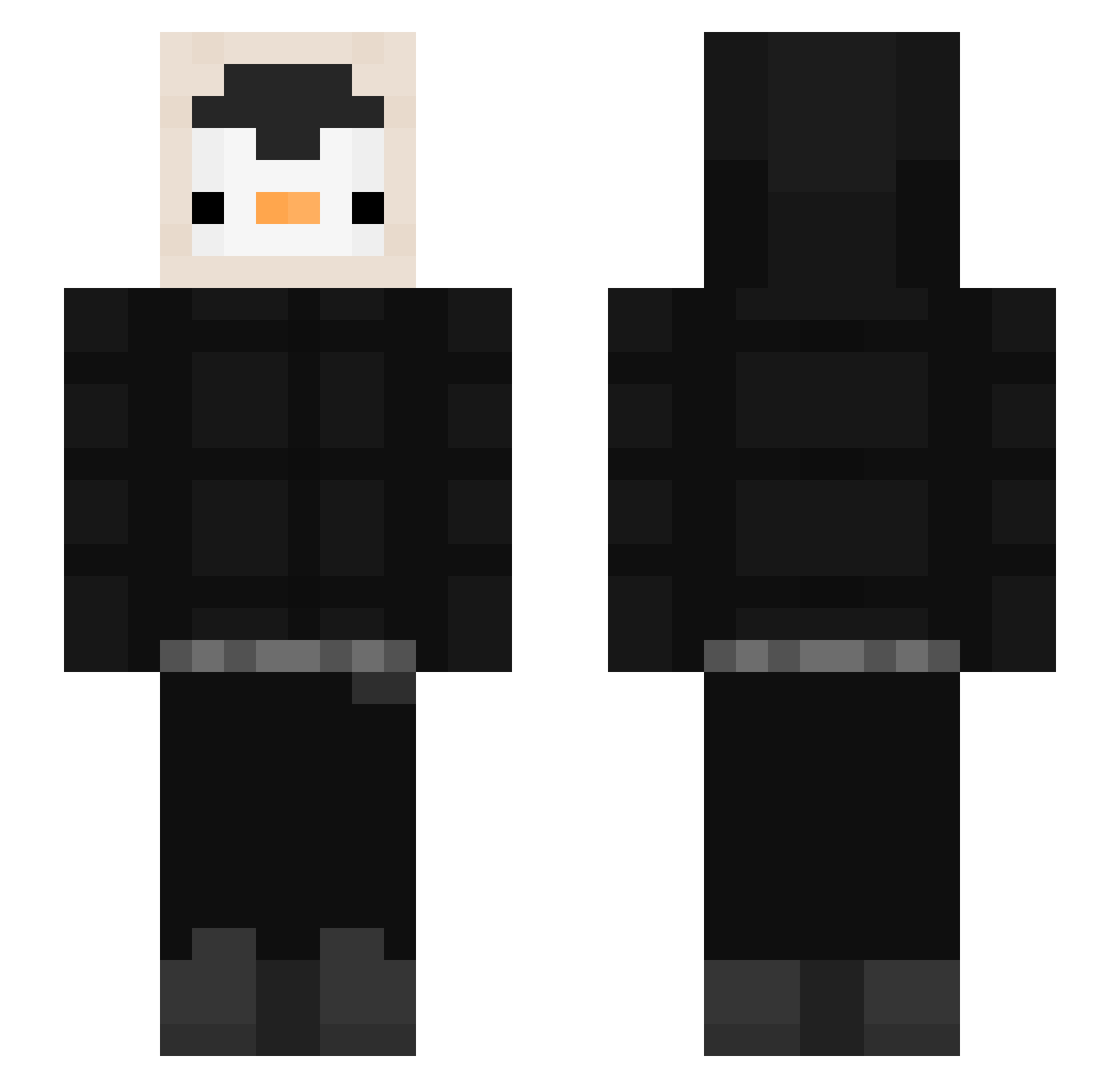
Current Minecraft skin of the player xDarkiz, loaded from the official Mojang API. Rotate the 3D model with your mouse or finger, then download the skin as a PNG file and use it in Minecraft: Bedrock Edition or Java Edition for free. When xDarkiz changes their skin, this page updates automatically and the old skin stays in the history below.
Other players with this skin (426)
xDarkiz was the 292nd player we have seen with this skin, first spotted on 25.09.2026. The same skin was seen on these players. Open a nickname to see their current skin and skin history.
 K1000ito Danielsonn7 Razlz ImmigrationMan T0astyCroissant Aloazil Sistino_ catani_exe trench9antolder DontSpeakToMeNN ROJAE2 VoxyNoir Bixzo TPzGOD Nita911 bluelemonX RodMo10 ysf999 dono_h Inu1357 Kimgyul03 EnesAks29 BBang999 chantalgoume Sleepyadi okaytwo Silfaryon CoucouDasse pocoro22 llamaemi Zian01 goodboyHO rag_12 canto02 NyxSFinx DeDomeD nightzillla 00RMT00 Darkshot56 __biblo__ keyyy11 macher11 Potatosmash8 Marc3l3k2115 KarIDeI3lI bunqa Loverman__ wentrmelon kkmsy Jatroo Torrinkoh GoodPoor153 wilczyca_game keemzen viviMAC ItsPengin PinguinoZ104 TMellado Massi300806 Atilaprow
More Penguin Minecraft skins
How to install the xDarkiz skin
- Press the Download button above to save the skin as a PNG file.
- Minecraft: Bedrock Edition (PE): open the Dressing Room from the main menu (or tap your character → Edit Character), go to Classic Skins → Owned, press the + (new skin) button, choose the downloaded PNG and pick the Slim (Alex) model. Works on PC and mobile; consoles cannot import custom skins.
- Minecraft: Java Edition: open the Minecraft Launcher, go to the Skins tab, click New Skin, load the PNG, pick the Slim (Alex) model and press Save & Use. You can also upload it at minecraft.net → Profile → Change Skin.
The skin does not show up after import - what should I do?
Restart Minecraft and open the Dressing Room again - imported skins sometimes appear only after a restart. Also make sure you selected the imported skin and picked the Slim (Alex) model.
Which model should I choose, Classic or Slim?
This skin is designed for the Slim (Alex) model. If you pick the wrong model, the arms of the skin will look stretched or squeezed.
Is the skin of xDarkiz free to download?
Yes. Press Download, save the PNG file and use it in Minecraft: Bedrock Edition or Java Edition - no payment or registration needed. The skin also works on multiplayer servers and Realms.
More skins
Looking for more? Go back to all Minecraft skins and check the top skins of the week, month and all time, or find any player's skin by nickname.