
wpha - Minecraft Skins & Skin History
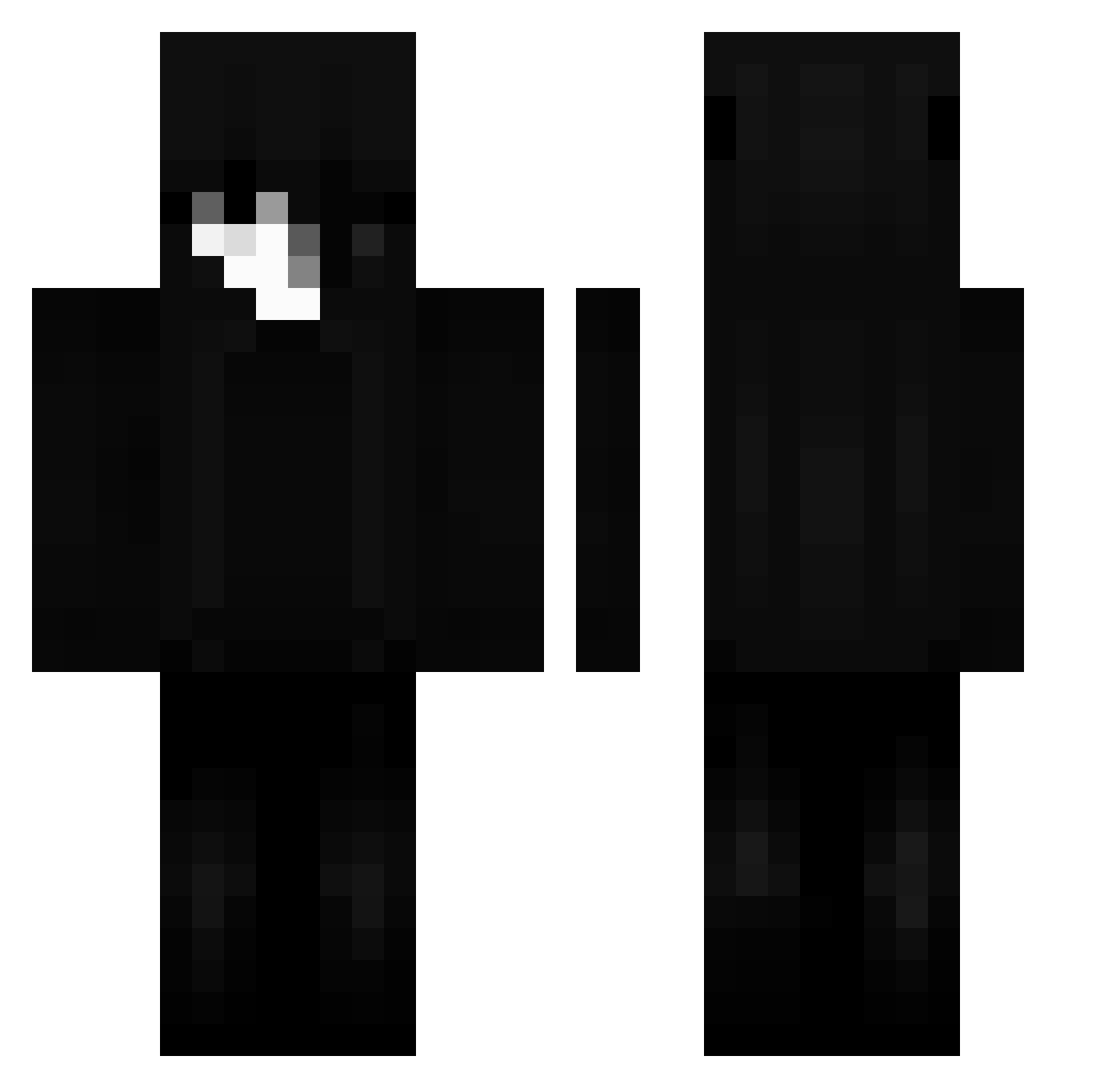
Current Minecraft skin of the player wpha, loaded from the official Mojang API. Rotate the 3D model with your mouse or finger, then download the skin as a PNG file and use it in Minecraft: Bedrock Edition or Java Edition for free. When wpha changes their skin, this page updates automatically and the old skin stays in the history below.
Other players with this skin (58)
wpha was the 34th player we have seen with this skin, first spotted on 18.09.2026. The same skin was seen on these players. Open a nickname to see their current skin and skin history.
 AqaeKhas S4xem TikTokSpeedly Gryion DemitraKolageras KYOTOSREV3NGE Syvarq ItzL1ght_ hir01x Tenci0nn12_ California_420 Lipezz2012 luca1783
 memorii1x flpXDxdXDxdDXXD Chax01 dynamicccs
 sky_013 Drezal
 bluepenguin5877 OmerKayra1905 xFr3tka_ preclowany Luca1337_ delfinek4 tctroza xzvr1 Atlas_Exists nerooks yesyouknowme
 oh_mInT _Fatiq theannoyedmaster
 _arkm_ thinkingLeymo WulibaldTheBird Amendoinnx _Umesh_
 Paxx124 Avorzy ZEYAD773 Bbp4 zCenker ChaMuhee NotYourNPC NxPXP C6YX Herseyes Leikeze_ oxu8
 Ordinances qNavyZero HiCuky han_hyi young_z3n 01Faith flamingV kingofthisgame
More Shadow Minecraft skins
How to install the wpha skin
- Press the Download button above to save the skin as a PNG file.
- Minecraft: Bedrock Edition (PE): open the Dressing Room from the main menu (or tap your character → Edit Character), go to Classic Skins → Owned, press the + (new skin) button, choose the downloaded PNG and pick the Classic (Steve) model. Works on PC and mobile; consoles cannot import custom skins.
- Minecraft: Java Edition: open the Minecraft Launcher, go to the Skins tab, click New Skin, load the PNG, pick the Classic (Steve) model and press Save & Use. You can also upload it at minecraft.net → Profile → Change Skin.
The skin does not show up after import - what should I do?
Restart Minecraft and open the Dressing Room again - imported skins sometimes appear only after a restart. Also make sure you selected the imported skin and picked the Classic (Steve) model.
Which model should I choose, Classic or Slim?
This skin is designed for the Classic (Steve) model. If you pick the wrong model, the arms of the skin will look stretched or squeezed.
Is the skin of wpha free to download?
Yes. Press Download, save the PNG file and use it in Minecraft: Bedrock Edition or Java Edition - no payment or registration needed. The skin also works on multiplayer servers and Realms.
More skins
Looking for more? Go back to all Minecraft skins and check the top skins of the week, month and all time, or find any player's skin by nickname.