
woogsplays - Minecraft Skins & Skin History
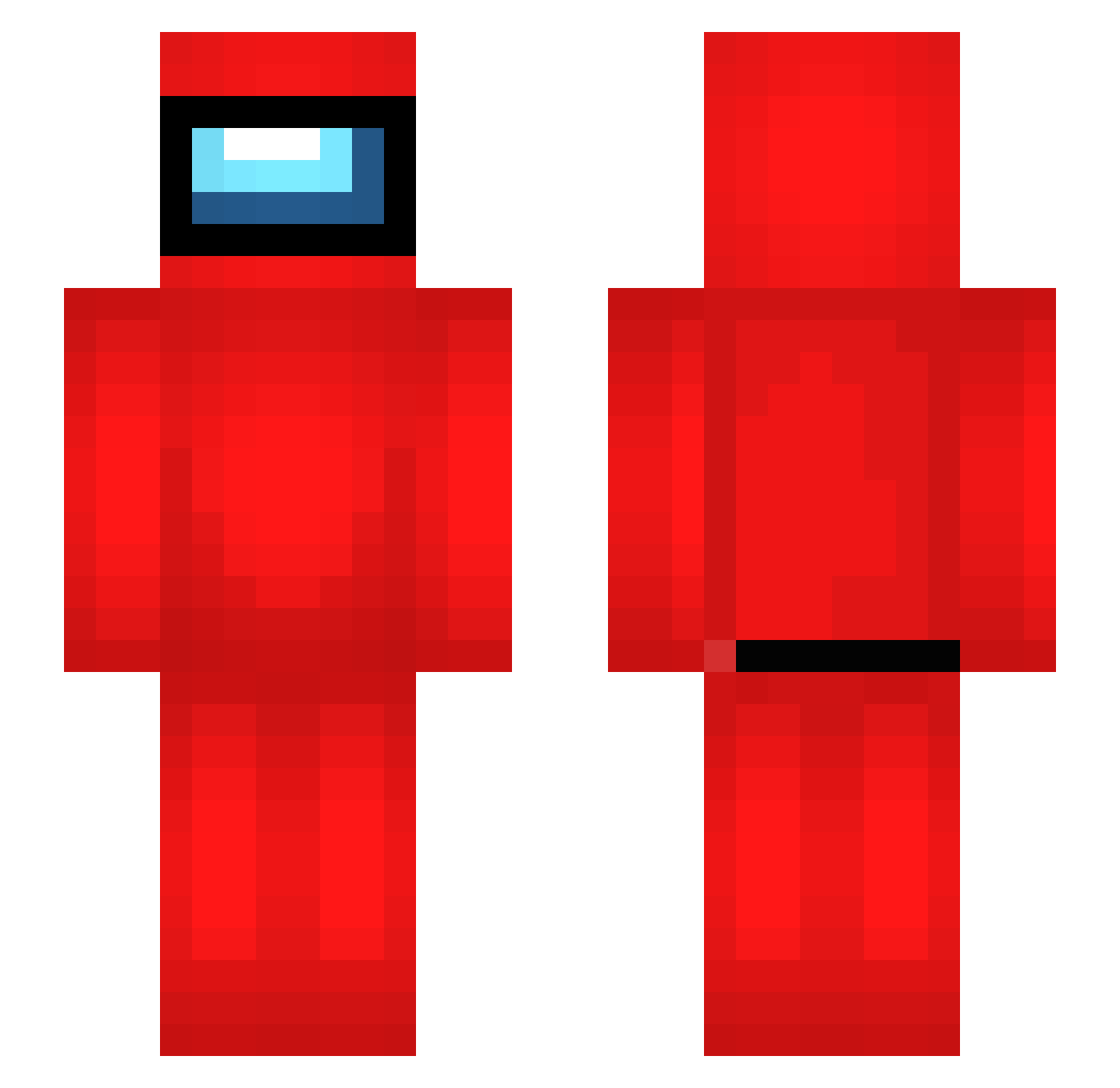
Current Minecraft skin of the player woogsplays, loaded from the official Mojang API. Rotate the 3D model with your mouse or finger, then download the skin as a PNG file and use it in Minecraft: Bedrock Edition or Java Edition for free. When woogsplays changes their skin, this page updates automatically and the old skin stays in the history below.
Other players with this skin (513)
woogsplays was the 333rd player we have seen with this skin, first spotted on 05.10.2026. The same skin was seen on these players. Open a nickname to see their current skin and skin history.
 GigantedeFerro Yunus20135 sheepshawn723 GreenGaming30 briguy219 MontanaAdolf ItzHydra06 Kubson2906 minefire10 Jetto_no_1 NebulaOvercast Larksymoo L3mm1 anvy05 TANG_94 PixiJohn doelie247 DanielMakesMemes TickyZin CheezyFuccMe Myello EarMao EnyoToastMachine IDuckl TheModder123560 Suprucci69 ElciesLL Sorrisoo_ Lucastop5 Lavish36 shp1tz Laxis_Gaming mattyroundhouse BobScoob krerererere Serxan12 Riv4lZ Guzanga Pepcaaa FabGamer2006 Klemus jogadorironic Wilky50 aamnm2005 guizindaredstone p5_p5 Jabof shi_fu_ nico24 sUs4664 Sakari2 kubokujo Stiffmaster04 ProCrafterMax IikaIlves Thor1403 Faris10610 Azeyy__Tv dinkyparty Chopparain
More Crewmate Minecraft skins
How to install the woogsplays skin
- Press the Download button above to save the skin as a PNG file.
- Minecraft: Bedrock Edition (PE): open the Dressing Room from the main menu (or tap your character → Edit Character), go to Classic Skins → Owned, press the + (new skin) button, choose the downloaded PNG and pick the Slim (Alex) model. Works on PC and mobile; consoles cannot import custom skins.
- Minecraft: Java Edition: open the Minecraft Launcher, go to the Skins tab, click New Skin, load the PNG, pick the Slim (Alex) model and press Save & Use. You can also upload it at minecraft.net → Profile → Change Skin.
The skin does not show up after import - what should I do?
Restart Minecraft and open the Dressing Room again - imported skins sometimes appear only after a restart. Also make sure you selected the imported skin and picked the Slim (Alex) model.
Which model should I choose, Classic or Slim?
This skin is designed for the Slim (Alex) model. If you pick the wrong model, the arms of the skin will look stretched or squeezed.
Is the skin of woogsplays free to download?
Yes. Press Download, save the PNG file and use it in Minecraft: Bedrock Edition or Java Edition - no payment or registration needed. The skin also works on multiplayer servers and Realms.
More skins
Looking for more? Go back to all Minecraft skins and check the top skins of the week, month and all time, or find any player's skin by nickname.