
wexom55 - Minecraft Skins & Skin History
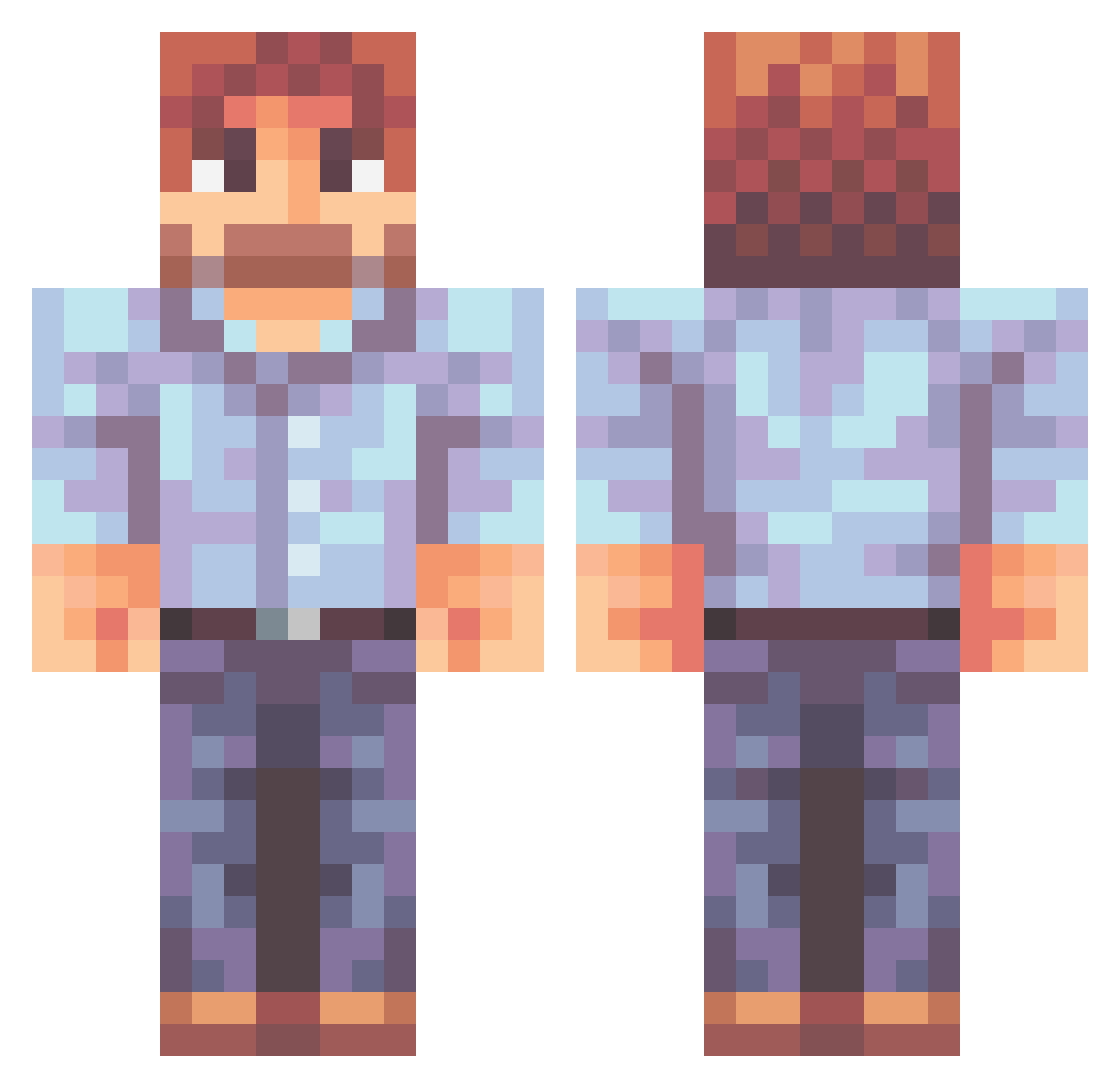
Current Minecraft skin of the player wexom55, loaded from the official Mojang API. Rotate the 3D model with your mouse or finger, then download the skin as a PNG file and use it in Minecraft: Bedrock Edition or Java Edition for free. When wexom55 changes their skin, this page updates automatically and the old skin stays in the history below.
Other players with this skin (470)
wexom55 was the 84th player we have seen with this skin, first spotted on 10.08.2026. The same skin was seen on these players. Open a nickname to see their current skin and skin history.
 NitroOxi Chinmawa PooPooPiggie SRSLY2CUTE4U coolmoon301 Kaptenen99 mintidus Beanii WeedGodSnoopDogg Muriste Potulski Viash graymitchell EkeeSeek PsychedelicBee HolyLucifer666 _Green_Tree_ chapdan j3rrm Darksegion eyesblurry LucasDaFork Wrako Jeriska HotSecretary BUILDAHOLIC18 gr1se_mine b1g KookieO3O MineShark8 joeyvasconi Cadarer Dr_Blockso panblanc Hoodieroman Schupas megaman739 i6eaL MacOli95 TheMDragonWizard Chucktar Thereaper49 Gamera_Gamer _BobRoss MechnoSpoon Dragonborn263 SirGunther_19 JughHackman spaz1729 RandoDrawing13 FlavourShot LuciferM0 Maia01 Vanssi SuperDoge317 Lazom Juan_Pi TheDevil97 0mn0mn0mniv0re fruitsnackfunyun
More Beard Minecraft skins
How to install the wexom55 skin
- Press the Download button above to save the skin as a PNG file.
- Minecraft: Bedrock Edition (PE): open the Dressing Room from the main menu (or tap your character → Edit Character), go to Classic Skins → Owned, press the + (new skin) button, choose the downloaded PNG and pick the Classic (Steve) model. Works on PC and mobile; consoles cannot import custom skins.
- Minecraft: Java Edition: open the Minecraft Launcher, go to the Skins tab, click New Skin, load the PNG, pick the Classic (Steve) model and press Save & Use. You can also upload it at minecraft.net → Profile → Change Skin.
The skin does not show up after import - what should I do?
Restart Minecraft and open the Dressing Room again - imported skins sometimes appear only after a restart. Also make sure you selected the imported skin and picked the Classic (Steve) model.
Which model should I choose, Classic or Slim?
This skin is designed for the Classic (Steve) model. If you pick the wrong model, the arms of the skin will look stretched or squeezed.
Is the skin of wexom55 free to download?
Yes. Press Download, save the PNG file and use it in Minecraft: Bedrock Edition or Java Edition - no payment or registration needed. The skin also works on multiplayer servers and Realms.
More skins
Looking for more? Go back to all Minecraft skins and check the top skins of the week, month and all time, or find any player's skin by nickname.