
viojx - Minecraft Skins & Skin History
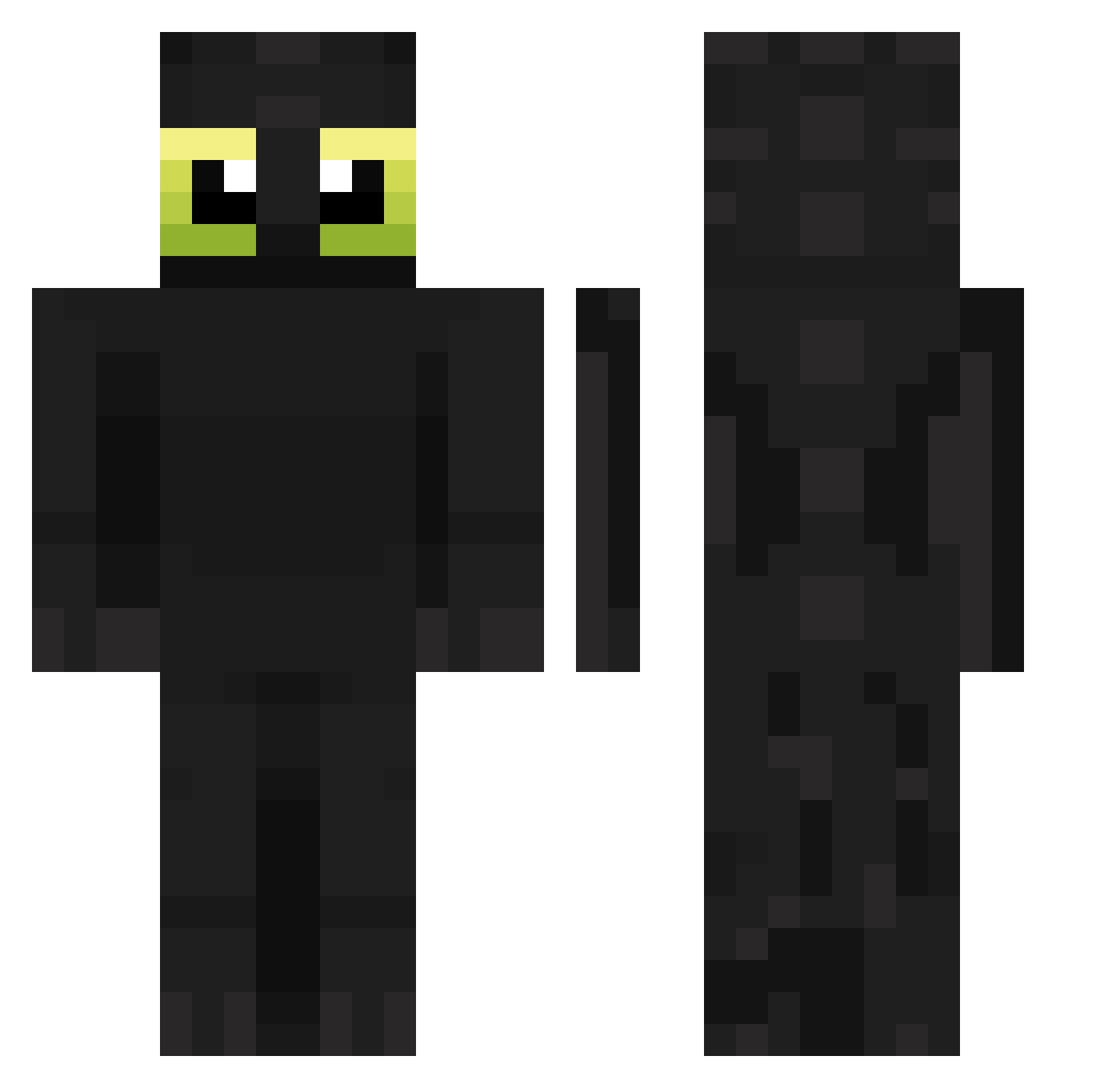
Current Minecraft skin of the player viojx, loaded from the official Mojang API. Rotate the 3D model with your mouse or finger, then download the skin as a PNG file and use it in Minecraft: Bedrock Edition or Java Edition for free. When viojx changes their skin, this page updates automatically and the old skin stays in the history below.
Other players with this skin (150)
viojx was the 91st player we have seen with this skin, first spotted on 24.09.2026. The same skin was seen on these players. Open a nickname to see their current skin and skin history.
 frencqfries Terrovax capystorm smookavelli LyFFeR_ nemzz13_ Kaimaosi1111 kaiwesh WalterBonilla malototop claddaeus Luidyrby Valen120407 MrMilk19 qvbo Darko_2x4 BubbleStylee azorem rice_paste TourteAuFromage Icokralq Exmul plainbagel87 n_3e _sqwilliam_ Kevonetv Nezeth_ DILLYY_MC gudenough Cheetahfy pro_builder43 Ztfro28 WandererLord RenkuladaCZ _A7med_ LEONARDO131 Evenorac Oceanlucky Ourtizet MyWeather9012 Buchs07 m4li5 Justin3k BrunoCactus benjacrp AKAsussy ImeHere unHorizon SSHAWNN_SS TrueAnt7 MBAPPEEEEEEEEEE Agus_Tinait Kicmar jnhoyn chuda25 MJMJYB PusisSlayer TaeTeaTae Neesslog TonyBot37
More Toothless Minecraft skins
How to install the viojx skin
- Press the Download button above to save the skin as a PNG file.
- Minecraft: Bedrock Edition (PE): open the Dressing Room from the main menu (or tap your character → Edit Character), go to Classic Skins → Owned, press the + (new skin) button, choose the downloaded PNG and pick the Classic (Steve) model. Works on PC and mobile; consoles cannot import custom skins.
- Minecraft: Java Edition: open the Minecraft Launcher, go to the Skins tab, click New Skin, load the PNG, pick the Classic (Steve) model and press Save & Use. You can also upload it at minecraft.net → Profile → Change Skin.
The skin does not show up after import - what should I do?
Restart Minecraft and open the Dressing Room again - imported skins sometimes appear only after a restart. Also make sure you selected the imported skin and picked the Classic (Steve) model.
Which model should I choose, Classic or Slim?
This skin is designed for the Classic (Steve) model. If you pick the wrong model, the arms of the skin will look stretched or squeezed.
Is the skin of viojx free to download?
Yes. Press Download, save the PNG file and use it in Minecraft: Bedrock Edition or Java Edition - no payment or registration needed. The skin also works on multiplayer servers and Realms.
More skins
Looking for more? Go back to all Minecraft skins and check the top skins of the week, month and all time, or find any player's skin by nickname.