
 Me_llaman_Fenix0 Ignacho08 BlueFlamerBoi zeiinox1234 spadeace0228 YoshiPJ chromackz Gyrey moohwan2 miLhub Maybe32 spiderjulia C_ron HyperBrew iomi_yuki Neil1487 SkyLumina Noxc3n Ryan51000 oSpec_ Cracosa NotUmpi zzbenjaa baao1002 Sensor1311 Brockinator5000 abc6390 NotFroggi YetiMari NotMarco_ ether1aly SharkStump HMJJJ heeseoung saszaukrainczyk Blackkup MinsMint Derek_08s YuTong_xg nimnuyh2 IWST0918 Jayciaj kocekjr Tomesidlo Requin2000 YINGJUE zyxzd marax04 MICHAELJOOHN ruochenwu NF_KIZMET_33_x samu_25 ss_Lachy 0neted _Owls Owl356 fercetti 0_XVIII Tristianoo PamPamX
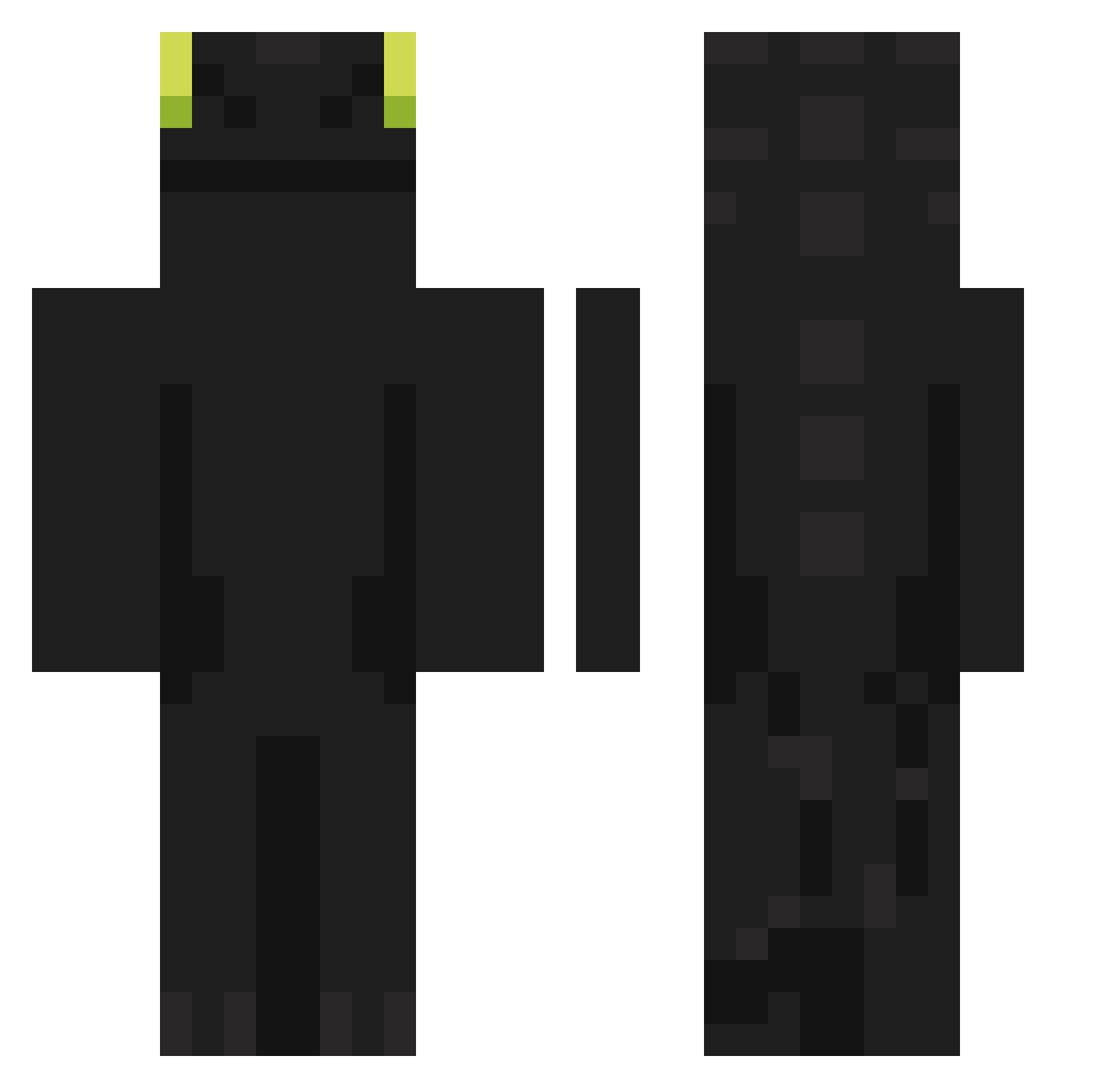
Minecraft skin of sihuan07. Rotate the 3D model with your mouse or finger to view the skin from every angle, then download it as a PNG file and use it in Minecraft: Bedrock Edition or Java Edition for free. Rate the skin with stars to help other players find the best skins in our collection.
How to install the sihuan07 skin
- Press the Download button above to save the skin as a PNG file.
- Minecraft: Bedrock Edition (PE): open the Dressing Room from the main menu (or tap your character → Edit Character), go to Classic Skins → Owned, press the + (new skin) button, choose the downloaded PNG and pick the Classic (Steve) model. Works on PC and mobile; consoles cannot import custom skins.
- Minecraft: Java Edition: open the Minecraft Launcher, go to the Skins tab, click New Skin, load the PNG, pick the Classic (Steve) model and press Save & Use. You can also upload it at minecraft.net → Profile → Change Skin.
The skin does not show up after import - what should I do?
Restart Minecraft and open the Dressing Room again - imported skins sometimes appear only after a restart. Also make sure you selected the imported skin and picked the Classic (Steve) model.
Which model should I choose, Classic or Slim?
This skin is designed for the Classic (Steve) model. If you pick the wrong model, the arms of the skin will look stretched or squeezed.
Is this skin free to use?
Yes. Press Download, save the PNG file and use it in Minecraft: Bedrock Edition or Java Edition - no payment or registration needed. The skin also works on multiplayer servers and Realms.
More Night Fury Minecraft skins
More skins
Looking for more? Go back to all Minecraft skins and check the top skins of the week, month and all time, or find any player's skin by nickname.