
KkahManRyung - Minecraft Skins & Skin History
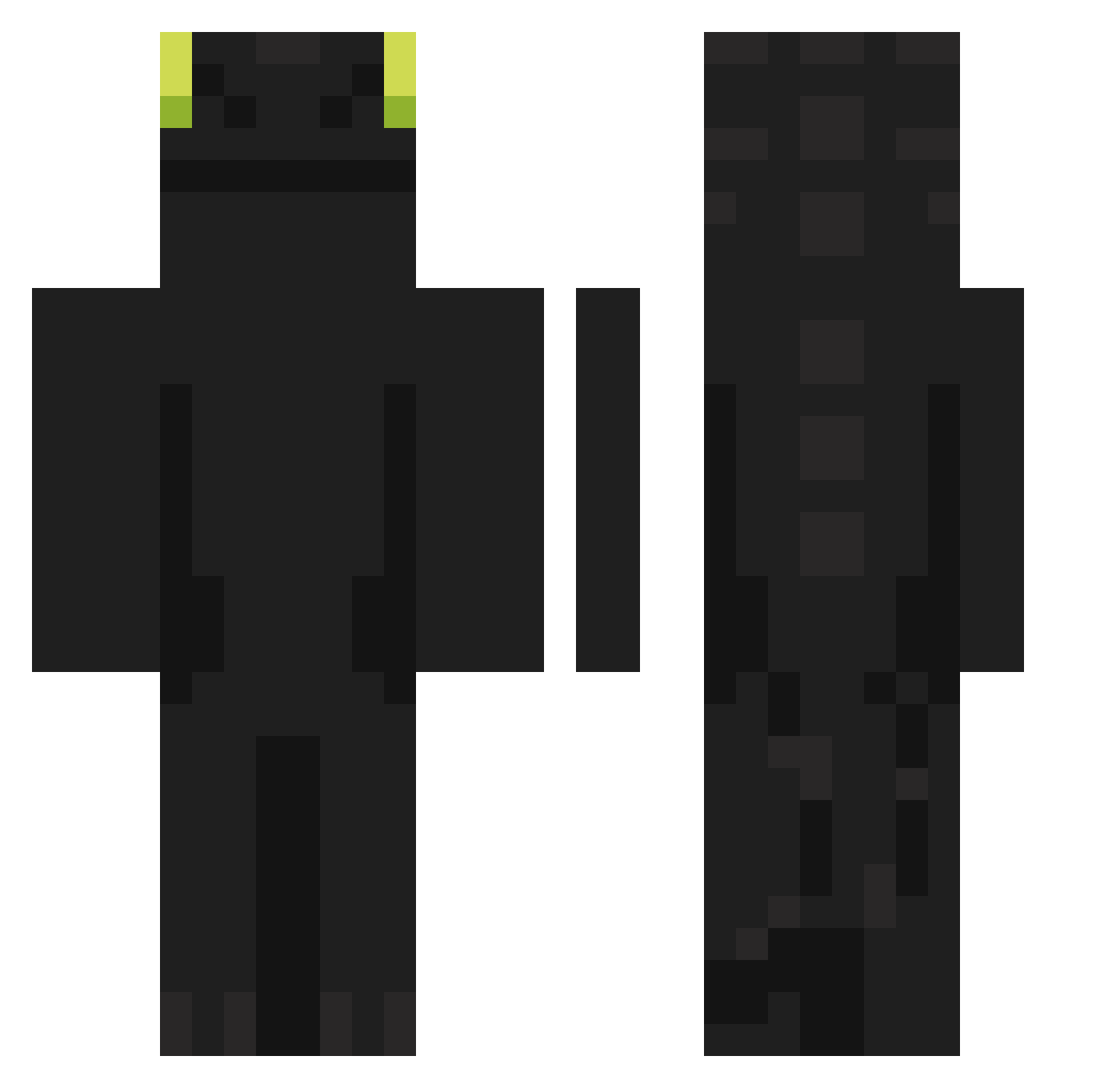
Current Minecraft skin of the player KkahManRyung, loaded from the official Mojang API. Rotate the 3D model with your mouse or finger, then download the skin as a PNG file and use it in Minecraft: Bedrock Edition or Java Edition for free. When KkahManRyung changes their skin, this page updates automatically and the old skin stays in the history below.
Other players with this skin (1104)
KkahManRyung was the 1051st player we have seen with this skin, first spotted on 14.11.2026. The same skin was seen on these players. Open a nickname to see their current skin and skin history.
 SiNOn589 Bluepossible AllenToyota emilyem0419 Ratouille03 ZNoxe XenhokX 4COMBO kimcheolsun8229 chan20 DrNote Maxou15411 Dilipp123 tkddnjs0923 ElevenFox5000 Subonio zz4444 Webinho69 komi1225 PatykDrewniany leetsteele1337 FM_Dalma MidnightSparta udoahk Zachriel901 koun0914 NEOIFZ Blackrobot123 Therealbabogamer KKKermit3 eliecopteree RegxiTer J_P_X_ Pondyu1 Giornono18 imuniteee CanadianJarl Bleuet_ Drago_TA aldenkimchi k3jili moonking2 Menrav IAmSpringYT Feikse YaBull gomezgk Bugaj0 jack4450 Leeds Soleil5707 kylianlamka Yukkitio KAZ4MA Jabo29 Folha17 Mond4y4 tracteurttome Enderkim0405 Koody06
More Night Fury Minecraft skins
How to install the KkahManRyung skin
- Press the Download button above to save the skin as a PNG file.
- Minecraft: Bedrock Edition (PE): open the Dressing Room from the main menu (or tap your character → Edit Character), go to Classic Skins → Owned, press the + (new skin) button, choose the downloaded PNG and pick the Classic (Steve) model. Works on PC and mobile; consoles cannot import custom skins.
- Minecraft: Java Edition: open the Minecraft Launcher, go to the Skins tab, click New Skin, load the PNG, pick the Classic (Steve) model and press Save & Use. You can also upload it at minecraft.net → Profile → Change Skin.
The skin does not show up after import - what should I do?
Restart Minecraft and open the Dressing Room again - imported skins sometimes appear only after a restart. Also make sure you selected the imported skin and picked the Classic (Steve) model.
Which model should I choose, Classic or Slim?
This skin is designed for the Classic (Steve) model. If you pick the wrong model, the arms of the skin will look stretched or squeezed.
Is the skin of KkahManRyung free to download?
Yes. Press Download, save the PNG file and use it in Minecraft: Bedrock Edition or Java Edition - no payment or registration needed. The skin also works on multiplayer servers and Realms.
More skins
Looking for more? Go back to all Minecraft skins and check the top skins of the week, month and all time, or find any player's skin by nickname.