
vikjos00 - Minecraft Skins & Skin History
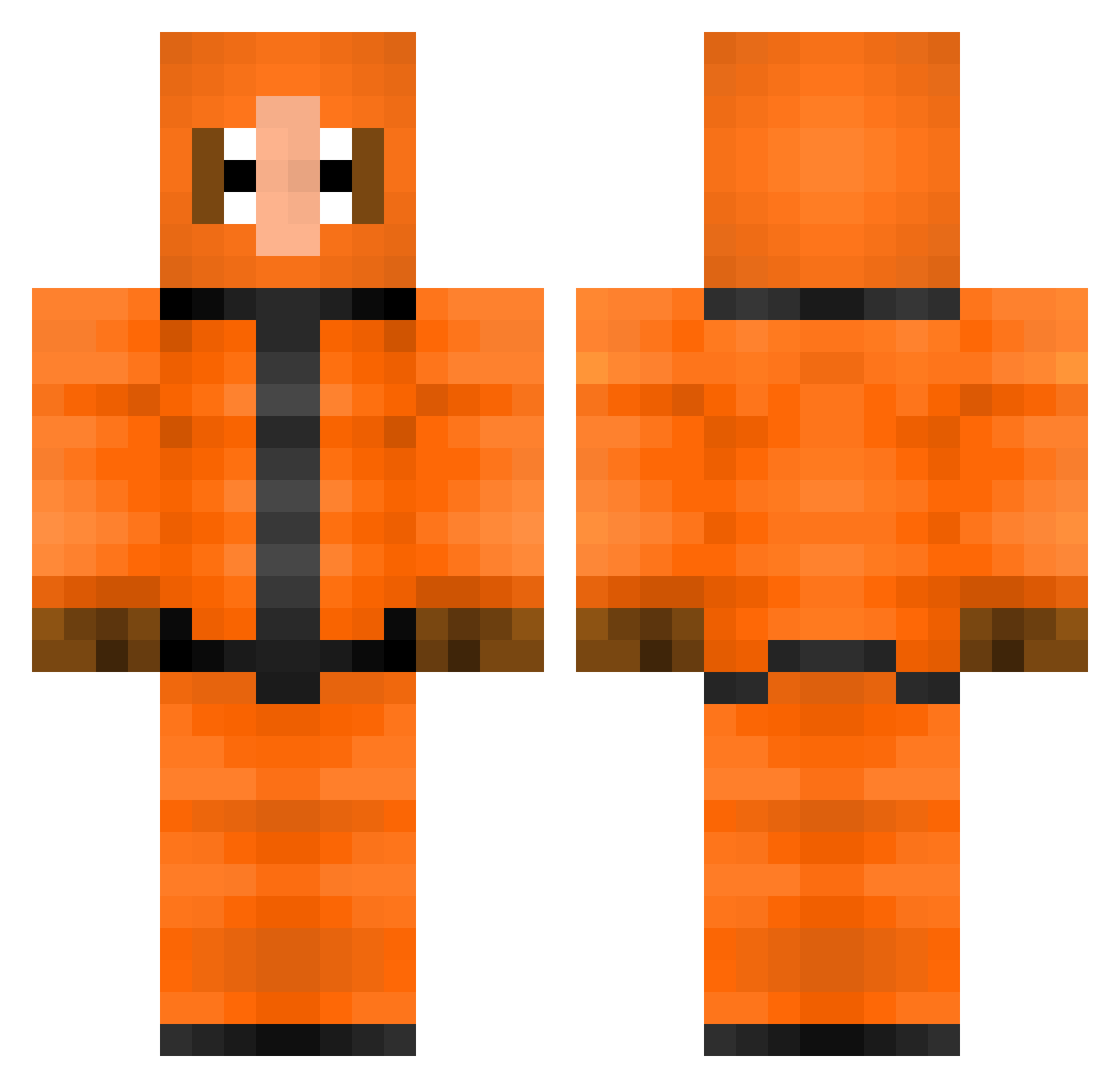
Current Minecraft skin of the player vikjos00, loaded from the official Mojang API. Rotate the 3D model with your mouse or finger, then download the skin as a PNG file and use it in Minecraft: Bedrock Edition or Java Edition for free. When vikjos00 changes their skin, this page updates automatically and the old skin stays in the history below.
Other players with this skin (308)
vikjos00 was the 35th player we have seen with this skin, first spotted on 31.07.2026. The same skin was seen on these players. Open a nickname to see their current skin and skin history.
 _laughing_hyena_ RiChYFanatics gothicunicorn45 kenny2272 xXNippelNinjaXx billysssp LauraBiggs maxoli02 46th OppaiDragon69 bigkuhuna nipap888 BigDikLarry AsdfPin dode412 NNMESSI94 craftking2214 MrTheNik hazure2 LaboLobster bdpbzyx Noooaahh Futa_Evelynn Phteni Lipxziqt AngelCoyote Kracky88 MDgoldSlayer reece_m_c Rloccs IKennyMCCormickI CrazyJian cheater13010 NEWLINATOR SourCrowla dragonknight123 gautho2000 civickunde mcgraw37 3rikc BoBCrAFt3R cybernought Davvelinus gyuji2003 ModernWish patizon kennyg350 theotherguy51 victorpotri henriko999 Gnivlos Mjr_Demolition Pur3f0ck3r TheGamingWalker matoro01 Caboose283 AndrewWiggins22 lenwenn th3fr3udy Kennythehero
More Kenny Mccormick Minecraft skins
See all 59 Kenny Mccormick skins
How to install the vikjos00 skin
- Press the Download button above to save the skin as a PNG file.
- Minecraft: Bedrock Edition (PE): open the Dressing Room from the main menu (or tap your character → Edit Character), go to Classic Skins → Owned, press the + (new skin) button, choose the downloaded PNG and pick the Classic (Steve) model. Works on PC and mobile; consoles cannot import custom skins.
- Minecraft: Java Edition: open the Minecraft Launcher, go to the Skins tab, click New Skin, load the PNG, pick the Classic (Steve) model and press Save & Use. You can also upload it at minecraft.net → Profile → Change Skin.
The skin does not show up after import - what should I do?
Restart Minecraft and open the Dressing Room again - imported skins sometimes appear only after a restart. Also make sure you selected the imported skin and picked the Classic (Steve) model.
Which model should I choose, Classic or Slim?
This skin is designed for the Classic (Steve) model. If you pick the wrong model, the arms of the skin will look stretched or squeezed.
Is the skin of vikjos00 free to download?
Yes. Press Download, save the PNG file and use it in Minecraft: Bedrock Edition or Java Edition - no payment or registration needed. The skin also works on multiplayer servers and Realms.
More skins
Looking for more? Go back to all Minecraft skins and check the top skins of the week, month and all time, or find any player's skin by nickname.