
veledara - Minecraft Skins & Skin History
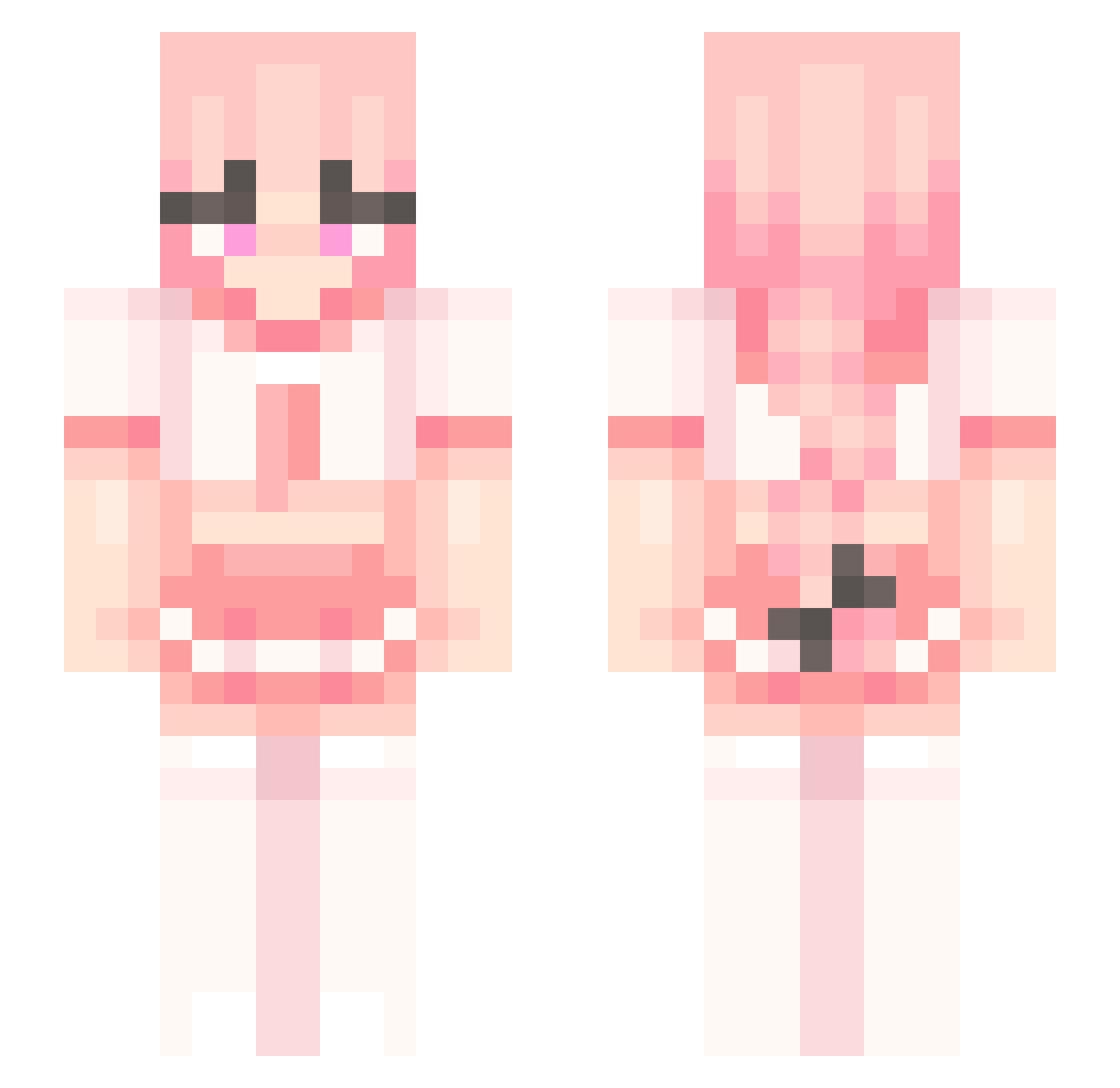
Current Minecraft skin of the player veledara, loaded from the official Mojang API. Rotate the 3D model with your mouse or finger, then download the skin as a PNG file and use it in Minecraft: Bedrock Edition or Java Edition for free. When veledara changes their skin, this page updates automatically and the old skin stays in the history below.
Other players with this skin (251)
veledara was the 23rd player we have seen with this skin, first spotted on 03.08.2026. The same skin was seen on these players. Open a nickname to see their current skin and skin history.
 Chunkylover175 UHm995 DankraniKun Recartu
 Darkboltund480 chanceypooh69 WilliamOkOk CjScpSl DariusIsBad Tibibimeh iAmWojak MITOHNESPRUDEL Sibbel DwarFag ermariobustos
 FIight23White
 doriisss Endermanminer exactlybeam EdvinTube ILFBS1 GodDavide
 yayi_121 bigyeom Fanny01 mc_blom thatonekid1212 Lapoa Shineichu Whimsey_MC Atsumugi Esdeath_No1 cyrus0905 Pigbabywow Fuya_ boba_teaaaaa 0y_r niedolezny jxstrian Kavomi zxnican 110_12 lucalamasa Lohanx_xx NuggetEmPijama 1marcelfilms cheesecake58 _AntiLost SiGuyHere vincentiskool61 Dani_elle_ Max103453 realize0311 DatSoyGuy teymeow Bigshooter19191 Yakamiiiii NoahStolfo4147 Usuqthe1st ranwaner
More School Uniform Minecraft skins
See all 6906 School Uniform skins
How to install the veledara skin
- Press the Download button above to save the skin as a PNG file.
- Minecraft: Bedrock Edition (PE): open the Dressing Room from the main menu (or tap your character → Edit Character), go to Classic Skins → Owned, press the + (new skin) button, choose the downloaded PNG and pick the Slim (Alex) model. Works on PC and mobile; consoles cannot import custom skins.
- Minecraft: Java Edition: open the Minecraft Launcher, go to the Skins tab, click New Skin, load the PNG, pick the Slim (Alex) model and press Save & Use. You can also upload it at minecraft.net → Profile → Change Skin.
The skin does not show up after import - what should I do?
Restart Minecraft and open the Dressing Room again - imported skins sometimes appear only after a restart. Also make sure you selected the imported skin and picked the Slim (Alex) model.
Which model should I choose, Classic or Slim?
This skin is designed for the Slim (Alex) model. If you pick the wrong model, the arms of the skin will look stretched or squeezed.
Is the skin of veledara free to download?
Yes. Press Download, save the PNG file and use it in Minecraft: Bedrock Edition or Java Edition - no payment or registration needed. The skin also works on multiplayer servers and Realms.
More skins
Looking for more? Go back to all Minecraft skins and check the top skins of the week, month and all time, or find any player's skin by nickname.