
 Mikolanie knabt HonkerWonker FemboyLemonade killer1529 HideriKanzaki GrippyGorilla196 layn420 Spherii pug_boi___altduh JungleGamer799 Alphamod naalinn J0j0w0 Anklestealer JamieAsian BenjaBivsen Nampasu Touhoster Soldat1042 junia_xoxo Parufa_KOX Bazzi0 Bidelo_ TPM_AM2322 isaacsb102938475 badv11 rainglxw Bowbox123 Kottsss ArsonistAxolotl Zoubra CharlieChoco1015 splashy_water zkvi saturnned CLMMMMM Sharingan_Berend lozzapieee urboyxinoq Ziemniak3348 ILikeAstolfo Ben390 dflynn687 IGNI0x Zeonic132 SOMAFU E_546 Kordart IH_D8v SocKunky Nacho6457 ci_vik AlessioBonomi Meridian2296 flmadero Soyah5467 Magick_iloveyuri MasterDug gooph0st
Minecraft skin of _AntiLost. Rotate the 3D model with your mouse or finger to view the skin from every angle, then download it as a PNG file and use it in Minecraft: Bedrock Edition or Java Edition for free. Rate the skin with stars to help other players find the best skins in our collection.
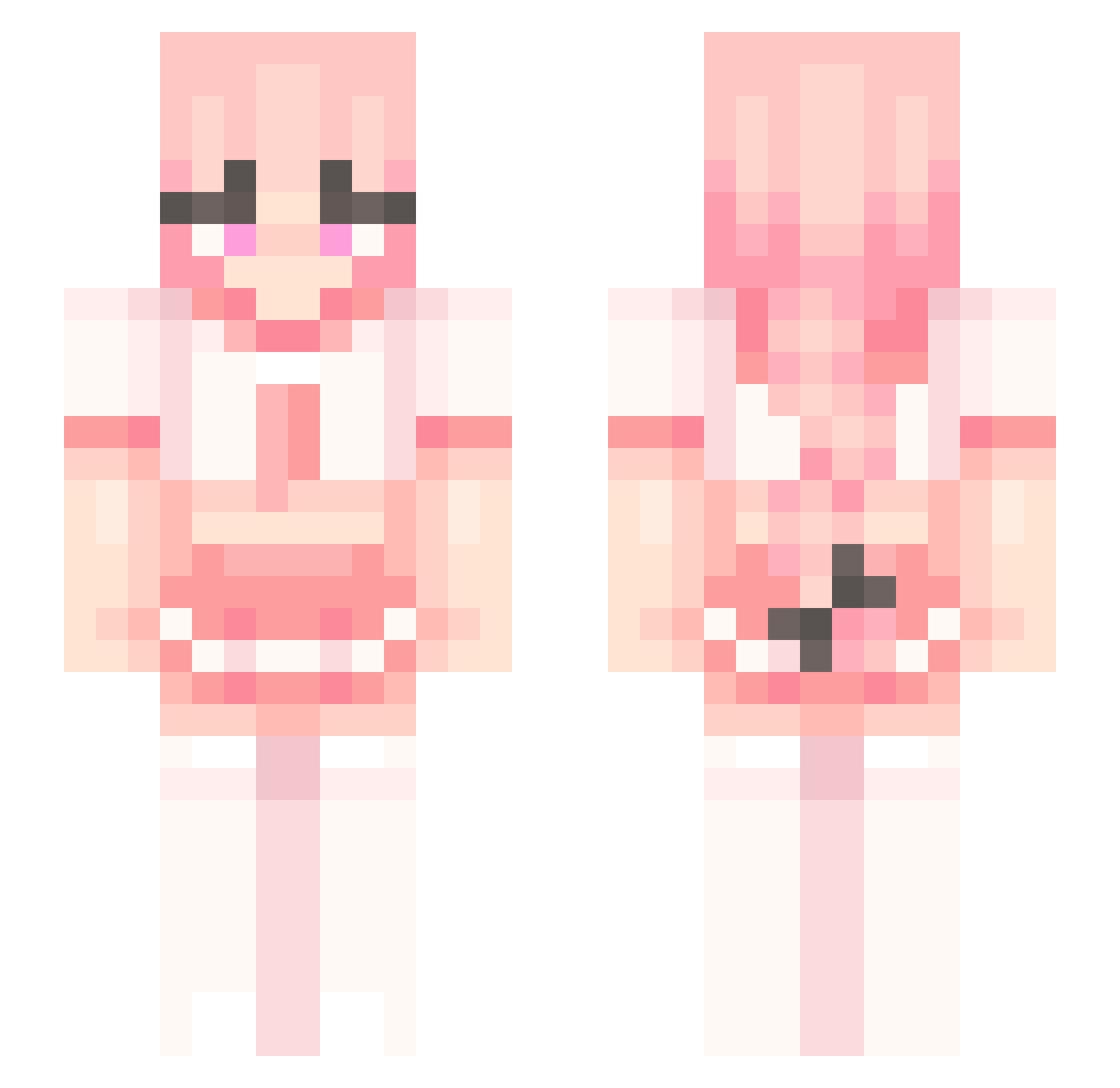
How to install the _AntiLost skin
- Press the Download button above to save the skin as a PNG file.
- Minecraft: Bedrock Edition (PE): open the Dressing Room from the main menu (or tap your character → Edit Character), go to Classic Skins → Owned, press the + (new skin) button, choose the downloaded PNG and pick the Slim (Alex) model. Works on PC and mobile; consoles cannot import custom skins.
- Minecraft: Java Edition: open the Minecraft Launcher, go to the Skins tab, click New Skin, load the PNG, pick the Slim (Alex) model and press Save & Use. You can also upload it at minecraft.net → Profile → Change Skin.
The skin does not show up after import - what should I do?
Restart Minecraft and open the Dressing Room again - imported skins sometimes appear only after a restart. Also make sure you selected the imported skin and picked the Slim (Alex) model.
Which model should I choose, Classic or Slim?
This skin is designed for the Slim (Alex) model. If you pick the wrong model, the arms of the skin will look stretched or squeezed.
Is this skin free to use?
Yes. Press Download, save the PNG file and use it in Minecraft: Bedrock Edition or Java Edition - no payment or registration needed. The skin also works on multiplayer servers and Realms.
More School Uniform Minecraft skins
See all 6906 School Uniform skins
More skins
Looking for more? Go back to all Minecraft skins and check the top skins of the week, month and all time, or find any player's skin by nickname.