
valentin_4 - Minecraft Skins & Skin History
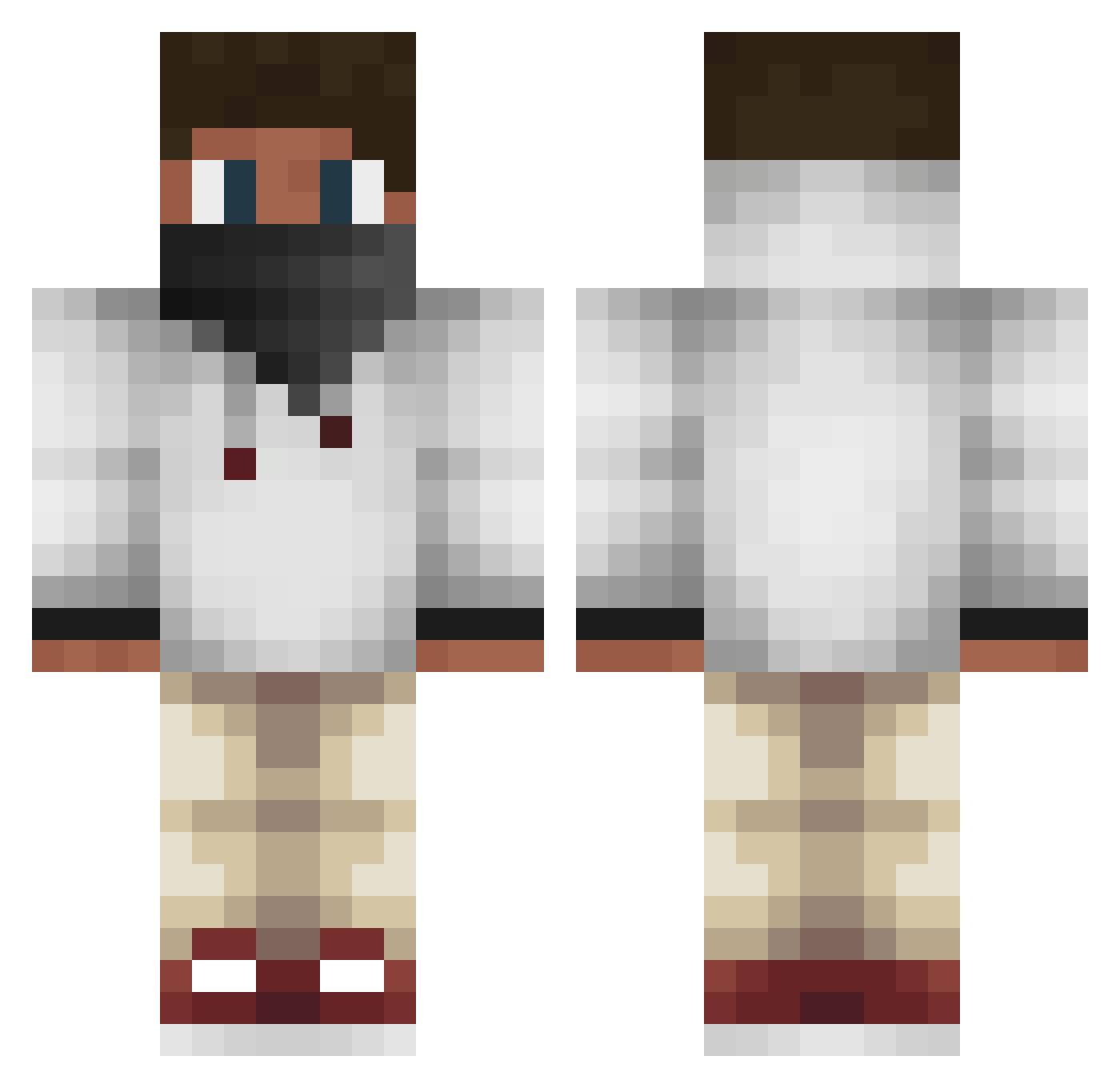
Current Minecraft skin of the player valentin_4, loaded from the official Mojang API. Rotate the 3D model with your mouse or finger, then download the skin as a PNG file and use it in Minecraft: Bedrock Edition or Java Edition for free. When valentin_4 changes their skin, this page updates automatically and the old skin stays in the history below.
Other players with this skin (573)
valentin_4 was the 57th player we have seen with this skin, first spotted on 06.08.2026. The same skin was seen on these players. Open a nickname to see their current skin and skin history.
 Leprechaunexe Stjarnskott123 Alextheboss33 ChaosGamer44x Petlove506 Jon2310 stiver sebbi126 Whiskywolf t4tbear buttcheck Tussinuttan MobergDK Jorgenn7 Gutsnaggah Deadsniper5400 Scholle_ LittleBuzz gavinrclarke UniversalPvPz braddawkins Weirdperson02 Drenny DUSTLIONVK Macon42 Veksel228 Calippoos Takkurukka SrelexHD 3Kastars Yoyoboy9 MaNamePiotr TyTha1st sunita Gan0ndorf Varador Citrusbat29 xfuestxx BrinkerBoy Stephen69123 MadsMejdal Pixel_BuilderXD Niggo_MC SuperRohit r4ndy079 xMiksu00 Enderlox48 ThatKidGamer07 EliteKTK Flash9294 sontje2003 petternyyhus _SweOskis_05 Zamzaki boouack biggman315 xXSonnyBlackXx goodlongstar8 vShad Alladinmf
More Face Mask Minecraft skins
How to install the valentin_4 skin
- Press the Download button above to save the skin as a PNG file.
- Minecraft: Bedrock Edition (PE): open the Dressing Room from the main menu (or tap your character → Edit Character), go to Classic Skins → Owned, press the + (new skin) button, choose the downloaded PNG and pick the Classic (Steve) model. Works on PC and mobile; consoles cannot import custom skins.
- Minecraft: Java Edition: open the Minecraft Launcher, go to the Skins tab, click New Skin, load the PNG, pick the Classic (Steve) model and press Save & Use. You can also upload it at minecraft.net → Profile → Change Skin.
The skin does not show up after import - what should I do?
Restart Minecraft and open the Dressing Room again - imported skins sometimes appear only after a restart. Also make sure you selected the imported skin and picked the Classic (Steve) model.
Which model should I choose, Classic or Slim?
This skin is designed for the Classic (Steve) model. If you pick the wrong model, the arms of the skin will look stretched or squeezed.
Is the skin of valentin_4 free to download?
Yes. Press Download, save the PNG file and use it in Minecraft: Bedrock Edition or Java Edition - no payment or registration needed. The skin also works on multiplayer servers and Realms.
More skins
Looking for more? Go back to all Minecraft skins and check the top skins of the week, month and all time, or find any player's skin by nickname.